
What is an M3U player?
An M3U player plays your own playlist (M3U link, Xtream login) on TV, phone or computer, without supplying any channel. What it does and what it doesn't.
Nipo doesn’t provide, sell or host any channel, movie or playlist: it plays what you already own.
Getting startedThe Nipo Player team 5 min read
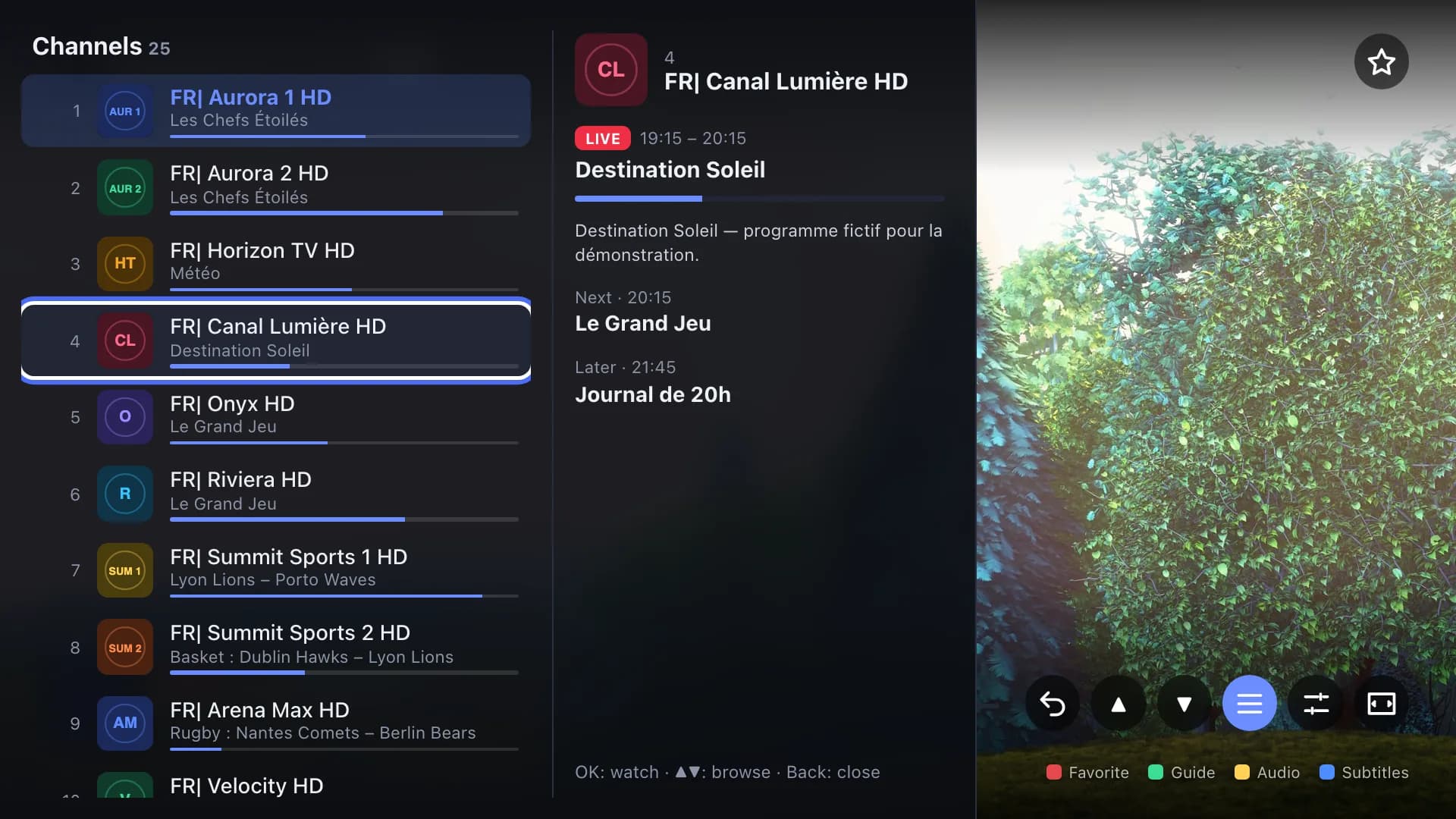
You've heard of an "M3U player", someone gave you a playlist link, or your TV's store offers apps with puzzling names. This article explains simply what a player is, what it does, what it doesn't do, and how to pick one without nasty surprises.
The one-sentence definition
An M3U player is an app that plays a list of video streams (a playlist) delivered over the internet, and shows it like a TV: channels to flick through, a programme guide, movies and series.
The name comes from M3U, the most common playlist format, but a good player also reads Xtream logins and XMLTV guides (more on these below). The channels reach you over the internet rather than through an aerial or a satellite dish, and many legal services work this way: operators' set-top boxes, channels that stream live on their own site, hotel or company networks, or your own videos on a home server.
A player isn't a service
This is the most important point, and the most misunderstood.
- The player is software, like VLC or your phone's video player. It contains no channel.
- The playlist is the list of streams to play. It comes from elsewhere: your operator, a broadcaster, your own server, your employer.
Nipo Player is a player: it supplies, sells and hosts no channel and no playlist. A site that sells you "a player with the channels" mixes the two, and that's often a bad sign.
What a player reads
An M3U playlist
The most common format. It's a plain text file (or a link to that file) listing each channel: its name, sometimes its logo and category, then the stream's address. For the full picture, read What is an M3U playlist? and the M3U playlist page.
An Xtream login
Instead of a link, you're given three things: a server, a username and a password. The player connects to the server and fetches the channels, movies, series and often the guide by itself. See Server login.
A programme guide (XMLTV)
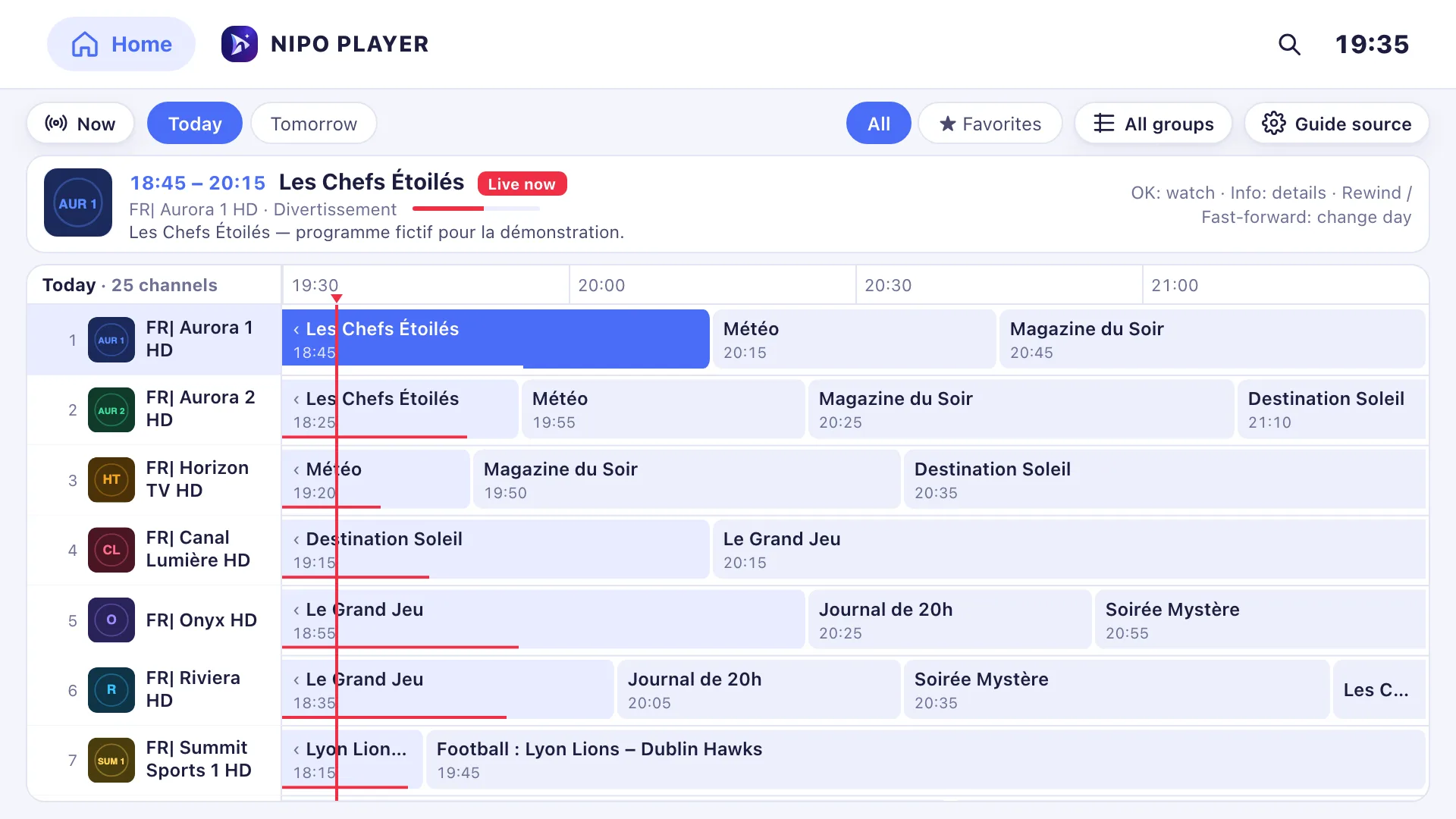
The guide that tells you what's on now and later is often a separate file, in XMLTV format. A good player links it to the channels automatically. See XMLTV guide and Add a TV guide to your playlist.
Catch-up
Some servers keep a few days of programmes. If your playlist announces it, the player lets you go back in the guide. See Catch-up.
What a good player does for you
Playback alone isn't enough. On a TV, with a remote and the whole family, a good player makes the difference on:
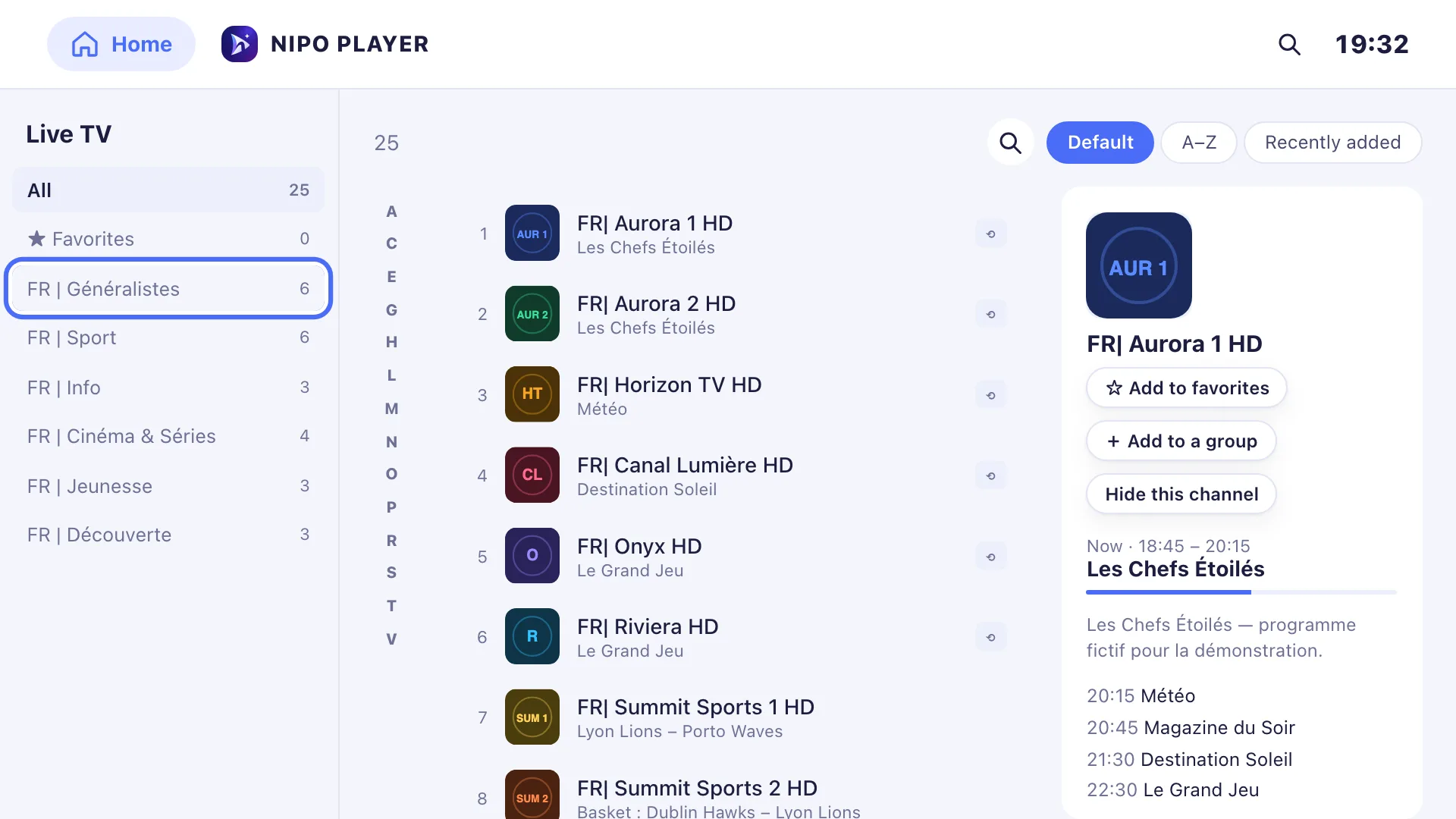
- Getting started: big tiles, simple arrow-key navigation, and a way to add the playlist without typing it all with the remote.
- Channel surfing: CH+/CH−, number keys, previous channel, like a set-top box.
- The guide: a clear grid, and a mini guide in the player to see what's next without leaving the channel.
- Big playlists: some have tens of thousands of entries. The player must stay fast.
- The family: a PIN code, locked categories, ideally a kids profile.
- Diagnosis: when a channel fails, knowing whether it's the internet, the server, the account or the channel.
Nipo Player was built around these points: see the player and the TV guide.
What a player doesn't do
- It doesn't supply channels. Without a playlist, it has nothing to show.
- It doesn't fix a broken server. If the stream is down at the source, no player will bring it back.
- It doesn't make illegal content legal. Responsibility for the content is yours.
Is it legal?
Yes: using a player is perfectly legal, like using a DVD player. What matters is what you watch. A playlist from an operator, a broadcaster or your own server is legal. A playlist giving access to pay channels without the rights holders' consent isn't, whatever player you use.
Free or paid?
Many players come in a free and a paid version. Pricing models vary a lot: per device, per household, subscription, prepaid credits. Before paying, check:
- how many devices one purchase covers;
- whether the payment is one-time or recurring;
- the refund policy, written in black and white.
Our player comparison covers these points for nine well-known players, with sourced facts. On Nipo Player's side: the free player is complete and ad-free; Nipo Premium (1 screen) and Nipo Family (5 screens) are bought once, with a 14-day refund. Details on the Pricing page.
On which devices?
There are players for almost everything: Samsung and LG TVs, Android TV and Google TV, Fire TV, phones, tablets, computers. Nipo Player is one app for all these device families: the Devices page shows how to install it on each.
Frequently asked questions
Does an M3U player supply channels?
No. An honest player supplies no channel. Nipo Player only plays the playlist you add.
What's the difference between M3U and an Xtream login?
M3U is a link or a file listing the channels. An Xtream login is a server, a username and a password: the player fetches the list, the movies, the series and often the guide by itself.
Can I use the same playlist on several devices?
Technically, yes. But your playlist's server often limits how many connections can run at once: check what your account allows.
Do I need a Nipo account to watch?
No. The free player works without an account. An account is only used to manage Nipo Premium or Nipo Family.
Read more
Updated on 29 September 2026
Contact supportRead next
- Getting started
Add a TV guide (XMLTV) to your playlist
If your playlist's guide is incomplete, paste a separate XMLTV guide link in the guide settings: Nipo Player matches it to your channels by their ID.
29 September 2026 · 3 min read
 Devices
Best M3U player for LG TV
Which player for an LG TV (webOS)? LG Content Store, Magic Remote, price per TV or per home, refunds: the options compared, with sourced facts about each.
29 September 2026 · 5 min read
- Devices
Best M3U player for Samsung TV
Which player for a Samsung TV (Tizen)? Installing, sound, price per TV or per home, refunds: the options compared, with sourced facts about each player.
29 September 2026 · 5 min read
Try Nipo Player on your TV
The player is free on TV, phone and computer. You add your own playlist.