
Best M3U player for LG TV
Which player for an LG TV (webOS)? LG Content Store, Magic Remote, price per TV or per home, refunds: the options compared, with sourced facts about each.
Nipo doesn’t provide, sell or host any channel, movie or playlist: it plays what you already own.
DevicesThe Nipo Player team 5 min read
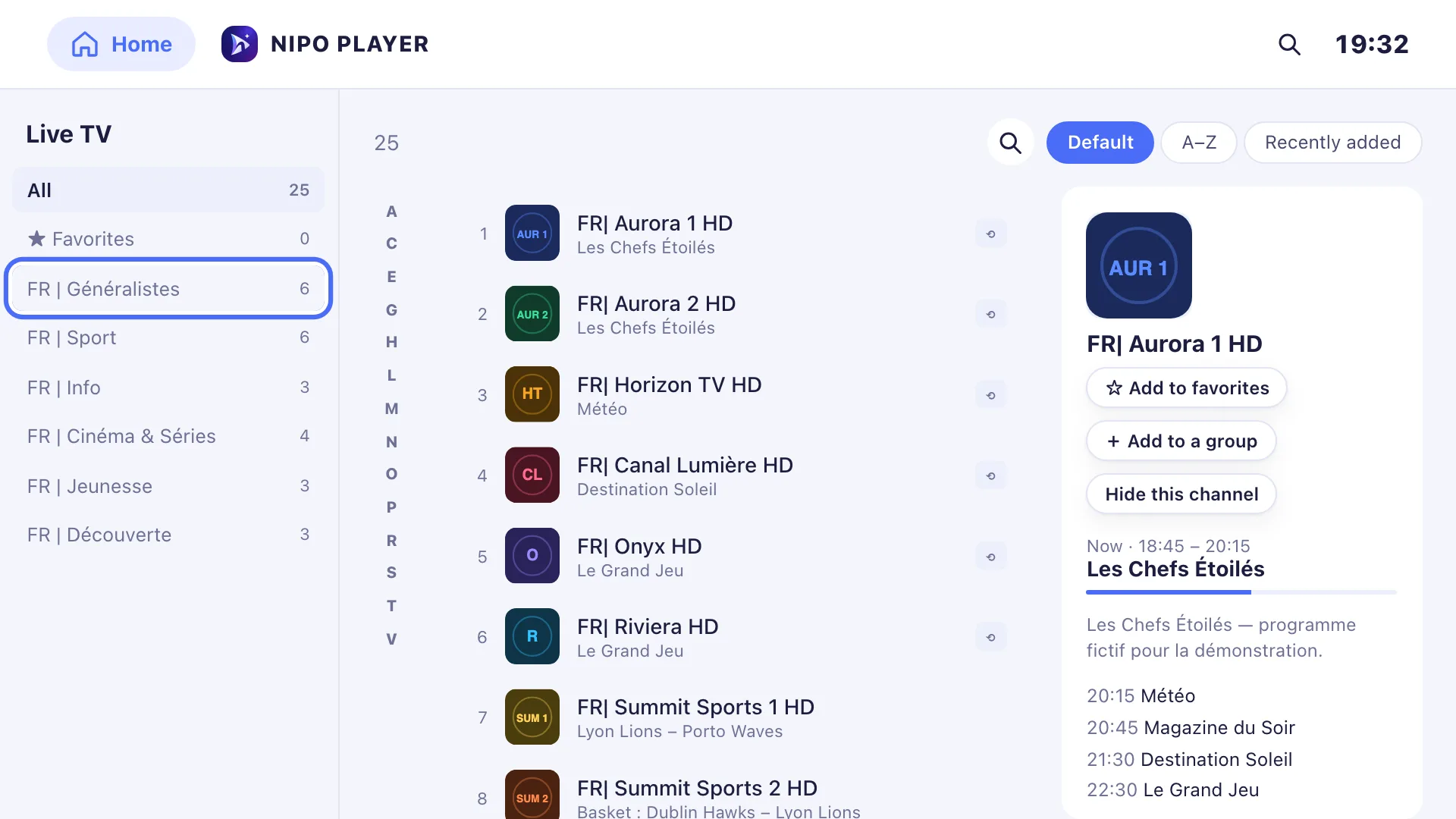
LG TVs run webOS, LG's own system. As on Samsung, you can't install Android apps on them: only apps published in the LG Content Store are available. And LG has a popular quirk: the Magic Remote, a remote that works like a mouse. Here's how to choose a player for an LG TV, and what the best-known ones offer.
As always: a player, Nipo Player included, supplies no channel and no playlist. You add your own, which must be legal.
Installing an app on an LG TV
- Press the remote's Home button.
- Open the LG Content Store (sometimes called "Apps").
- Choose search, type the player's name, then Install.
Check the publisher's name on the listing before installing. For Nipo Player, the LG page always shows how to install it on your TV.
The criteria that matter on LG
The Magic Remote
Many TV apps only understand the arrow keys. With the Magic Remote, that's frustrating: the pointer moves but selects nothing. A good player accepts both: the pointer to click, the arrows to navigate.
Nipo Player handles the Magic Remote: hovering over an item selects it, a click opens it, and an arrow key puts you back in classic navigation.
Your TV's age
webOS has been around for several generations. The oldest TVs have less memory and a slower browser. A player that stays smooth on a 2017 TV is a real plus. Nipo Player automatically switches on a light mode on older TVs, and offers a big text / high contrast mode (see Display comfort).
Big playlists
Some playlists have tens of thousands of entries. On a TV, the player must open them quickly and stay smooth in the lists. Nipo Player caches the list and only draws what's on screen, to stay fast.
Price and refunds
As on Samsung, many players are paid per TV. Work out the price for the whole household, and read the refund policy before buying.
Adding your playlist painlessly
Typing a long address with a remote is painful, even with the Magic Remote. Look for a player that lets you send the playlist from a phone or a computer. With Nipo Player, you can send it from nipoplayer.com with the Nipo code shown in the app (see Send a playlist).
What well-known players offer on LG
Facts from official sites or store listings, checked 2026-09-29 (sources in each comparison).
Smart, the Samsung and LG TV app
In the LG store. A new version for webOS 3.0 and later came out on 15 July 2026. Activation costs €5.49 per TV, once, and the playlist is uploaded from its website with the TV's MAC address. No refund is advertised. See the detailed comparison.
Smarters Pro
Its official site listed an app in the LG Content Store, stating that Premium features aren't available on LG. The separate Smarters Player app, also in the LG Content Store, costs $18 per device, with no refund. See the detailed comparison.
Flix
Its activation page lists LG TVs; activation is €8.99 per device, tied to the MAC address, and payments aren't refundable. See the detailed comparison.
TiviMate
Android TV only: there's no LG version.
What Nipo Player does on LG
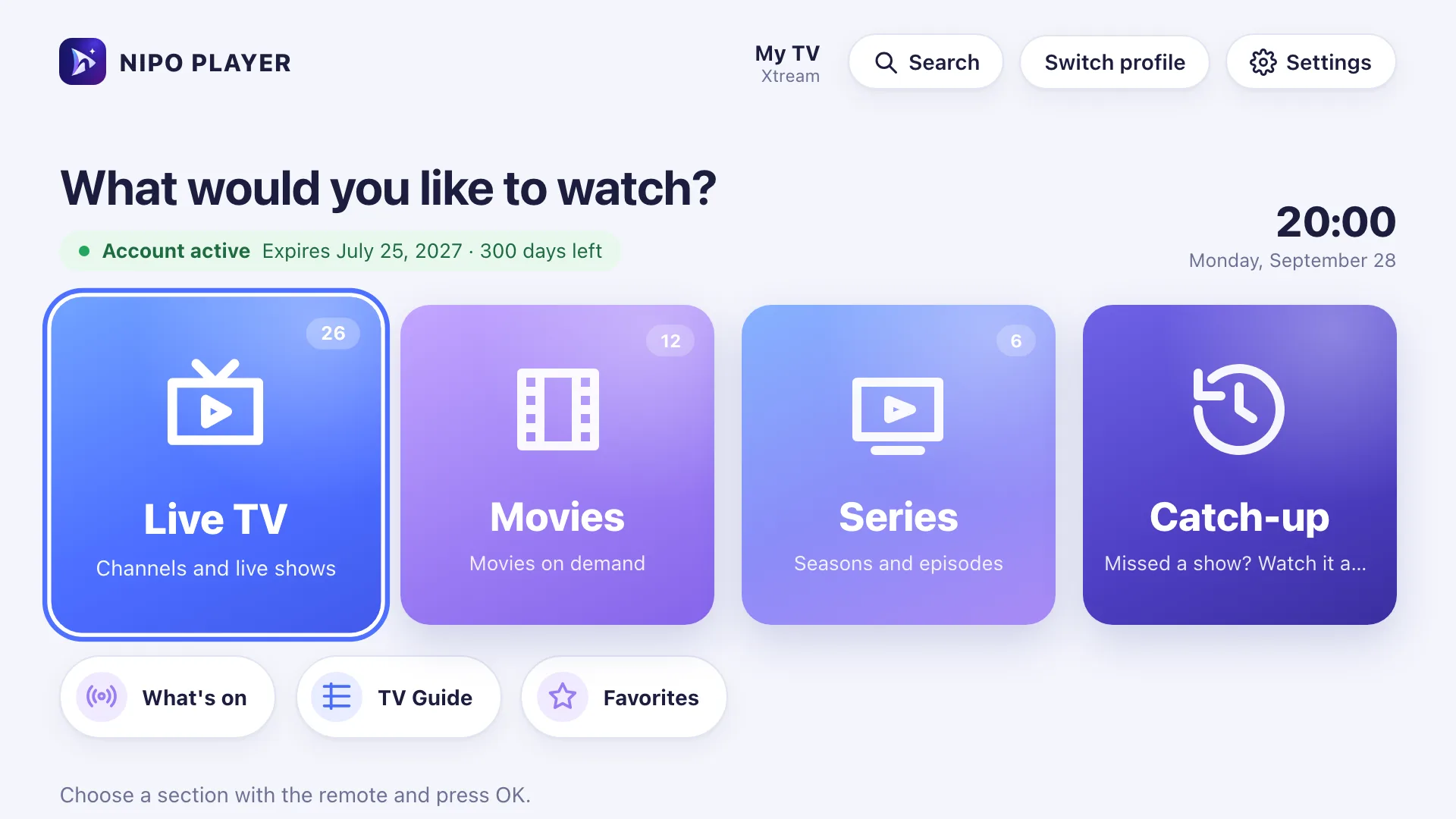
- live TV, movies, series and catch-up, built for the remote and the Magic Remote;
- CH+/CH−, number keys, previous channel and colour keys, like a set-top box;
- a mini guide in the player and programme search, both free;
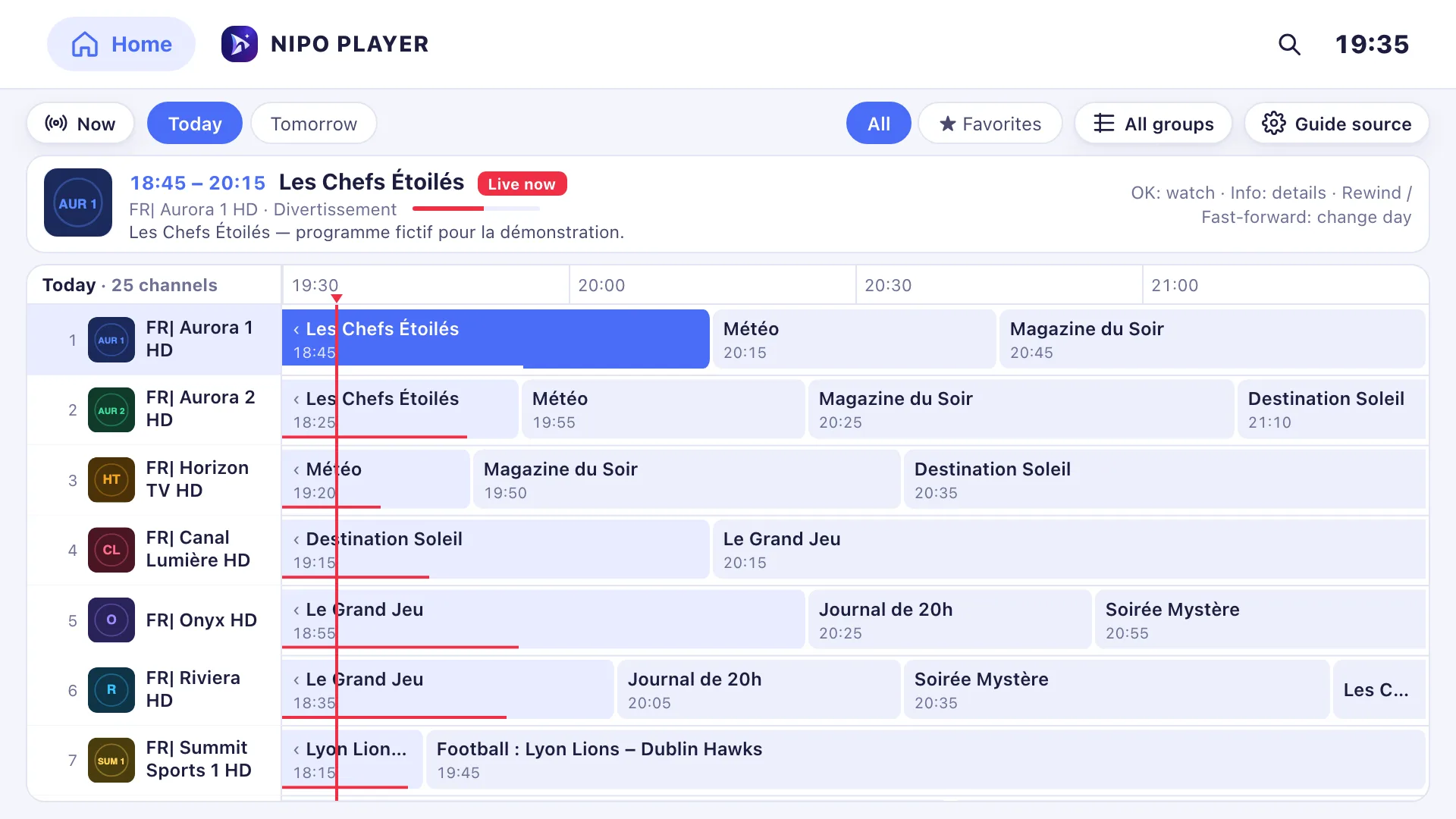
- in Premium, the grid TV guide with several XMLTV sources, profiles with a kids profile, and your phone as a remote;
- on webOS, pressing Back twice exits the app, like LG's own apps.
The limits, plainly: recording isn't possible on LG (it works on Android TV and computers), and multiview isn't offered there.
The player is free and ad-free. Nipo Premium covers one screen, Nipo Family five screens in one payment, with a 14-day refund. See Pricing.
So, which one?
- A single LG TV: a player paid per TV can be enough, if no refund doesn't bother you.
- An LG TV plus other screens (Fire TV, phone, computer): prefer a player that works everywhere on one purchase.
- You mostly use the Magic Remote: try the free version with the pointer before paying.
Good habits after installing
A few habits avoid most problems on an LG TV:
- Let updates happen. In the TV's settings, turn on automatic app updates if offered: fixes then arrive without you doing anything.
- Plug the TV into Ethernet if the router is close. The TV's built-in Wi-Fi is often the first cause of dropouts.
- Keep your playlist handy. Write down the M3U link or the Xtream login somewhere: if you reinstall, you add it back in a minute.
- Be wary of apps named after a well-known player: always check the publisher on the LG Content Store listing.
Frequently asked questions
Can I install an APK file on an LG TV?
No. LG TVs run webOS, not Android. Only LG Content Store apps install normally.
Does the Magic Remote work with Nipo Player?
Yes: the pointer selects, a click opens, and the arrow keys work as usual.
Does Nipo Player supply channels on LG?
No. Nipo Player supplies, sells and hosts no channel and no playlist. You add your own.
My LG TV is slow with big playlists: what can I do?
Hide the countries and categories you don't watch with My countries, and see LG issues.
Read more
Updated on 29 September 2026
Contact supportRead next
- Getting started
Add a TV guide (XMLTV) to your playlist
If your playlist's guide is incomplete, paste a separate XMLTV guide link in the guide settings: Nipo Player matches it to your channels by their ID.
29 September 2026 · 3 min read
- Devices
Best M3U player for Samsung TV
Which player for a Samsung TV (Tizen)? Installing, sound, price per TV or per home, refunds: the options compared, with sourced facts about each player.
29 September 2026 · 5 min read
 Tips
TipsChoosing a TV player: 7 things to check
Formats, TV guide, remote-friendly interface, parental control, refunds, per-device or per-home pricing, ads: seven things to check before choosing a TV player.
29 September 2026 · 3 min read
Try Nipo Player on your TV
The player is free on TV, phone and computer. You add your own playlist.