
An M3U player with recording, on Android TV and computer
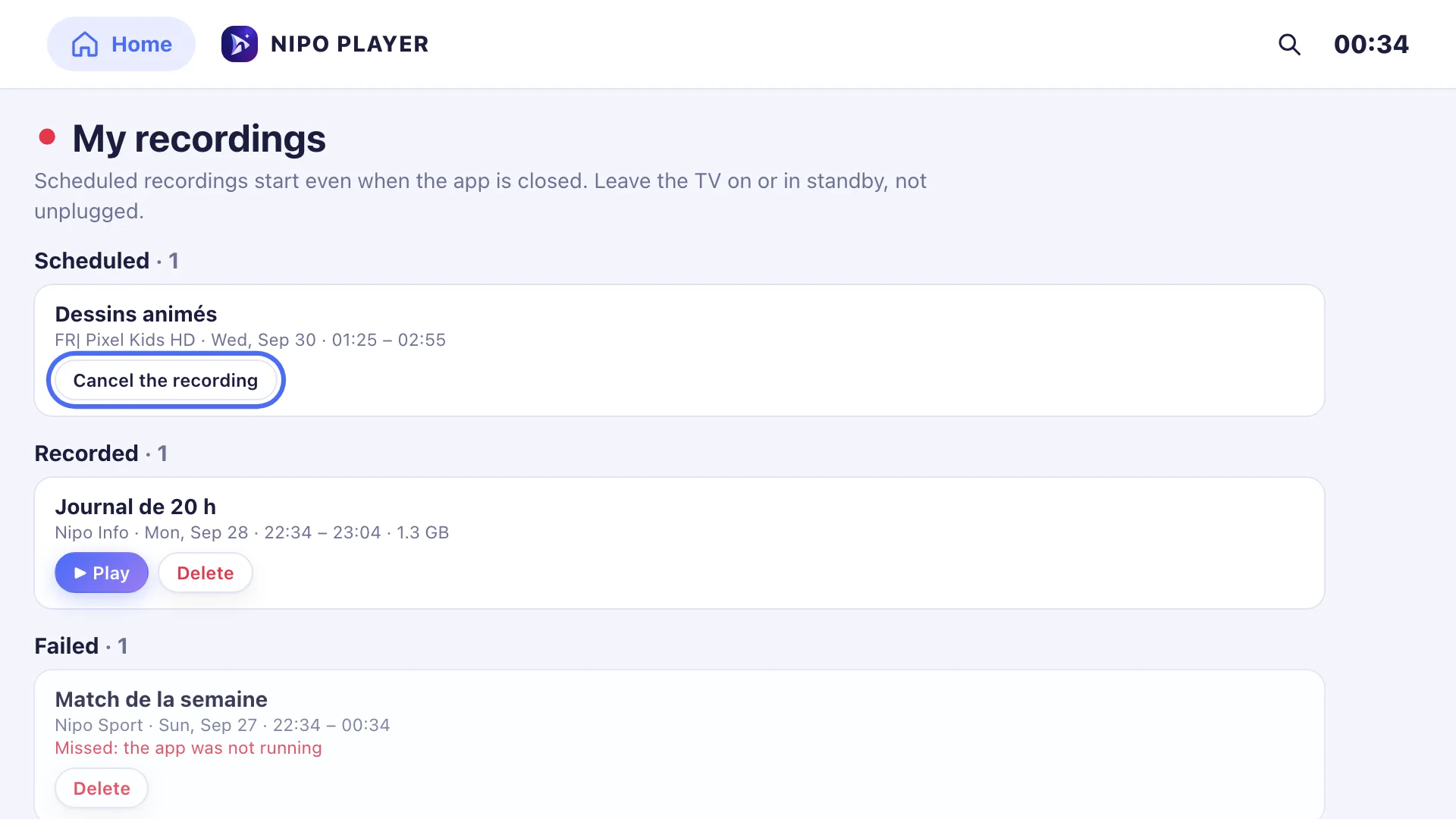
Record what you’re watching live, or schedule a recording from a programme’s sheet in the TV guide. Everything shows up in "My recordings", stored on the device or a USB drive, never in the cloud. A Nipo Premium feature, on Android TV and computer only.
Nipo Player does not provide, sell or host any content. Use it with playlists you are legally allowed to access.
Record live
A record button in the player starts recording the current channel, at any time.
Schedule from the TV guide
On a programme’s sheet in the guide, "Record" schedules the recording for its air time, even with the app closed on Android TV.
"My recordings"
A dedicated screen lists your recordings, stored locally on the device or a chosen USB drive, never sent anywhere else.
A warning when needed
If your playlist’s connection count is limited, Nipo warns you before starting a recording that could cut off what you’re watching.
On which devices?
Local recording needs storage and a recording engine specific to the device: it’s only available on Android TV and on computer.
- Android TVAvailableKeeps running even with the app closed
- Computer (Mac, Windows)AvailableNeeds Nipo Player to stay open
- Fire TV, Google TV, Samsung, LGNot availableNo recording engine on these devices
- Phone, tabletNot availableNo recording on these devices
A Nipo Premium feature, already in the app, on Android TV and computer.
FAQ
Does recording work on every TV?
No. It needs Android TV or a computer (Mac, Windows). Samsung, LG, Fire TV and Google TV have no recording engine.
Where are my recordings stored?
Locally, on the device’s storage or a USB drive you choose. Nothing is sent to a server.
Can I schedule a recording ahead of time?
Yes, from a programme’s sheet in the TV guide, "Record" schedules it for its air time.
Does recording keep running if I close the app?
On Android TV, yes. On computer, Nipo Player needs to stay open (and the computer awake) while it records.
What if my playlist limits connections?
Each recording uses one connection, just like watching at the same time: Nipo shows a warning if your playlist’s limit may be reached.
Record what you don’t want to miss
Nipo Player is free to download. Recording is a Nipo Premium feature, on Android TV and computer.