
An M3U player with a TV guide (EPG), like a real decoder
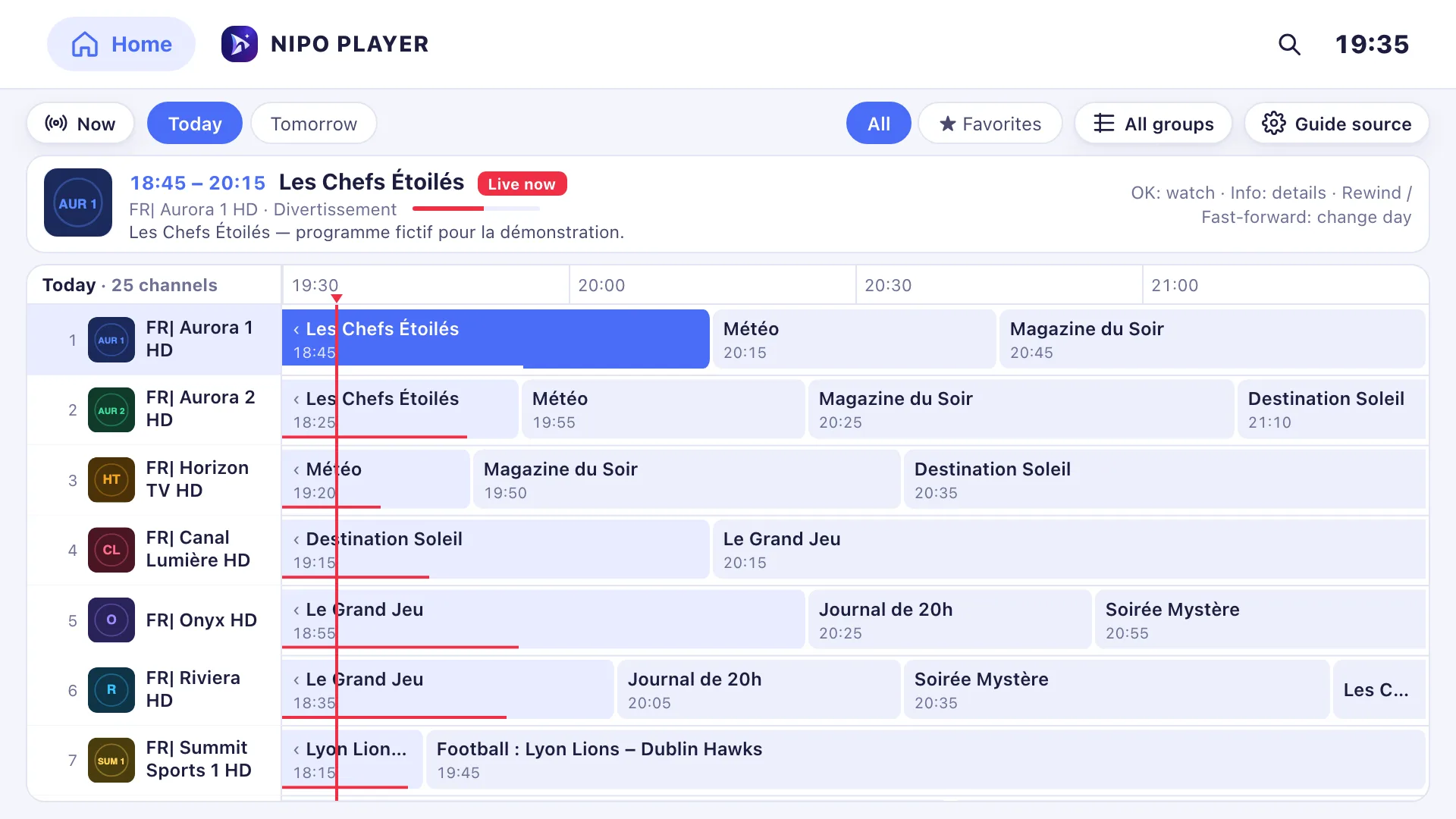
Nipo Player is a media player with a TV guide (EPG): a grid with channels in rows and times in columns, browsed with the remote. A Nipo Premium and Nipo Family feature, already in the app. The mini guide (now / next) in the player stays free.
Nipo Player does not provide, sell or host any content. Use it with playlists you are legally allowed to access.
Your own guide
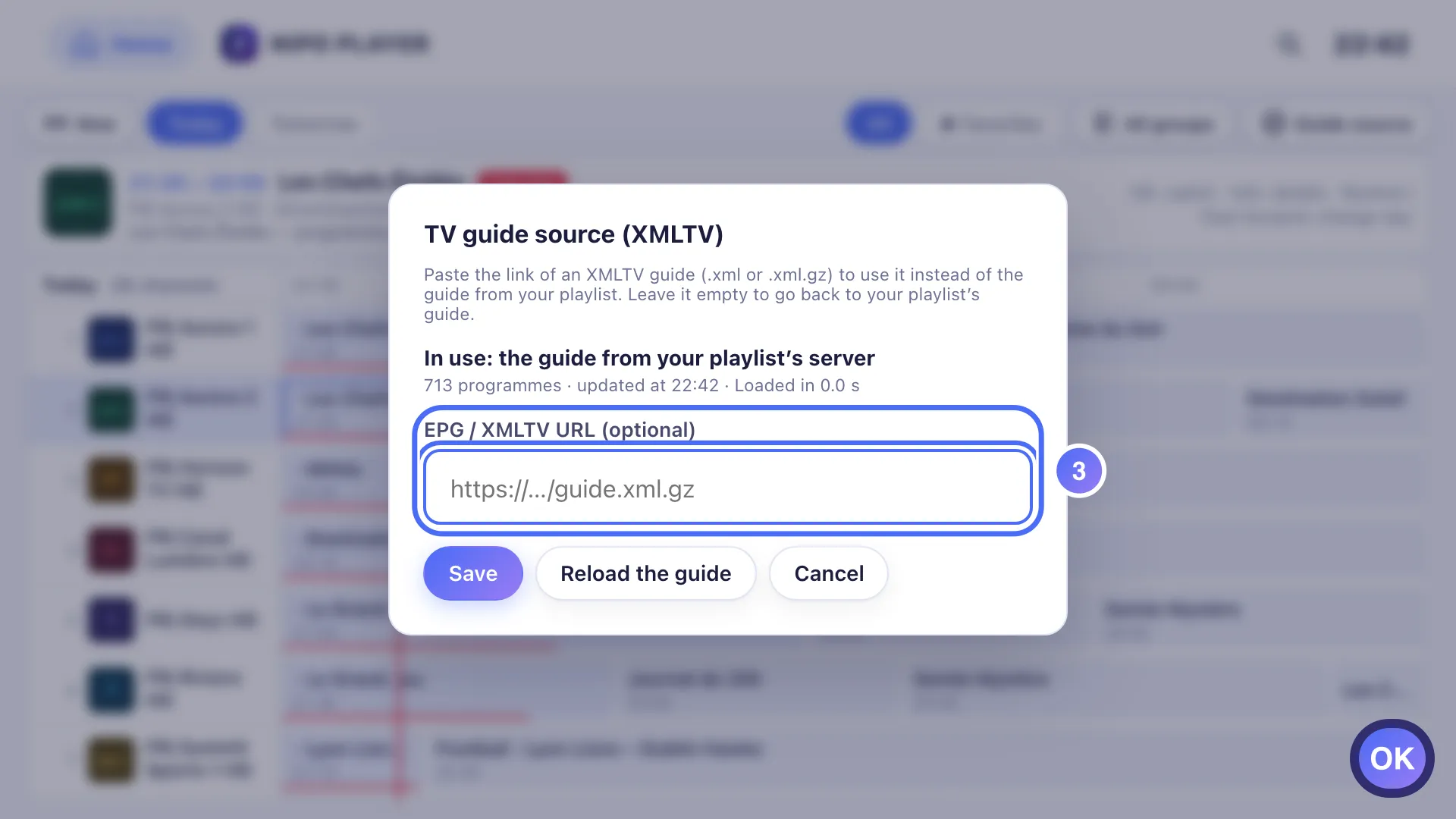
In Settings → Guide, paste the link of an XMLTV guide (.xml or .xml.gz) to replace or complete the one your playlist provides.
The grid, with the remote
Channels in rows, times in columns. The “Now” button jumps straight to the current time, and a shortcut switches days.
A programme’s sheet
Select a cell to see the summary, get a reminder 5 minutes before it starts, or play the channel straight from the guide.
Pro EPG: several sources
Add several XMLTV guides in priority order, with a time offset per source and automatic channel matching you can correct yourself.
On which devices?
The full grid needs some screen space; on a small screen, Nipo switches to a more readable list.
- TV (Fire TV, Android TV, Google TV, Samsung, LG)Full gridD-pad navigation, “Now” jump, day switch
- Computer (Mac, Windows)Full gridMouse or keyboard
- Phone and tabletSimple listMore readable on a small screen; no channels × time grid
Premium feature (Nipo Premium or Family), already in the app.
FAQ
Is the guide grid on sale yet?
It’s already in the app, as a Nipo Premium and Nipo Family feature. The mini guide (now / next) in the player stays free, no Premium needed.
Can I use several XMLTV guides at once?
Yes, with Pro EPG: several sources in priority order, a time offset per source, and automatic channel matching you can correct yourself.
Does the guide work without my playlist providing one?
The guide comes from your playlist or from an XMLTV link you add yourself in Settings → Guide. Without either, there’s nothing to show.
Can I use my own XMLTV guide?
Yes: paste its link into “Guide source”, in Settings. Leave the field empty to go back to the guide your playlist provides.
Is the grid available on my phone?
No, the phone shows a simple list of upcoming programmes, more readable on a small screen.
How many days of programmes are shown?
It depends on the guide provided: some cover several days ahead, others only today.
Does the guide update itself?
Yes. A cached version shows immediately on open, while Nipo refreshes it in the background.