
Continue watching, exactly where you left off
A movie you paused, an episode you started: the "Continue watching" row on Home keeps them within reach, at the right position. Once finished, an item is marked watched, and the next episode can start on its own. Free, no Premium needed.
Nipo Player does not provide, sell or host any content. Use it with playlists you are legally allowed to access.
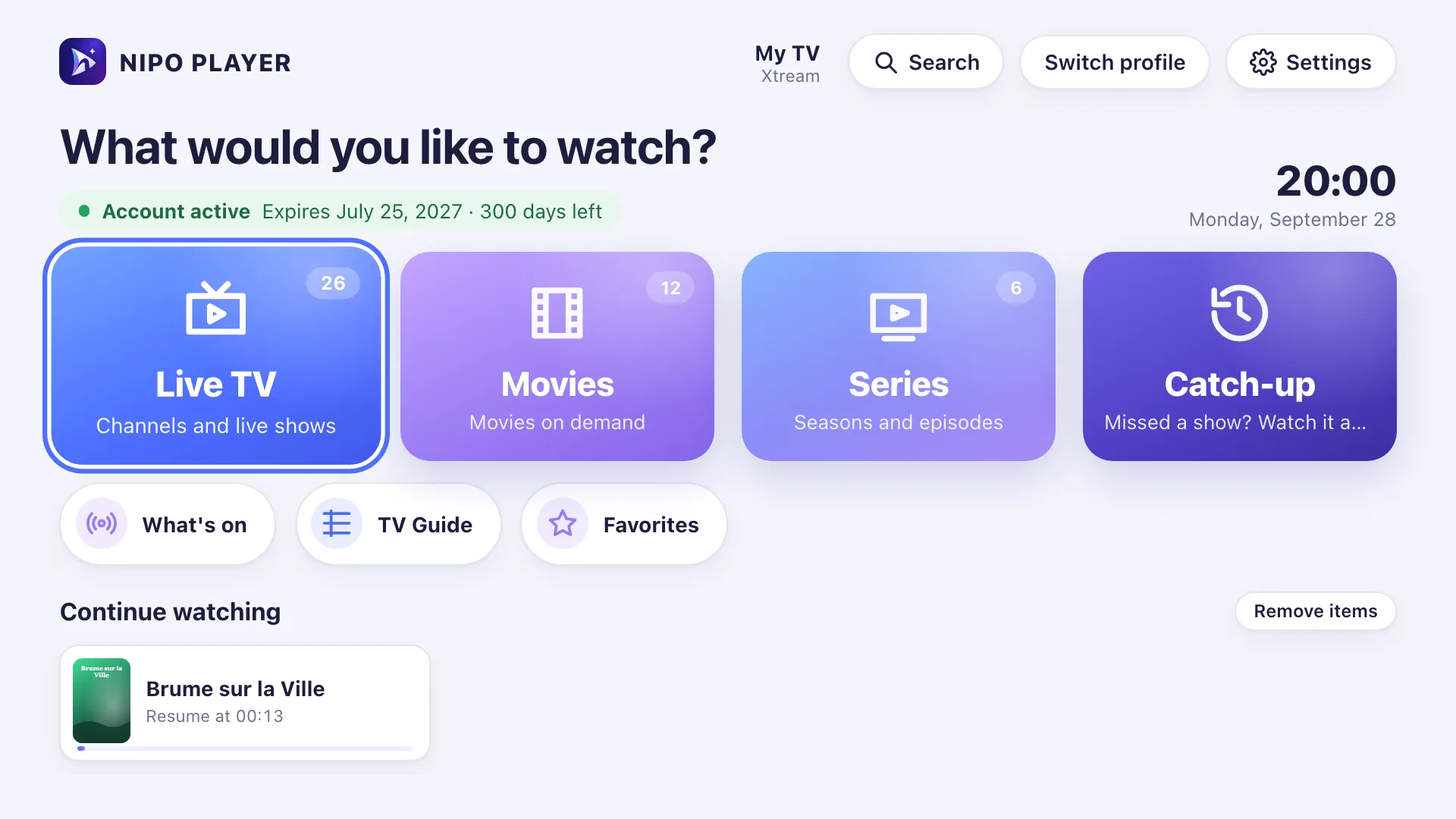
The "Continue watching" row
On Home, your movies and episodes in progress stay at the top of the list, at the exact position you stopped.
Watched marks
A movie or episode watched to the end (or nearly) is marked watched, so it’s easy to spot what’s left to discover.
Automatic next episode
At the end of an episode, a 10-second countdown offers the next one. Nothing to do to continue, or cancel it to stay on the screen.
A mode to clean up
A remove mode on the "Continue watching" row lets you take off a movie or series you don’t want listed there, without clearing your history elsewhere.
On which devices?
Continue watching works everywhere Nipo Player runs.
- Every platformAvailableTV, phone, tablet, computer
FAQ
Is continue watching free?
Yes, the "Continue watching" row, watched marks and the automatic next episode are all free, no Premium needed.
How does a movie or episode get marked watched?
Nipo marks an item watched once it’s played to the end, or once less than 30 seconds are left.
Can I cancel the automatic next episode?
Yes, a 10-second countdown shows before it starts: cancel it to stay on the end screen.
How do I remove a title from "Continue watching"?
A remove mode lets you take a movie or series off this row, without clearing your history or favourites.
Is continue watching separate per profile?
With profiles (Nipo Premium and Family), each person keeps their own continue-watching list, separate from everyone else’s.
Never lose your place
Continue watching is free, in the Nipo Player app.