
A media player with a kids profile, for the whole family
Nipo Player asks "Who's watching?" and keeps favourites, resume position, watched episodes and hidden items separate for each person. The kids profile only shows the categories you allow, never a locked or adult category. A Nipo Premium and Nipo Family feature.
Nipo Player does not provide, sell or host any content. Use it with playlists you are legally allowed to access.
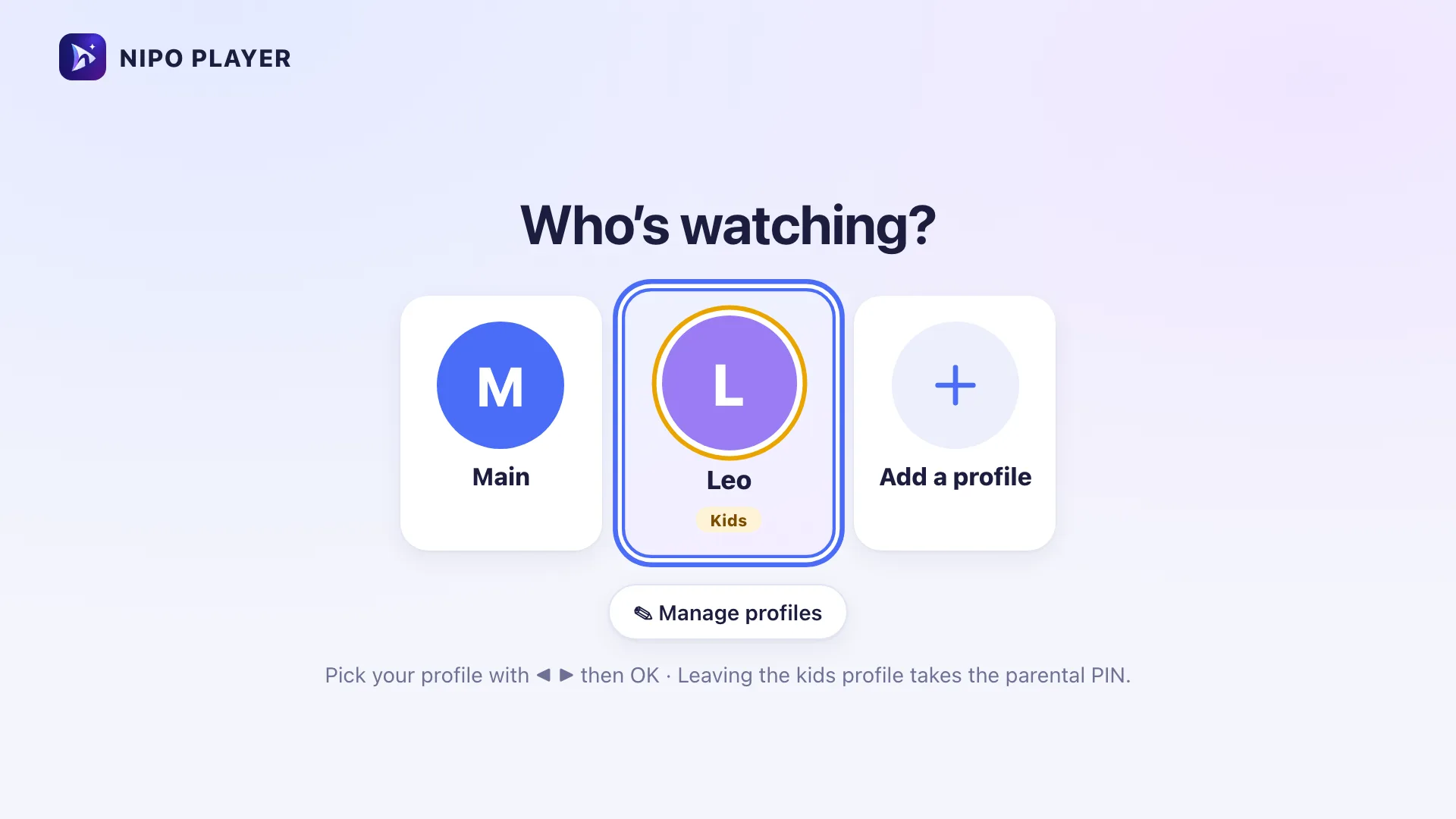
A profile for each person
Favourites, resume, watched episodes and hidden items: each profile keeps its own, without mixing with anyone else's.
A safe kids profile
Only the categories you allow. No access to settings, and never a locked or adult category, even by mistake.
A PIN code, if you want one
Each profile can ask for a PIN code to open, handy if children also use this screen. Leaving the kids profile needs the parental code.
Switch in an instant
From Home, "Switch profile" goes back to "Who's watching?" to pick someone else, without retyping anything.
On which devices?
Profiles work everywhere Nipo Player runs.
- Every platformAvailableTV, phone, tablet, computer
A Nipo Premium and Nipo Family feature, already in the app.
FAQ
Are profiles free?
Profiles, including the kids profile, are a Nipo Premium and Nipo Family feature. Nipo Family covers up to 5 screens, handy for giving everyone at home their own profile.
Can the kids profile see locked or adult categories?
No. A kids profile only shows the categories you've explicitly allowed, never a category locked by parental control or marked adult.
Does every profile need a PIN?
No, it's optional. You can turn on a PIN per profile if several people share the same screen.
How do you leave the kids profile?
Leaving the kids profile needs the parental code, so a child can't switch profiles alone.
A profile for each person
Nipo Player is free to download. Profiles are a Nipo Premium and Nipo Family feature.