
M3U player for Firestick / Fire TV
Nipo Player is a media player for Fire TV Stick and Fire TV Cube: M3U playlists and Xtream logins, TV guide, big tiles built for the remote.
Nipo Player does not provide, sell or host any content. Use it with playlists you are legally allowed to access.
How to install it
Amazon Appstore
Nipo Player installs from the Amazon Appstore, like other Fire TV apps. The file can also be installed directly with the Downloader app: the code to type in is at nipoplayer.com/tv.
Compatibility
- Models
- Fire TV Stick Lite, Fire TV Stick 4K, Fire TV Stick 4K Max, Fire TV Cube (Fire OS)
- Minimum system
- Fire OS 7 or later
- Playback
- Native Android player (Media3/ExoPlayer), the same base as Android TV and Google TV
- New sticks (Vega OS)
- Fire TV Stick 4K Select (2025) and Fire TV Stick HD (2026) run Vega OS, a different system that needs its own build of the app. On these models, a Google TV stick or an older Fire OS Fire TV reads your playlists instead.
Installation, step by step
Amazon Appstore
From your Fire TV home screen, search for “Nipo Player” and install it like any other app.
Or the file via Downloader
Open the Downloader app (Amazon Appstore) on your Fire TV and type the address or code shown on nipoplayer.com/tv to install the file directly.
First launch
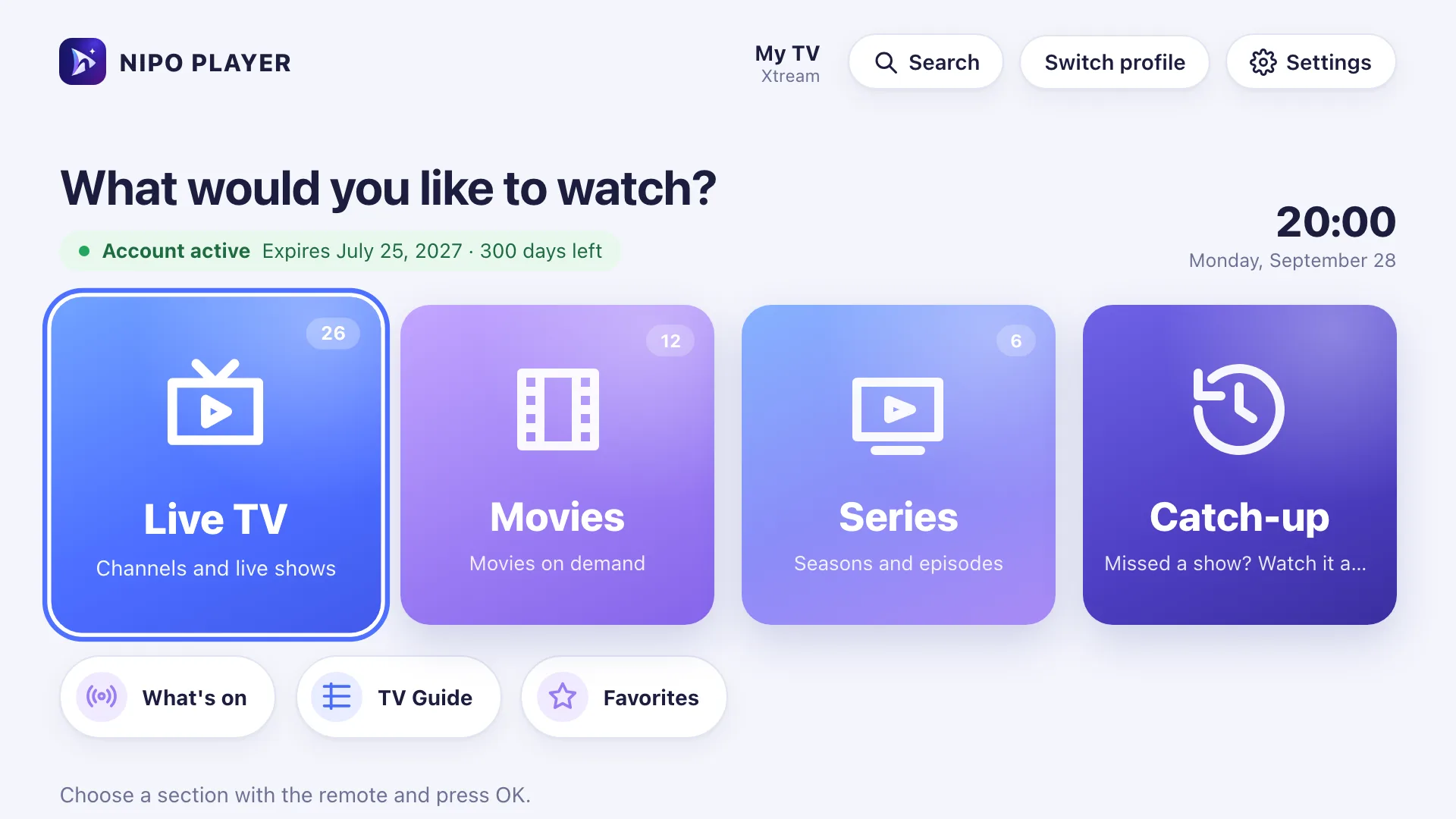
Open Nipo Player: the home screen (Live TV, Movies, Series, Catch-up) appears, ready for you to add a playlist.
Fire TV
First setup: scan with your phone
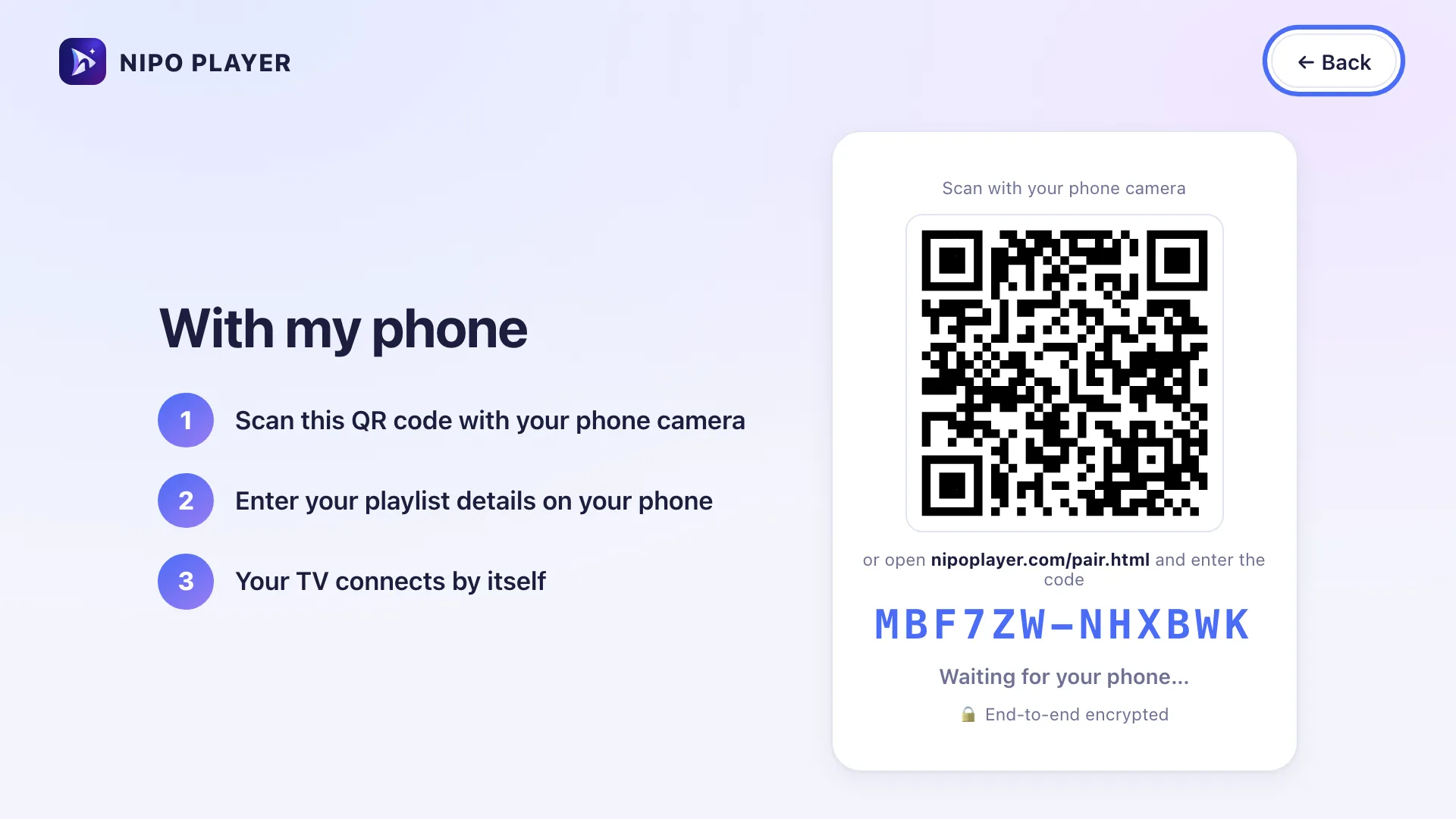
Once the app is open on your Fire TV, it shows a QR code. Scan it with your phone, then type your playlist’s address (or your Xtream login) on the phone’s screen. The TV connects within a few seconds.
Fire TV remote
The Fire TV remote (Alexa Voice Remote) has a D-pad, Select, Back, Home and Play/Pause, but no number pad and no colour keys.
Back
Long-press Select
Play/Pause
Changing channel
Limits on this device
- Recording stays limited to Android TV and computers (local/USB storage).
- Automatic frame rate and audio passthrough stay limited to Android TV.
Free vs Premium (Nipo Premium or Family)
- Live TV, movies, series, search
- 1 playlist (Xtream or M3U)
- Favourites and resume
- Subtitles, parental PIN, diagnosis
- Several playlists + Mes playlists
- Profiles, including a kids profile
- Pro EPG and What’s on
- Catch-up (watch from the start)
- Pause and rewind live TV
- Multiview 2 / 2×2
- Phone remote
- Start on live TV, OLED protection
Related features
When something goes wrong
The new Fire TV Stick can’t install Nipo
Sticks sold since 2025 (Fire TV Stick 4K Select, Fire TV Stick HD 2026) run Vega OS, which accepts no installs outside the Amazon Appstore. Use a Google TV stick or an older Fire OS Fire TV instead.
“Apps from unknown sources”
To install the file via Downloader, your Fire TV asks you to allow Downloader under Settings → My Fire TV → Developer options.
Nothing happens when opening a channel
Nipo shows a step-by-step diagnosis (connection, account, channel) to say where it’s stuck, with a report you can copy for support.
The picture freezes
The native player detects network drops and automatically retries playback, with several spaced-out attempts.
Frequently asked questions
Does Nipo provide channels?
No. Nipo plays the playlists you already own (M3U or an Xtream login); it does not provide, sell or host any content.
How do I install an M3U player on Fire TV?
From your Fire TV home screen, open the Amazon Appstore, search for “Nipo Player” and install it like any other app.
Do I need an Amazon account?
Yes, to install from the Amazon Appstore. The Downloader route doesn’t require one.
Does it work on a Fire TV Stick Lite?
Yes, it’s one of the targeted models, with Fire OS 7 or later.
Download Nipo for free.
All playback is free, with no ads and no account.