
Send a playlist from nipoplayer.com
On nipoplayer.com/appareil, send a playlist to your Nipo Player screen with its Nipo code and key, end-to-end encrypted, no account needed. With Nipo Premium, "My playlists" also keeps them on your account to send again later.
Nipo Player does not provide, sell or host any content. Use it with playlists you are legally allowed to access.
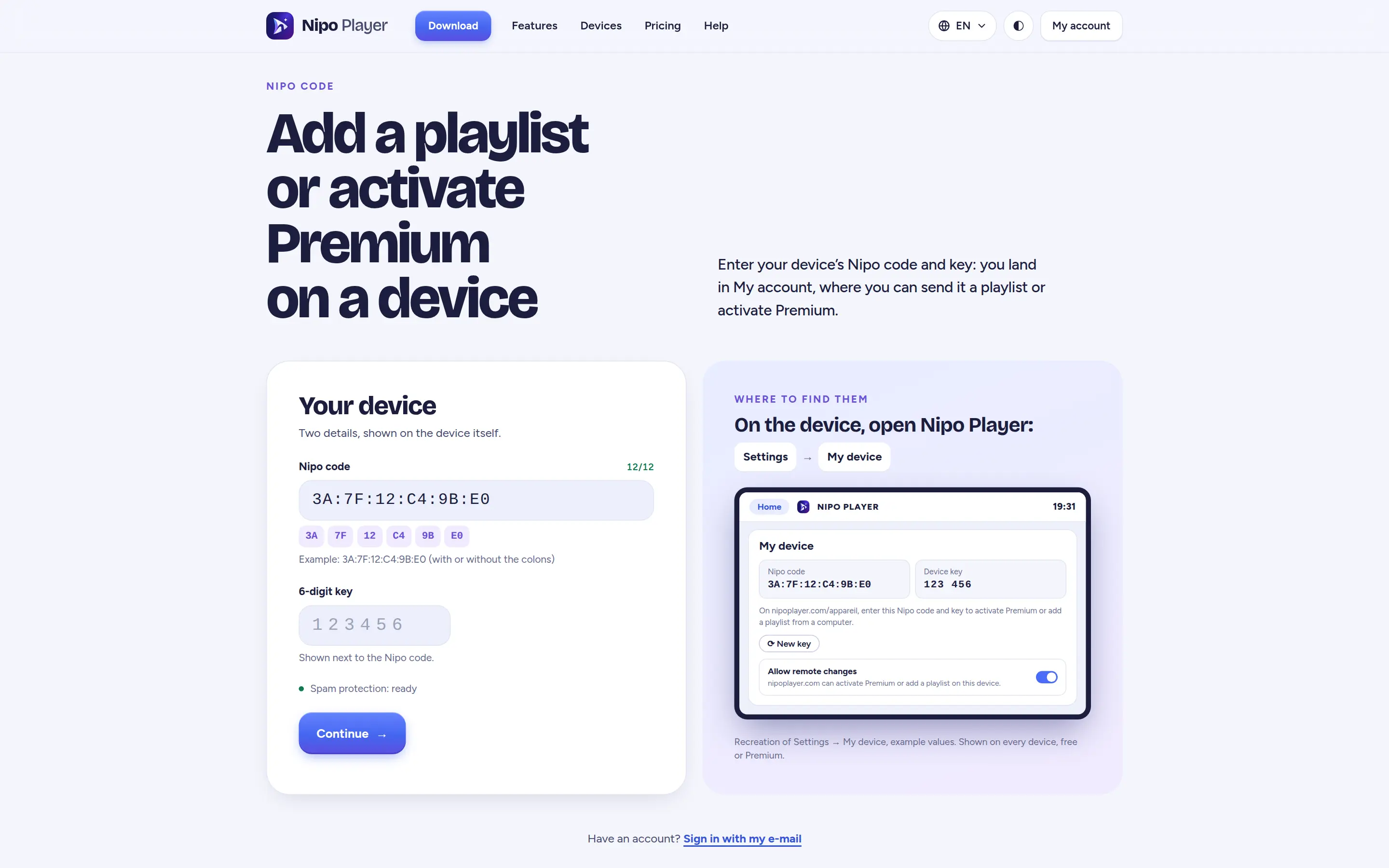
From nipoplayer.com/appareil
FreeEnter the target screen’s Nipo code and key: the playlist is sent right away, end-to-end encrypted, no account needed.
End-to-end encrypted
FreeThe relay that carries the send only ever sees encrypted text it can’t read, deleted right after delivery.
"My playlists" on your account
PremiumWith Nipo Premium, your playlists stay saved on your account (encrypted, but not end-to-end) to send again to a new screen later.
QR from your phone
FreeA QR code shown on the target screen opens the send page directly on your phone, no need to type the Nipo code by hand.
On which devices?
Sending works to any screen that shows its own Nipo code in Nipo Player.
- Every platformAvailableSends to any screen with Nipo Player installed
FAQ
Do I need an account to send a playlist?
No. Sending through nipoplayer.com/appareil, with the screen’s Nipo code and key, needs no account.
Is the send really encrypted?
Yes, end-to-end: the relay carrying the data only ever sees encrypted, unreadable text, deleted right after delivery.
What does "My playlists" add?
It’s a Nipo Premium feature: your playlists stay on your account, encrypted but not end-to-end this time, so you can send them to a new screen without retyping anything.
Where do I find a screen’s Nipo code?
It shows in Nipo Player, under "My device" in settings, or at the top of the screen the very first time you open the app.
Can I scan a QR instead of typing the code?
Yes, the target screen shows a QR code: scanning it from your phone opens the send page directly.
Send your playlist in one step
End-to-end encrypted sending is free, no account needed. "My playlists" on your account is a Nipo Premium feature.