
Pause live TV, like a real decoder
Nipo Player pauses and rewinds live TV like a real decoder: pause, rewind, then "Back to live" whenever you want to catch up to now, with a window you choose. A Nipo Premium feature.
Nipo Player does not provide, sell or host any content. Use it with playlists you are legally allowed to access.
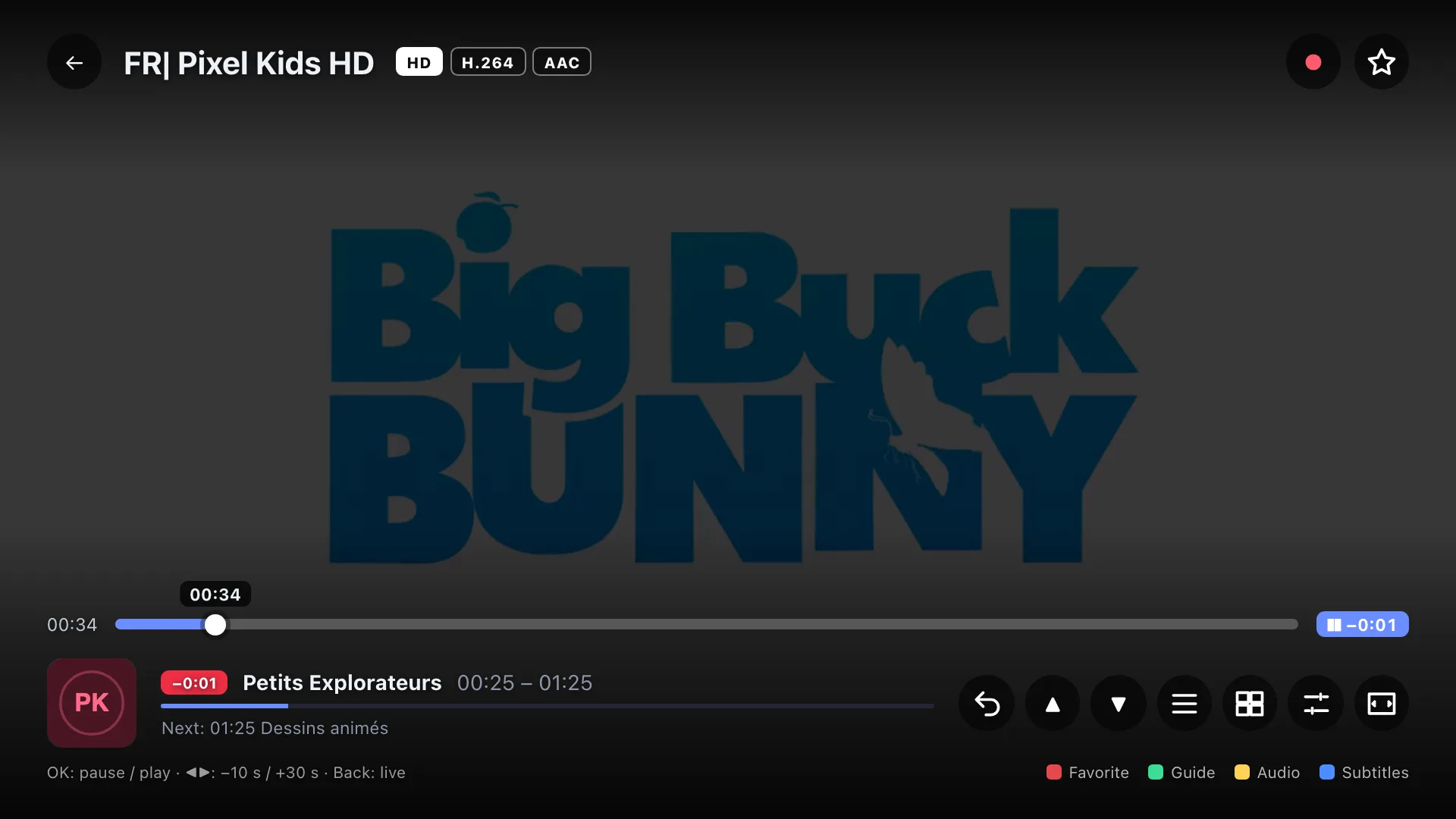
Pause and rewind
Pause the live channel, go back a few seconds or several minutes, then resume right where you were.
A window you choose
Off, 15, 30 or 60 minutes: choose how far back you can rewind live TV.
Back to live in one step
A LIVE badge and the time you’re behind remind you where you are; a shortcut jumps you straight back to now.
Kept in local memory
Pausing uses the device’s memory, nothing is permanently recorded or sent to a server.
On which devices?
Pausing live TV works on every platform Nipo Player runs on.
- Every platformAvailableTV, phone, tablet, computer
A Nipo Premium feature, already in the app.
FAQ
Is pausing live TV free?
No, it’s a Nipo Premium feature, already in the app.
How far back can I rewind?
It depends on the window chosen in settings: Off, 15, 30 or 60 minutes.
How do I get back to live?
A "Back to live" shortcut jumps you straight to now, from anywhere in the pause.
Does pausing work on every channel?
On most streams. Some particular formats (encrypted, or with a separate audio track) play without live pause.
Where is the pause stored?
In memory, locally on the device, for the length of the chosen window. Nothing is sent to a server.
Never miss a moment of live TV
Nipo Player is free to download. Pausing live TV is a Nipo Premium feature.