
A media player built for the remote
Nipo Player is an M3U player: big tiles, the channel list over the picture, number zapping, resume after a drop. Made to be driven by the remote, with no tiny menus.
Nipo Player does not provide, sell or host any content. Use it with playlists you are legally allowed to access.
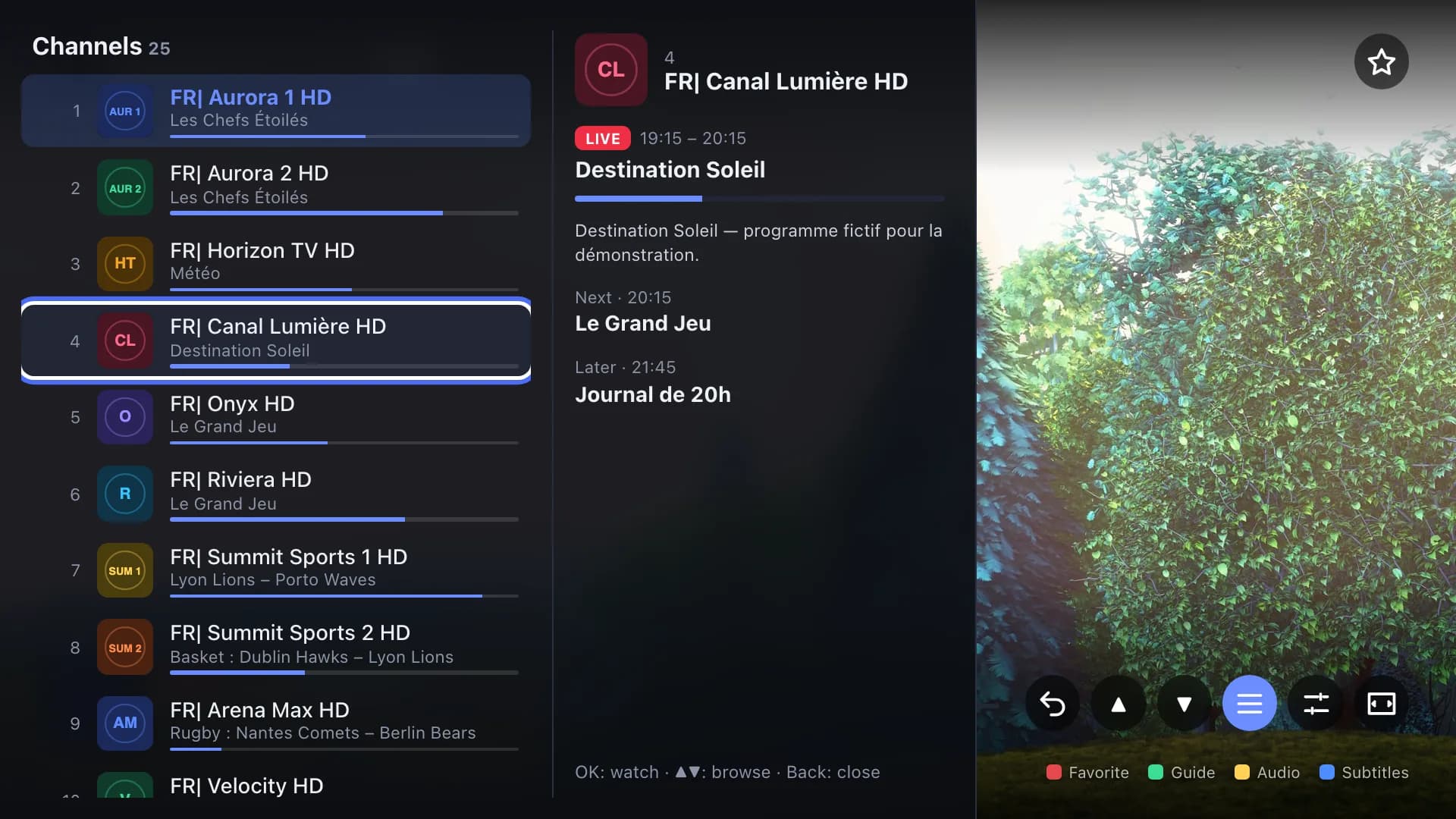
Mini guide and categories
A mini guide shows now / next / later without leaving live TV, with a category bar to switch channels without going back to Home.
Quality badge
A badge shows the current channel’s resolution, video codec and audio codec (FHD · H.264 · AAC), visible at a glance.
Subtitles and sound
Subtitle size, colour, background and delay; audio delay to resync sound when it lags behind the picture.
Default languages
Pick your preferred audio and subtitle language: Nipo selects it automatically on every new channel or video, when it’s available.
Remote-first zapping
CH+/CH−, a digit to jump to a channel, a live preview while typing, and a button to return to the previous channel.
Sleep timer
Set a sleep timer; when it ends, “Are you still watching?” asks for confirmation before playback stops.
On which devices?
Manual audio delay is only available on computer for now; everything else works everywhere.
- Android TV, Fire TV (native player)AvailableNative audio delay −2 to +2 s
- Samsung, LG, computer, webAvailableManual audio delay: desktop computer only
- Phone, tabletAvailableNo manual audio delay
FAQ
Can I pause live TV?
Yes, with Nipo Premium or Nipo Famille, already in the app: see the Pause live TV page for the detail per device.
Does audio delay work everywhere?
On Android and Fire TV, yes, natively (−2 to +2 seconds). Elsewhere, it’s only available on a desktop computer.
Can I record a programme?
Yes, with Nipo Premium or Nipo Famille, on Android TV and computer only: see the Recording page.
What happens if the network drops?
Nipo retries automatically, spacing out attempts; if it lasts over a minute, a diagnosis explains why.
Does the sleep timer stop playback with no warning?
No. “Are you still watching?” shows first; with no answer, playback stops shortly after.