
Choosing a TV player: 7 things to check
Formats, TV guide, remote-friendly interface, parental control, refunds, per-device or per-home pricing, ads: seven things to check before choosing a TV player.
Nipo doesn’t provide, sell or host any channel, movie or playlist: it plays what you already own.
TipsThe Nipo Player team 3 min read
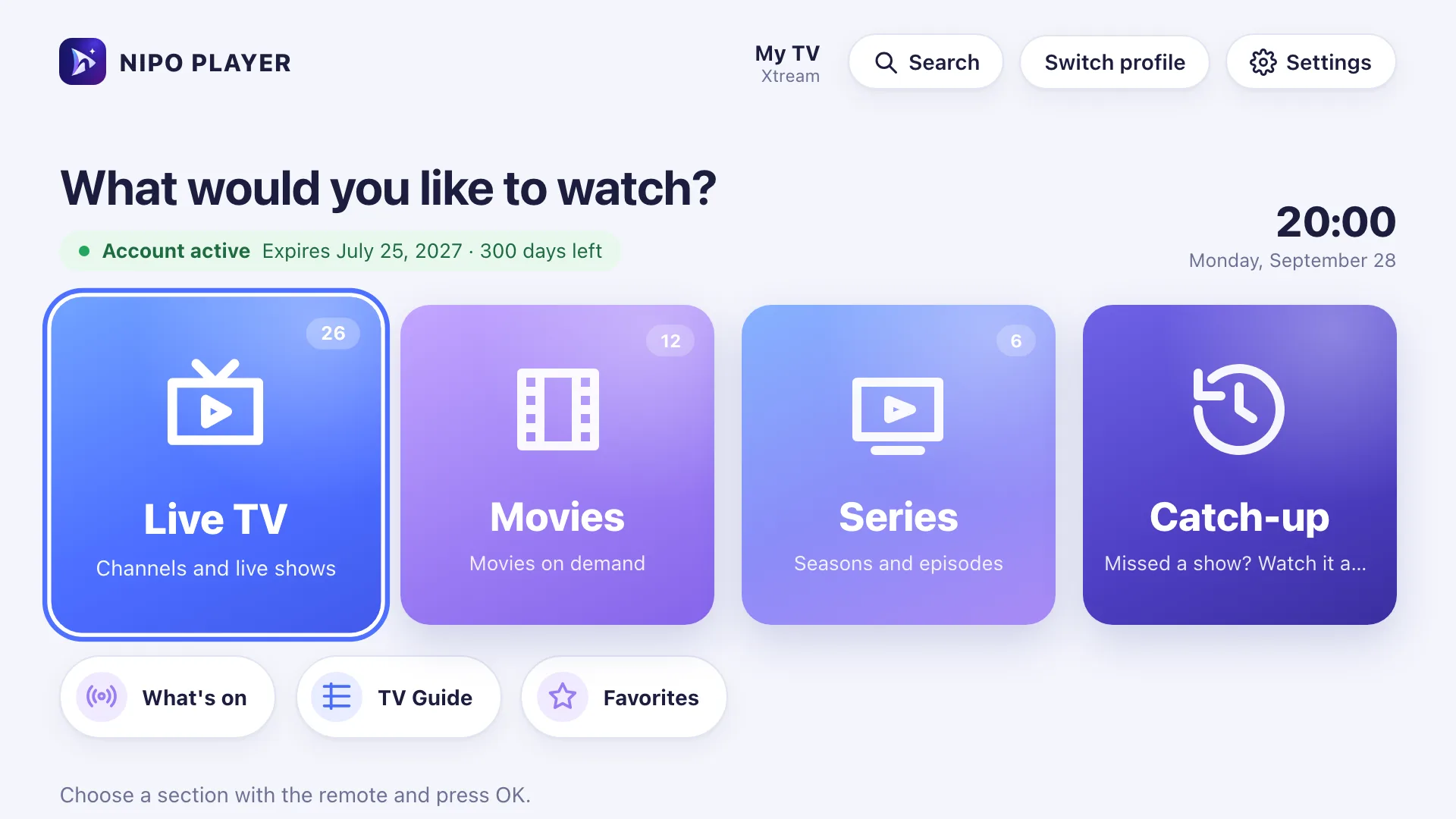
Not every TV player feels the same once it's installed on a real remote, with a real playlist. Many look alike in a screenshot and turn out painful day to day: small buttons built for a mouse, a playlist that lags, no guide at all. Here are seven concrete things to check before choosing one, whether you'll watch on a TV, a phone or a computer.
Why this matters more than a features list
Marketing pages tend to list the same buzzwords. A short hands-on check, using your own playlist, tells you more in five minutes than any comparison table.
1. Supported formats
A player should read an M3U playlist (the most common format) and, if needed, an Xtream connection (server, username, password) for services that hand out their playlist that way instead of a link. Without both, you may have to switch players later.
2. The TV guide
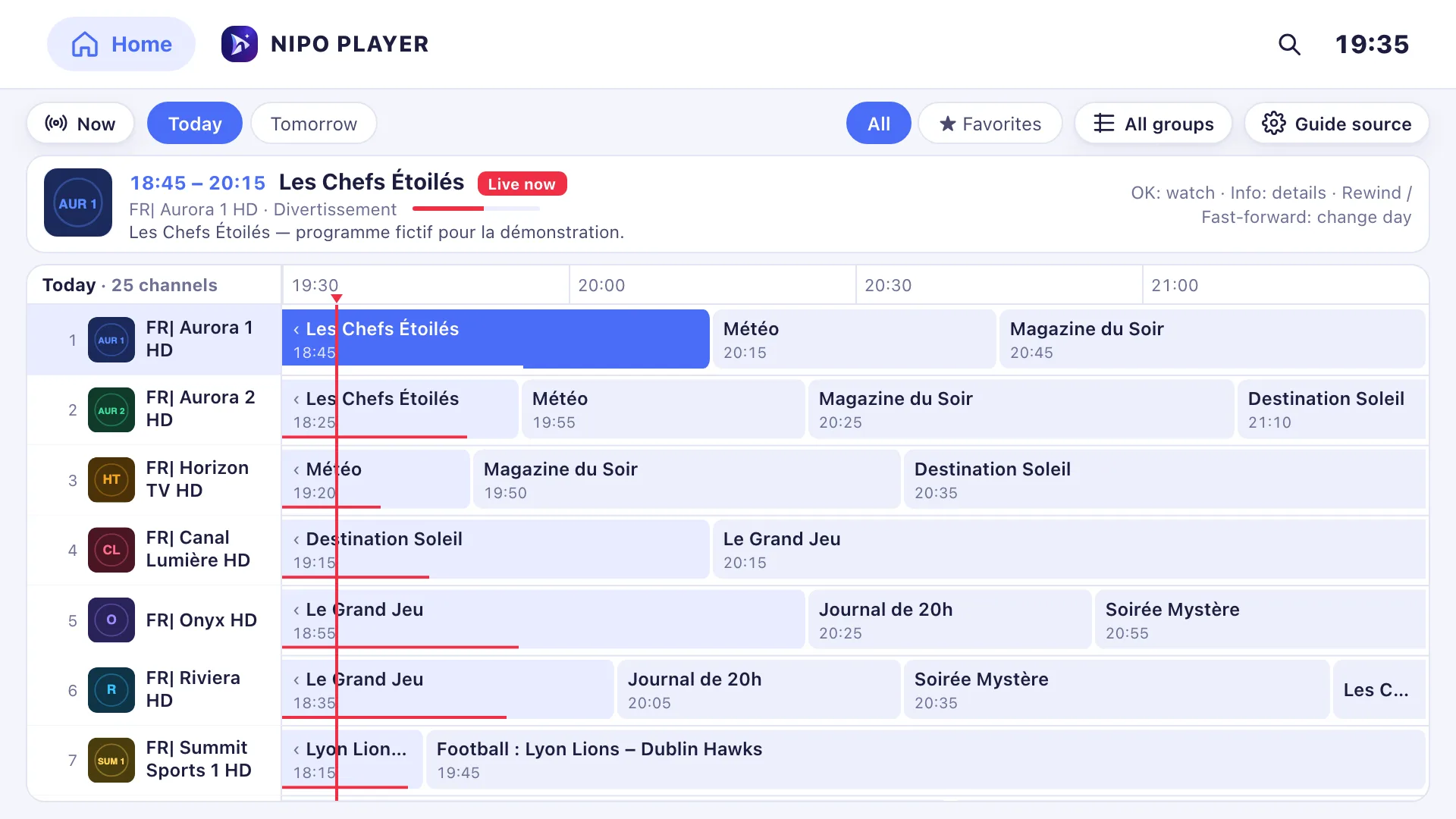
A guide shows what's on now and next, channel by channel, instead of guessing while zapping. Some players show it as a time grid; the more complete ones also accept a personal guide (an XMLTV file) when the one your playlist provides is incomplete.
3. A remote-friendly interface
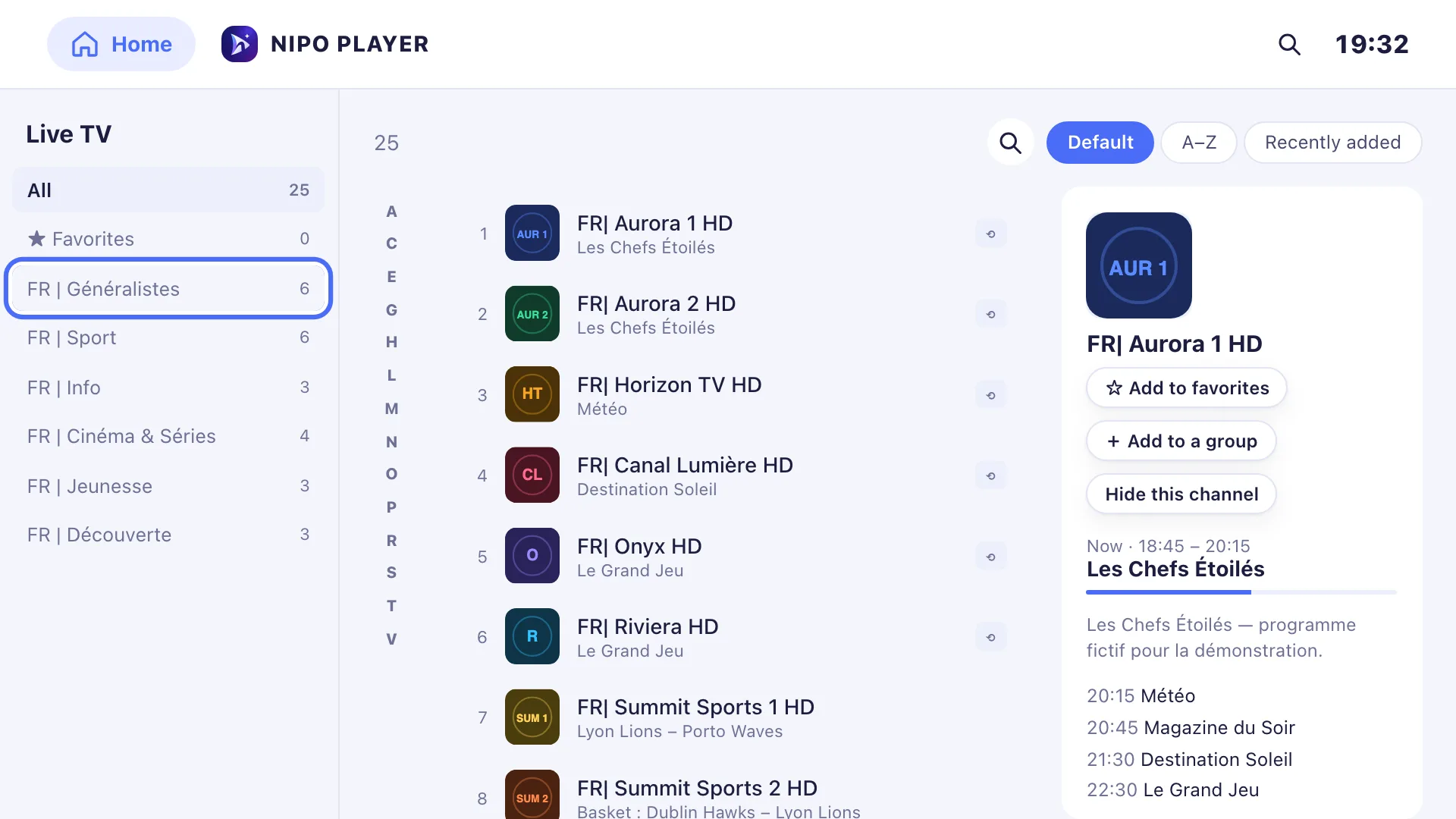
On a TV, an interface built for a mouse (small buttons, text to type) quickly becomes painful. Look for big tiles, D-pad navigation, and an easy way to add a playlist without retyping it with the arrow keys — for example a QR code scanned from your phone, the way Nipo Player does it.
4. Parental control
A PIN code to lock certain categories is the baseline. On the more complete players, a separate kids profile goes further, with its own settings, once available.
5. Refunds
A digital purchase can't always be tried before buying. Check that a simple refund exists if the player doesn't suit you, rather than a vague or missing policy.
6. Per-device, or per-household pricing
Some players charge for each screen separately: three TVs at home, three purchases. Others offer a family plan covering several screens for one price, often better value from two or three devices.
7. Ads and a forced account
A free player stuffed with ads, or one that requires an account just to watch, adds friction. Check whether the free version is complete and account-free, or artificially limits basic features to push a purchase.
How to check before buying
Most of these can be checked without paying anything: a serious player's free version already lets you test the format, the interface and the guide with your real playlist. Only after that, with a clear picture, does the per-screen or per-household price question matter.
Frequently asked questions
Can a free player be complete? Yes: reading an M3U playlist or an Xtream connection doesn't require an account or a payment by itself. It's the publisher's choice whether to limit the free version.
Do I need an account to watch? Not necessarily. On Nipo Player, for example, full playback is free and account-free; an account is only asked for to manage a Premium or Family purchase.
What should I check last, once the player is chosen? That your playlist opens correctly with its real channels before treating the choice as final: a format advertised as "supported" sometimes behaves differently from one playlist to another.
In short
A good TV player reads your formats (M3U and Xtream), shows a clear guide, is easy to control with a remote, protects children, refunds simply, and doesn't multiply purchases per screen. And it supplies no content: Nipo Player, like any honest player, supplies no channel and no playlist. See Nipo Player's features or compare Free, Premium and Family.
Updated on 29 September 2026
Contact supportRead next
- Getting started
Add a TV guide (XMLTV) to your playlist
If your playlist's guide is incomplete, paste a separate XMLTV guide link in the guide settings: Nipo Player matches it to your channels by their ID.
29 September 2026 · 3 min read
 Devices
Best M3U player for LG TV
Which player for an LG TV (webOS)? LG Content Store, Magic Remote, price per TV or per home, refunds: the options compared, with sourced facts about each.
29 September 2026 · 5 min read
- Devices
Best M3U player for Samsung TV
Which player for a Samsung TV (Tizen)? Installing, sound, price per TV or per home, refunds: the options compared, with sourced facts about each player.
29 September 2026 · 5 min read
Try Nipo Player on your TV
The player is free on TV, phone and computer. You add your own playlist.