
How do I watch catch-up (replay) TV?
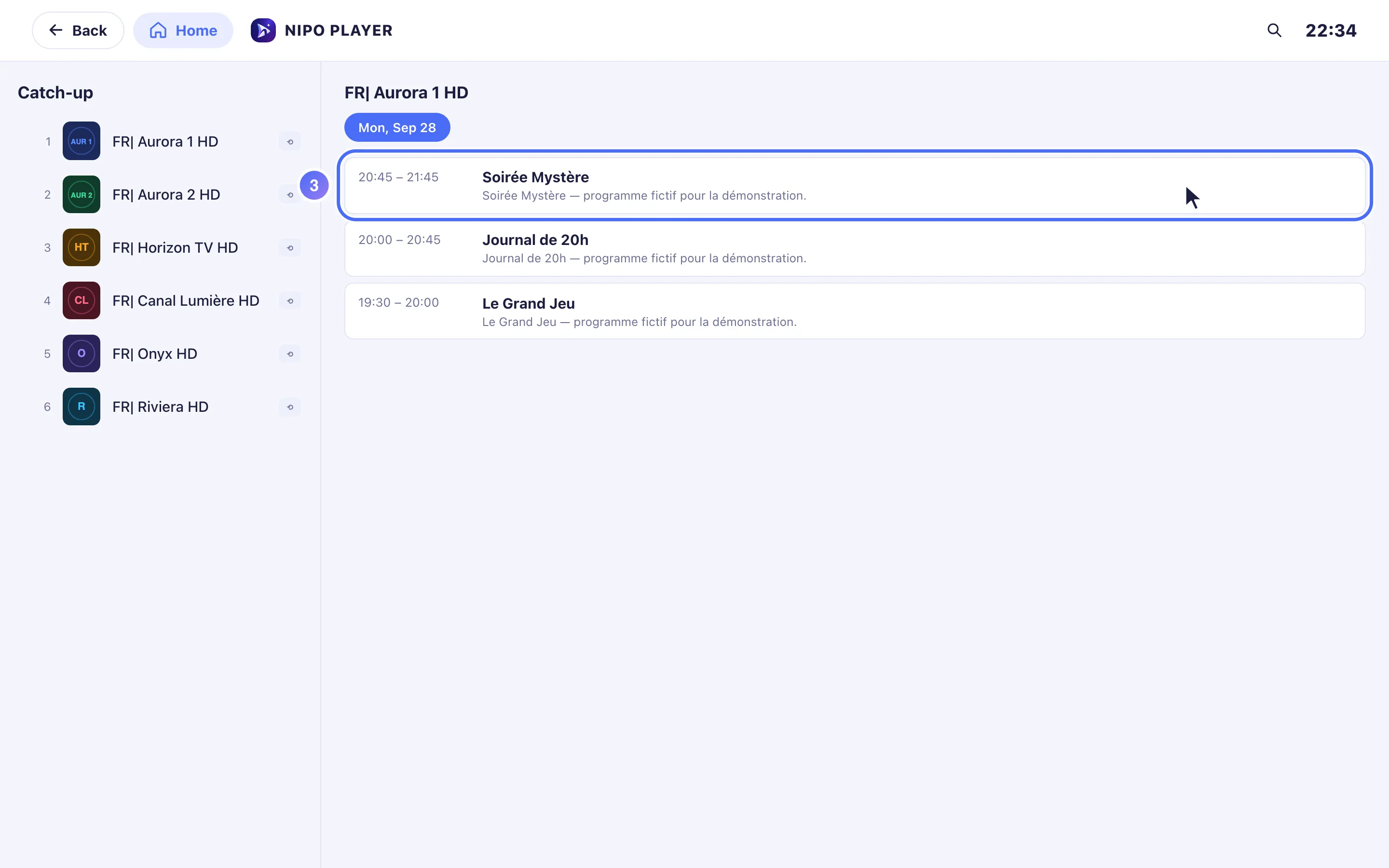
Open the "Catch-up" door from Home, pick a channel then a day, and watch its past programmes when your playlist offers catch-up.
Nipo doesn’t provide, sell or host any channel, movie or playlist: it plays what you already own.
Premium feature (Nipo Premium or Family), already in the app. Catch-up brings back programmes already broadcast on channels that offer it, depending on what your playlist provides.
Step by step, with pictures
- 01
From Home, go to the Catch-up door and press OK. Key OK
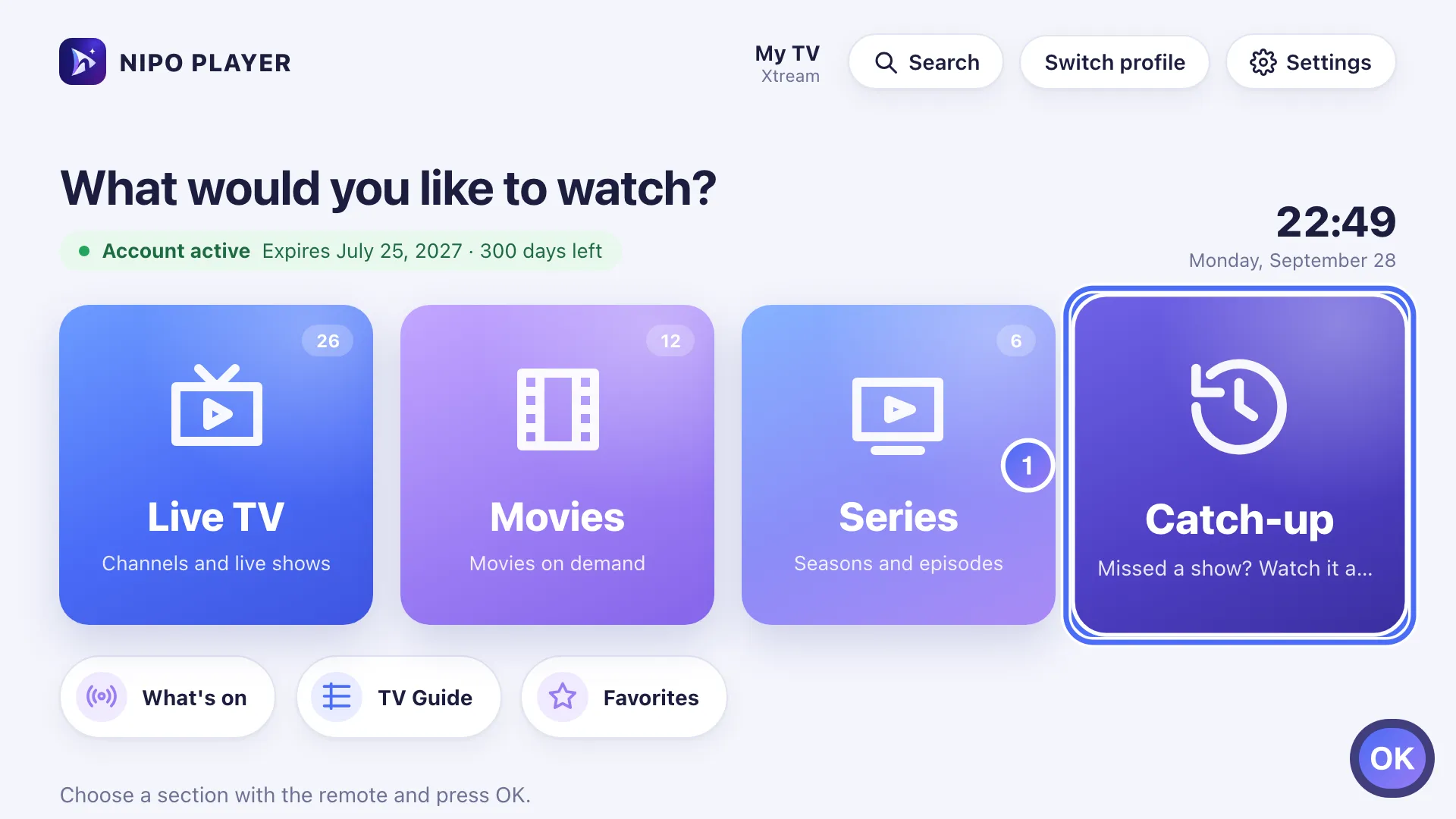
- 02
Choose a channel from the list. Key OK
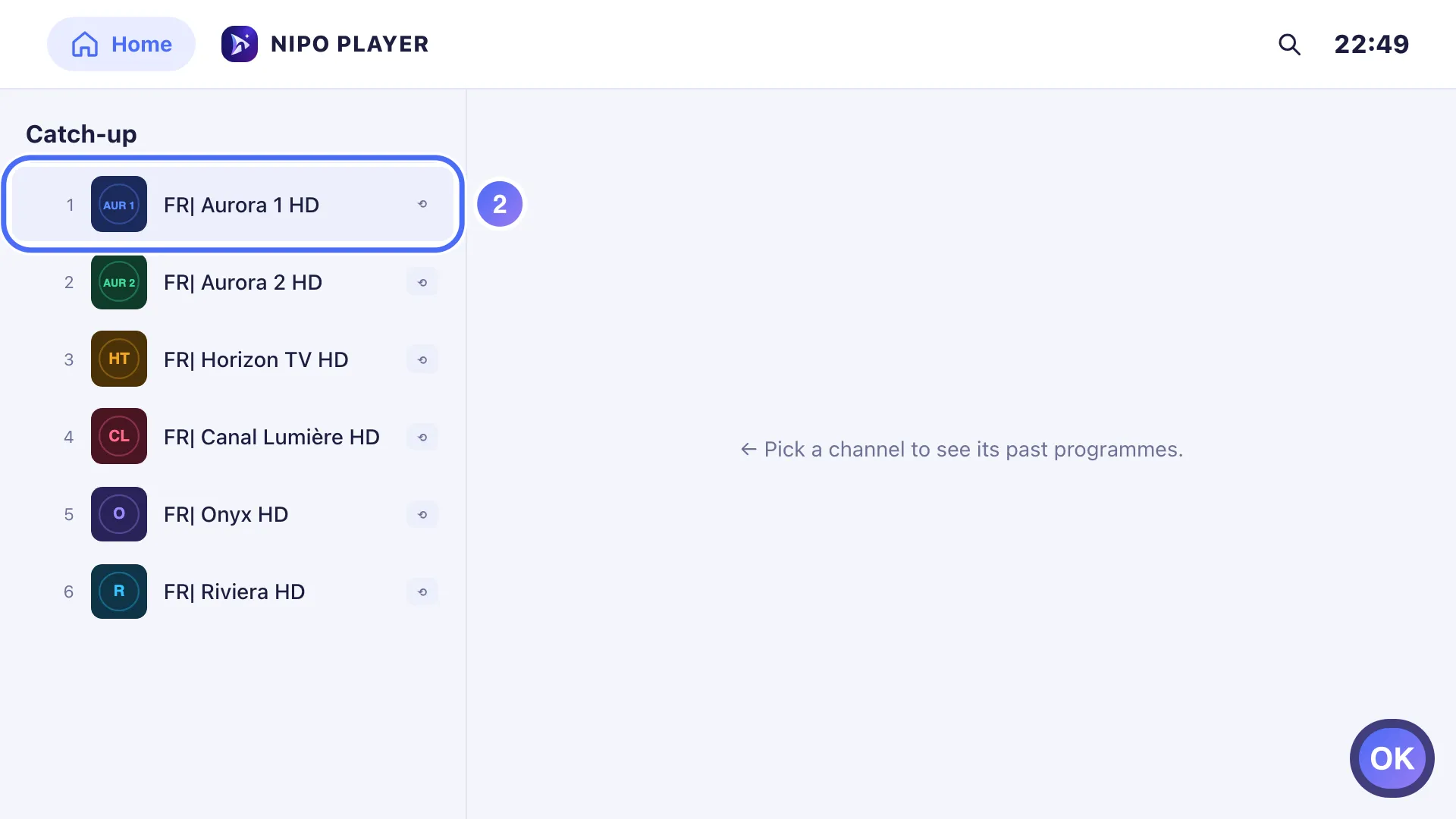
- 03
Pick a day then a programme from the list, and press OK to watch it from the start. Key OK
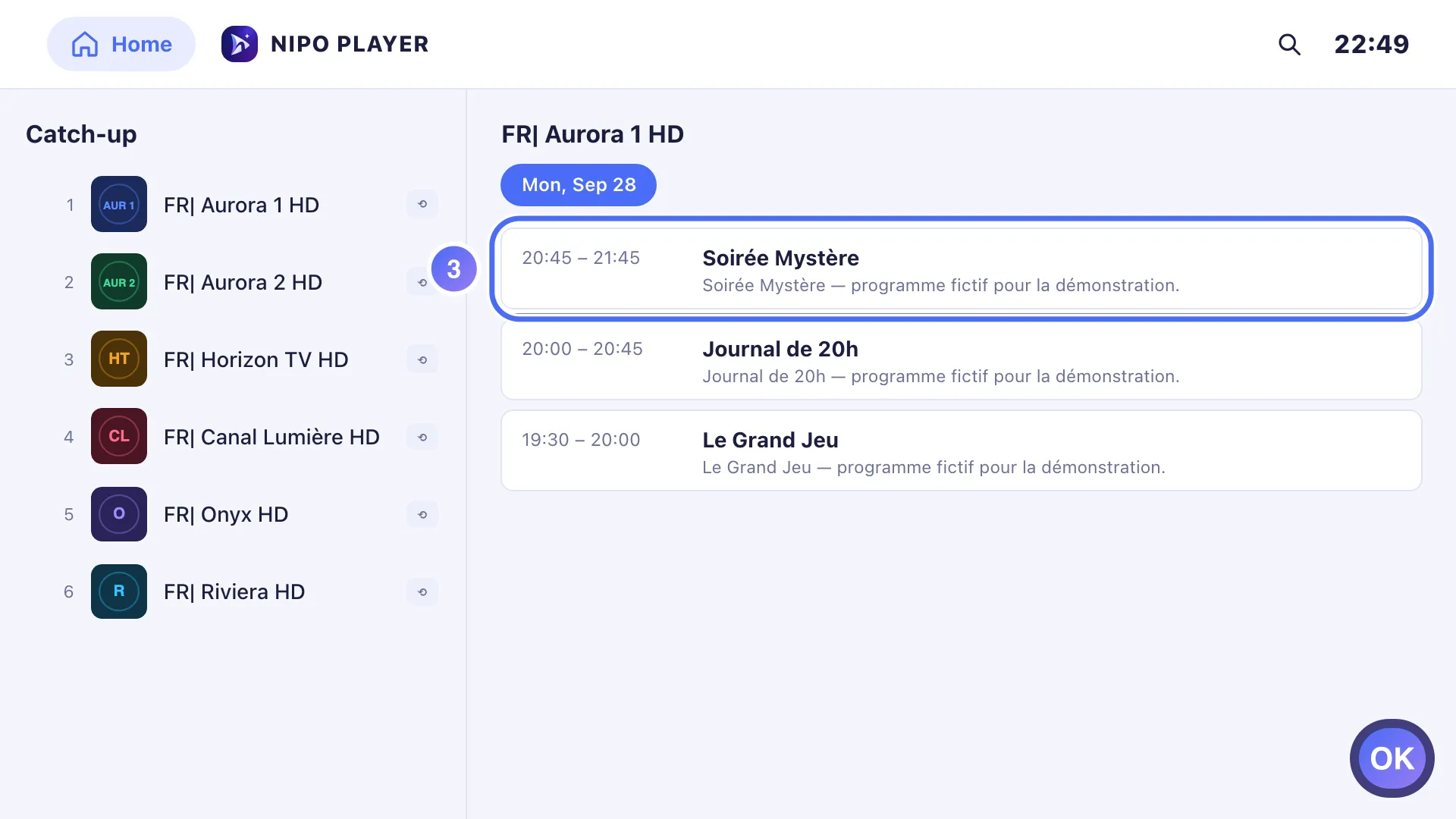
- 01
From Home, tap “Catch-up”.
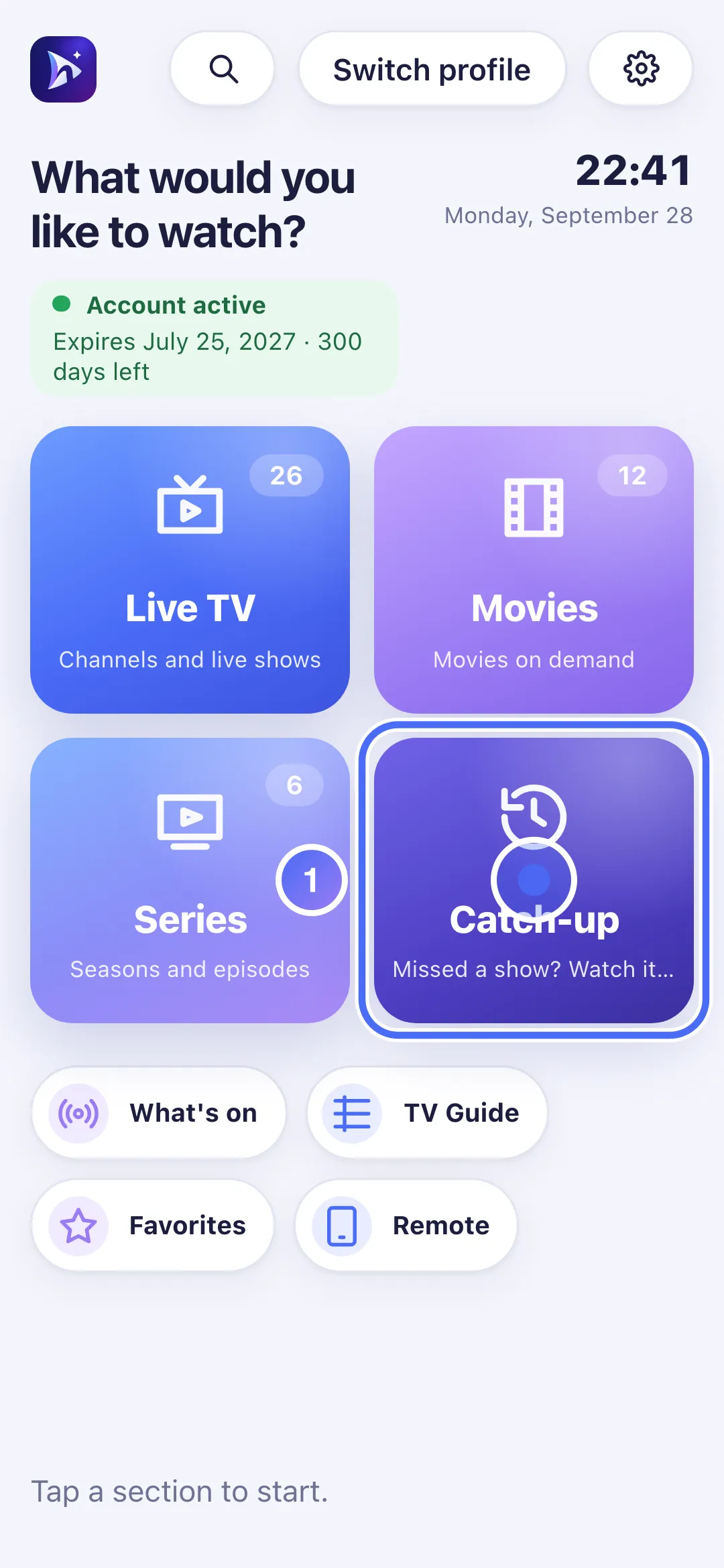
- 02
Choose a channel from the list.
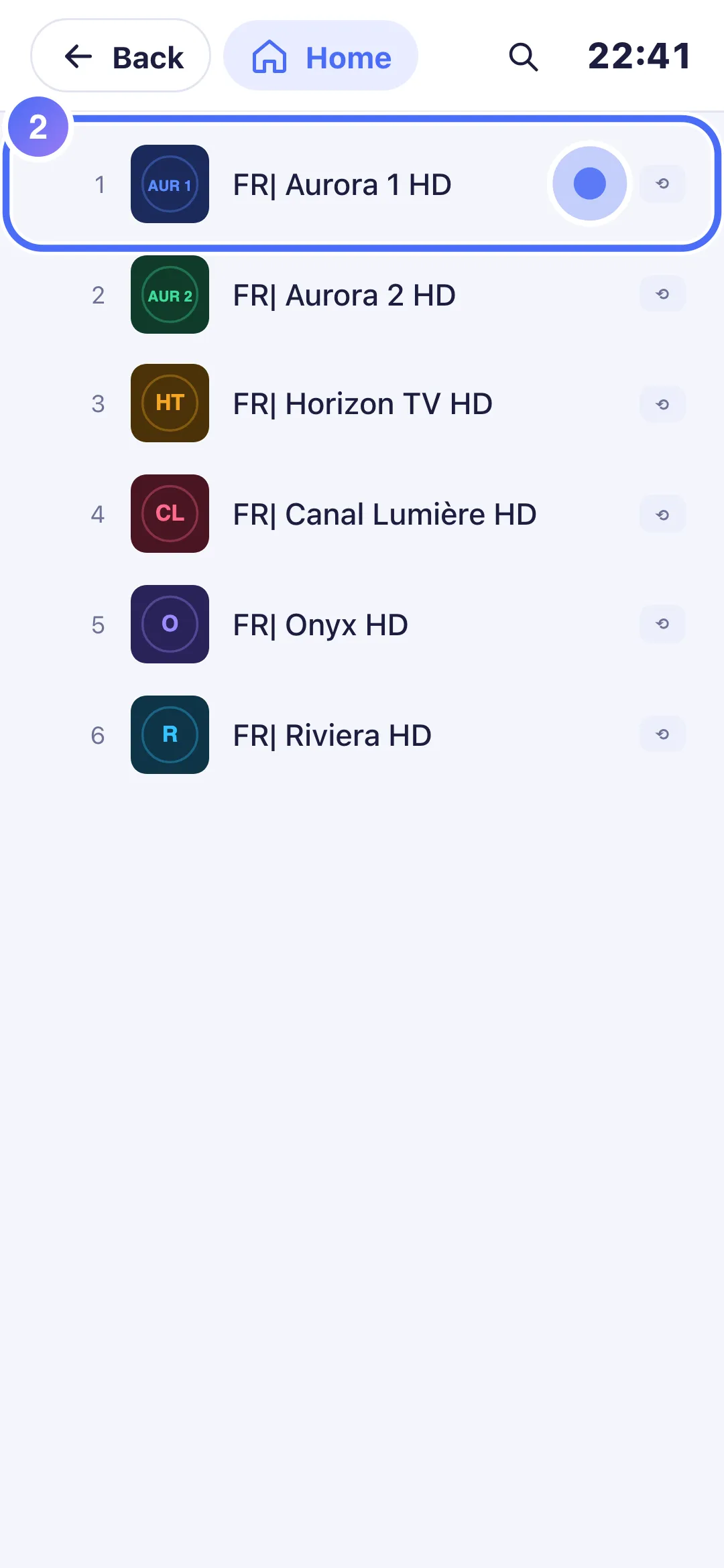
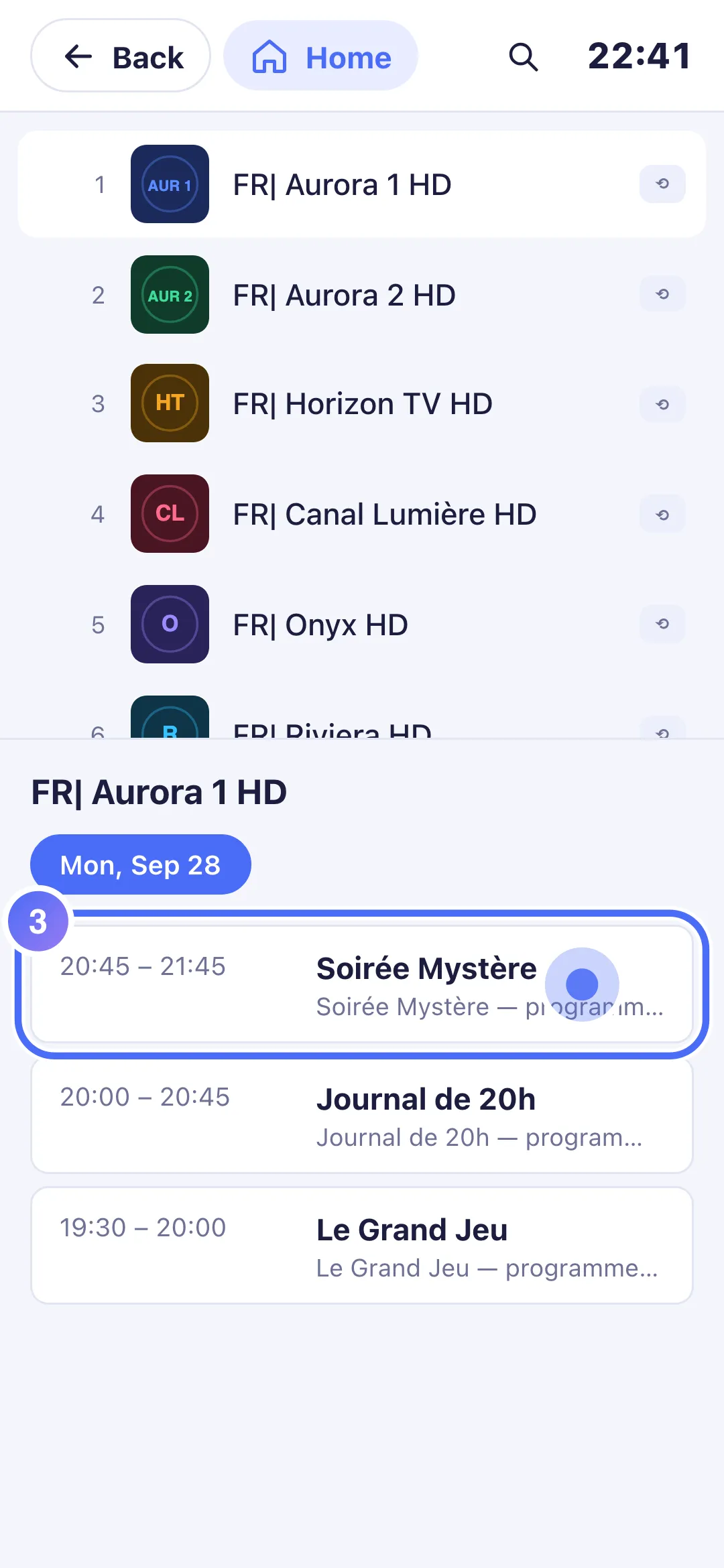
- 03
Tap a programme already broadcast to watch it from the start.
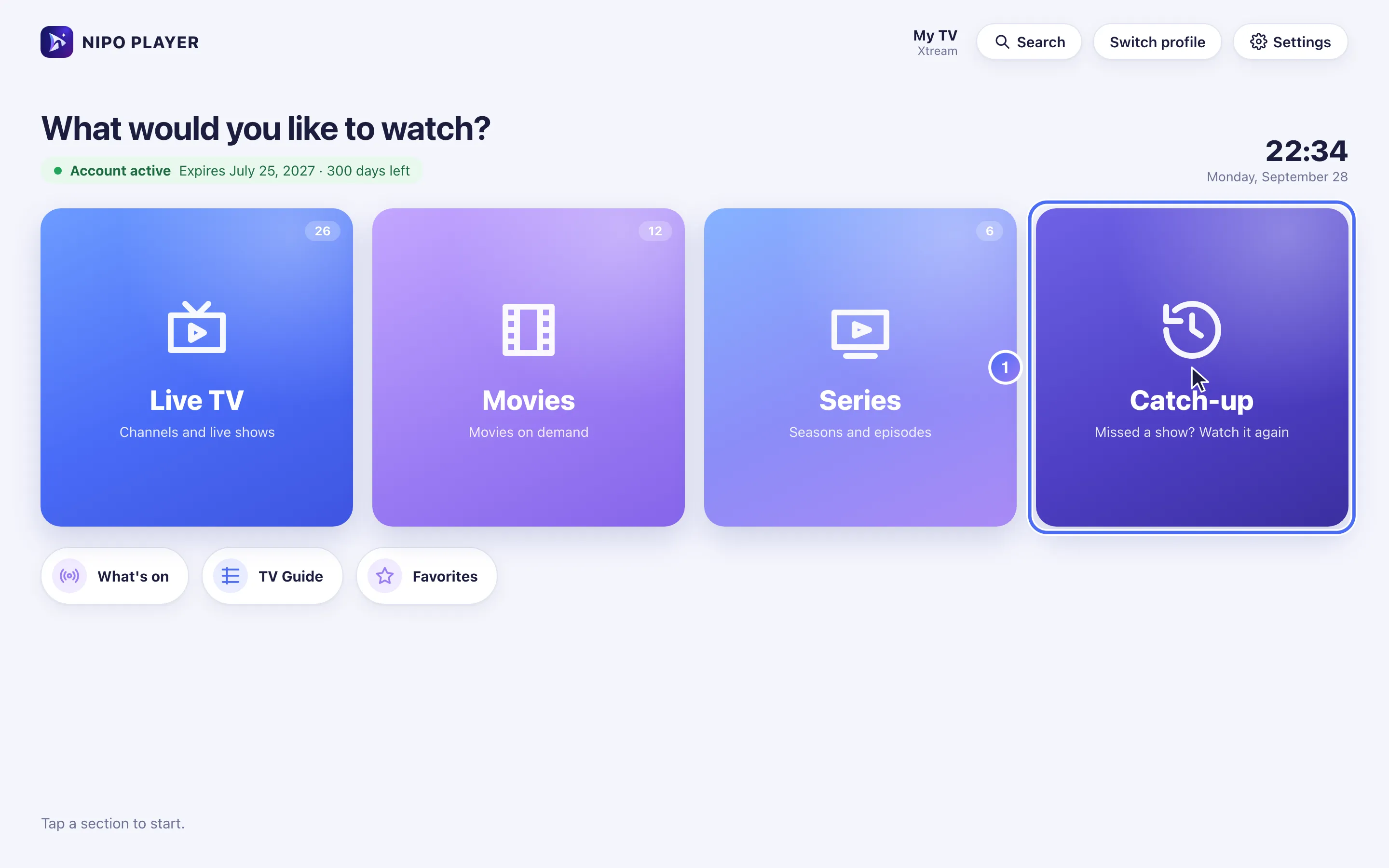
- 01
From Home, click “Catch-up”.
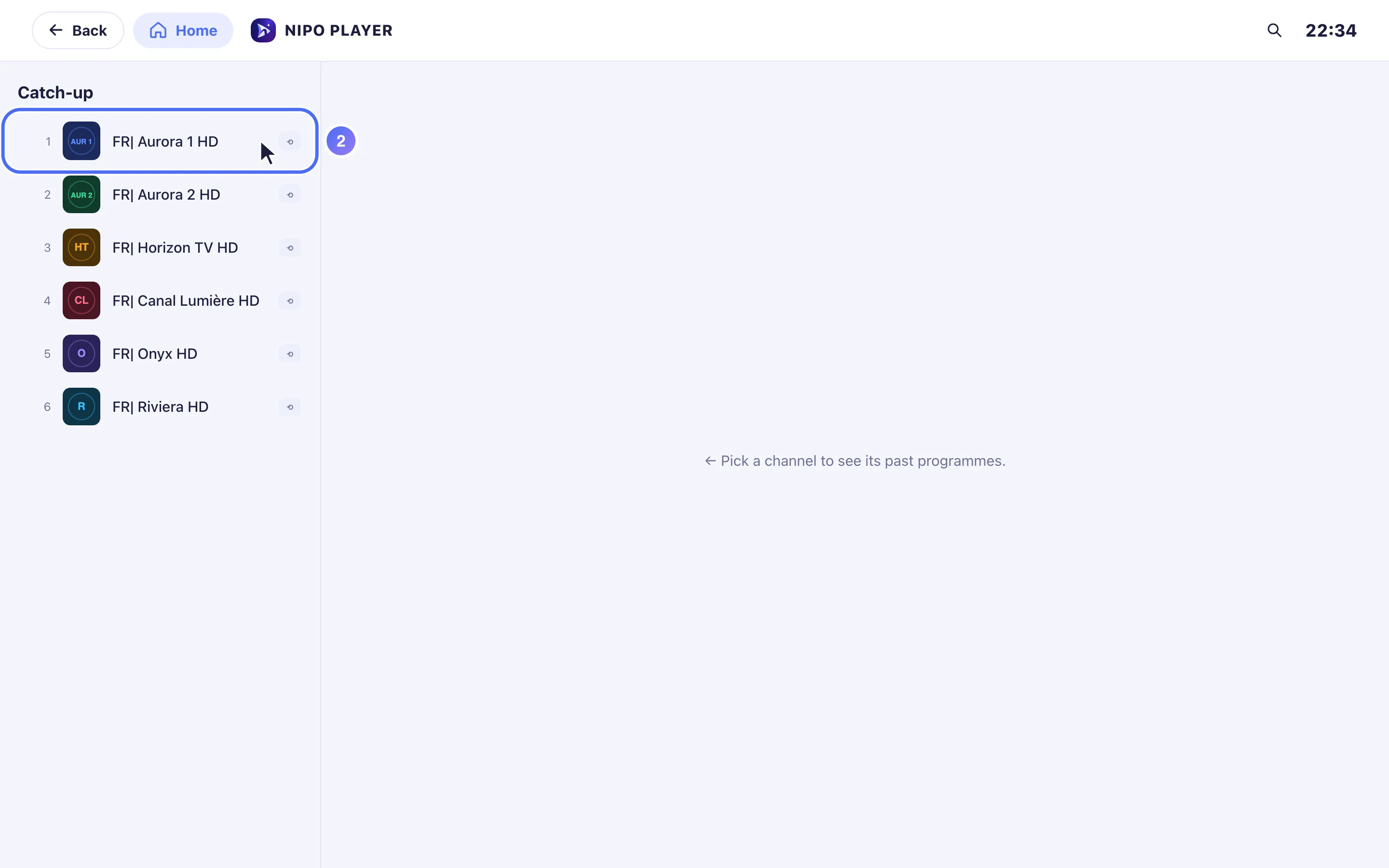
- 02
Choose a channel from the list.
- 03
Click a programme already broadcast to watch it from the start.
Steps
- From Home, open the Catch-up door.
- Choose a channel from the list.
- Pick a day, then a programme from the list of past shows.
- Start playback: the programme starts from its beginning.
Tip
"No archived programmes for this channel" means the channel's server doesn't keep (or no longer keeps) a catch-up archive for it: this isn't something the app can change, it depends only on your playlist's server. A programme currently airing can also be watched from its start via the TV Guide: open its info sheet and choose Watch from the start.
Updated on 29 September 2026
Did this article help you?
Can’t find the answer?
Write to us: we answer about the app and how it works. We can’t recommend a playlist.