
"Account expired": what should I do?
This message is about the account on your playlist's server (Nipo Player runs with no subscription): renew it with the service that manages your playlist.
Nipo doesn’t provide, sell or host any channel, movie or playlist: it plays what you already own.
Nipo Player runs with no subscription: this diagnosis means the account given to you by your playlist has run out on its server.
Step by step, with pictures
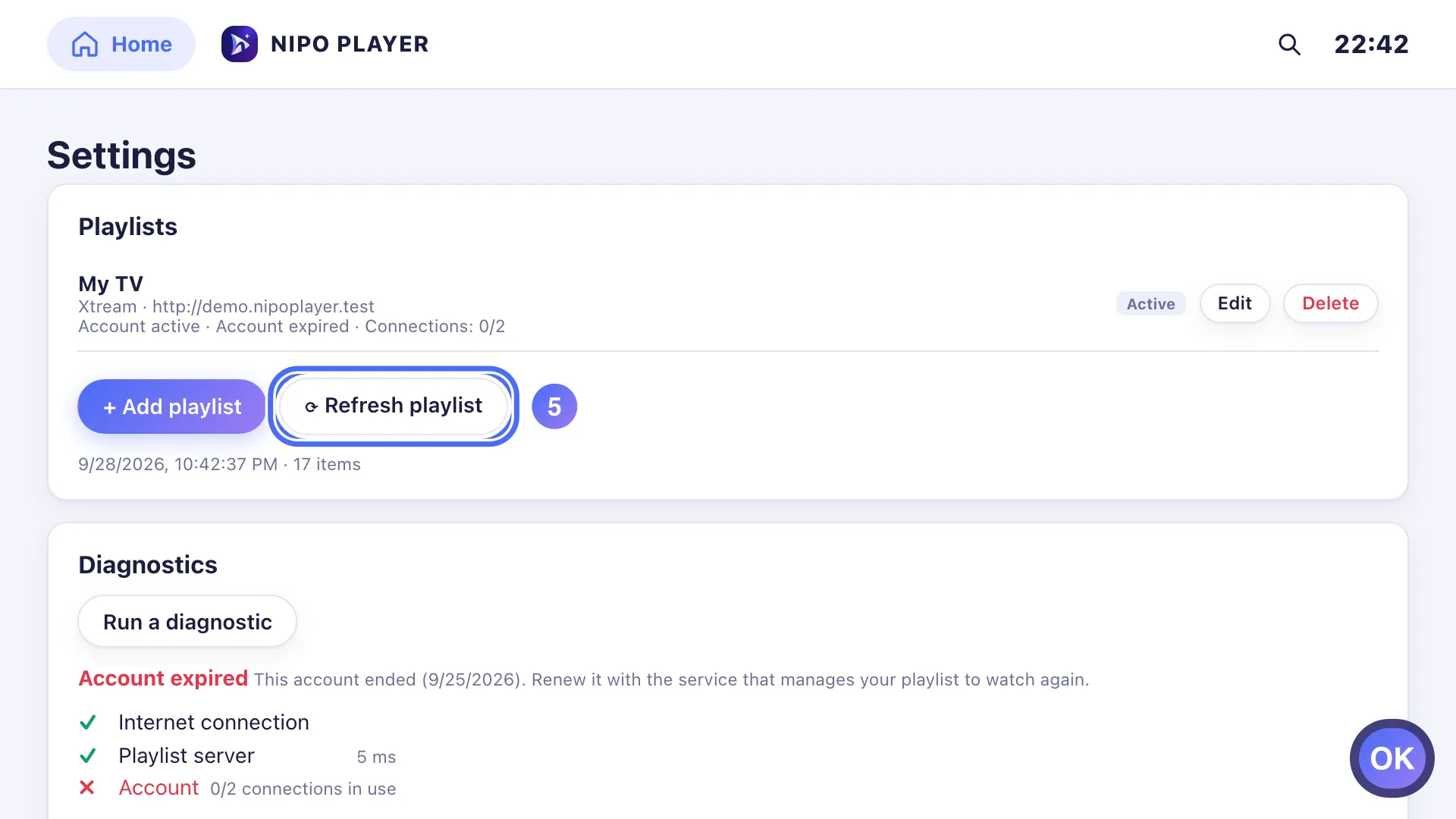
- 01
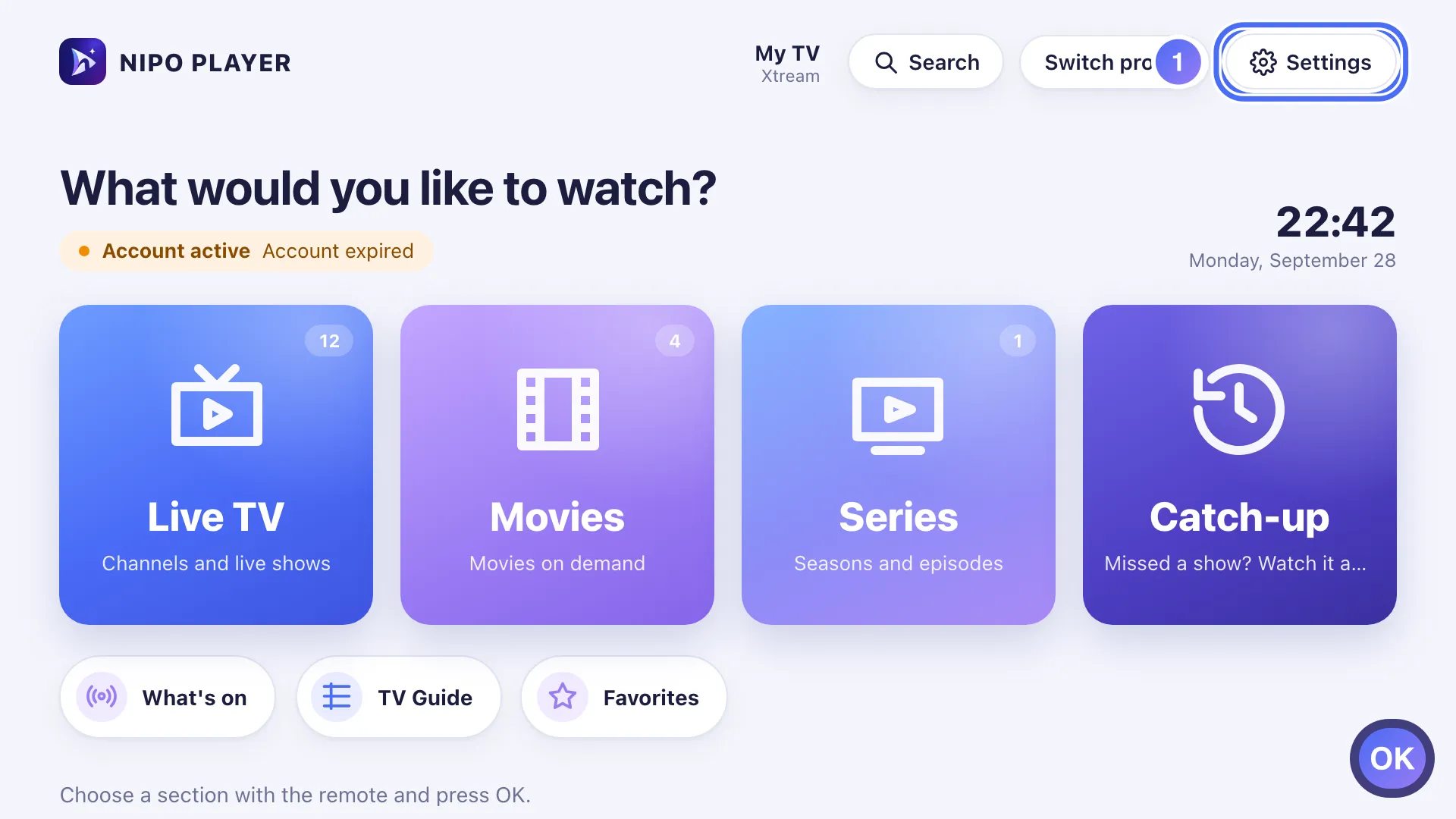
On Home, move to Settings with the arrows and press OK. Key OK
- 02
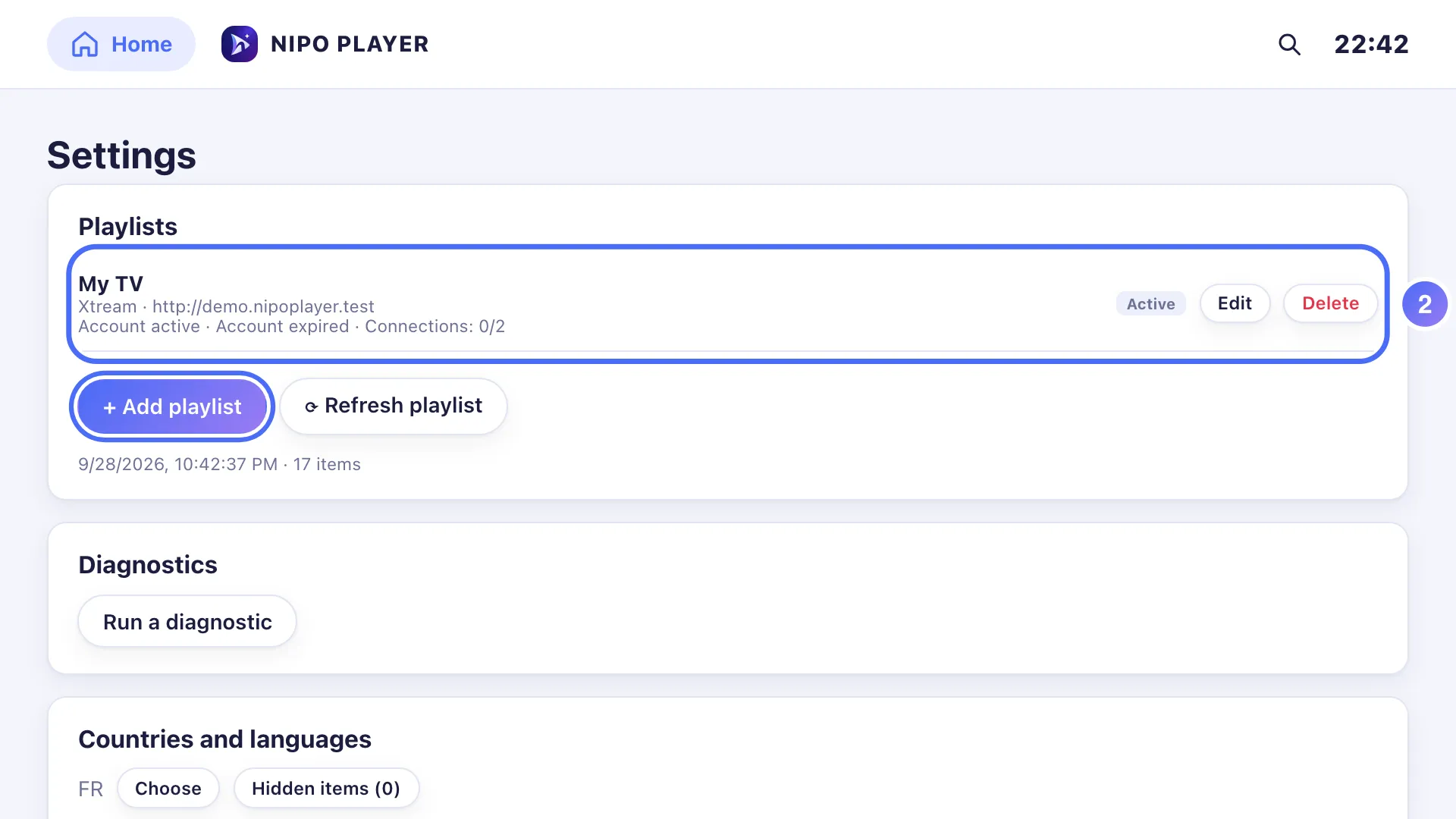
Under your playlist’s name, the date shown (“Expires…”) has already passed.
- 03
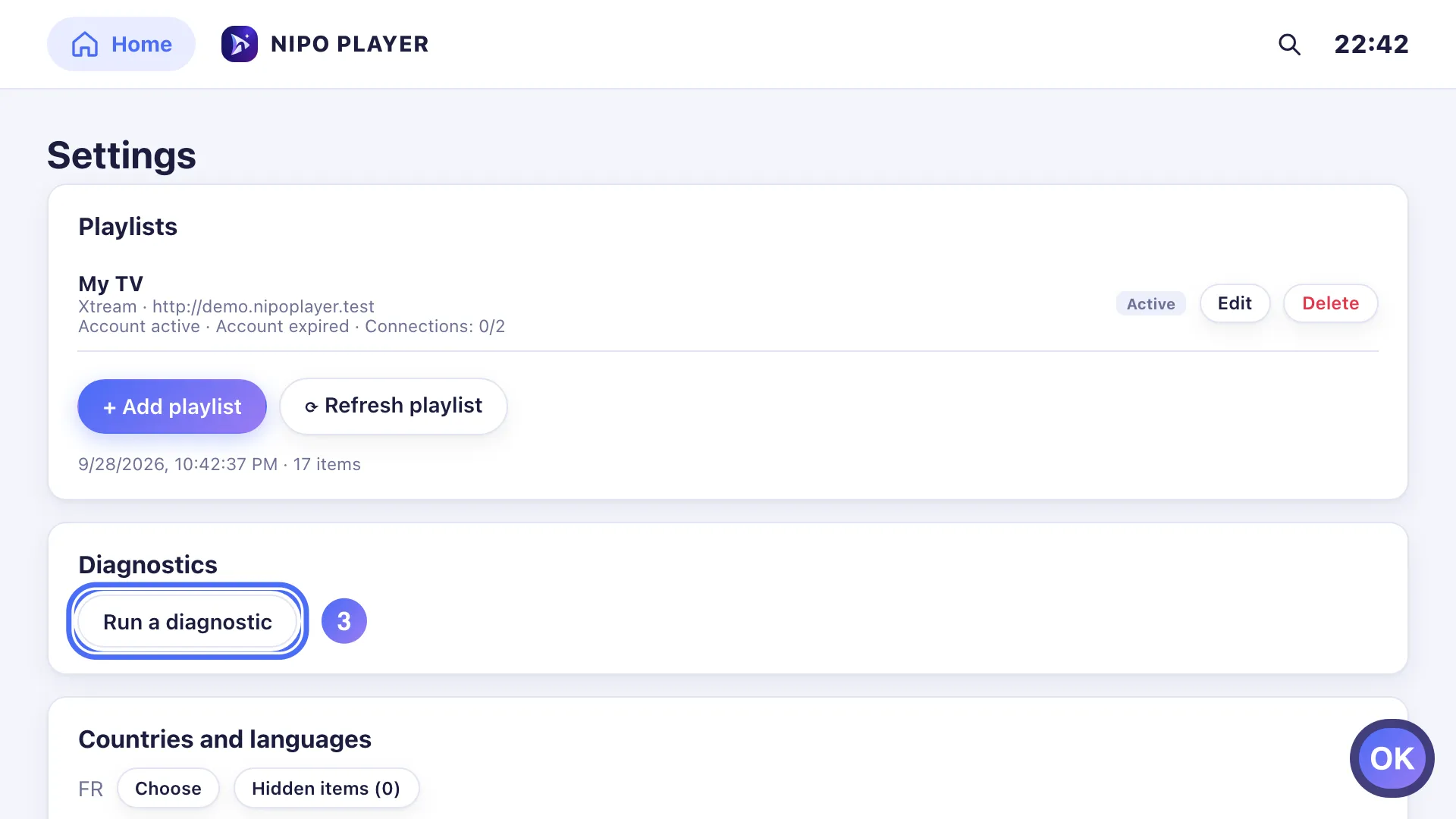
Go down to Diagnostics and press OK on “Run a diagnostic”. Key OK
- 04
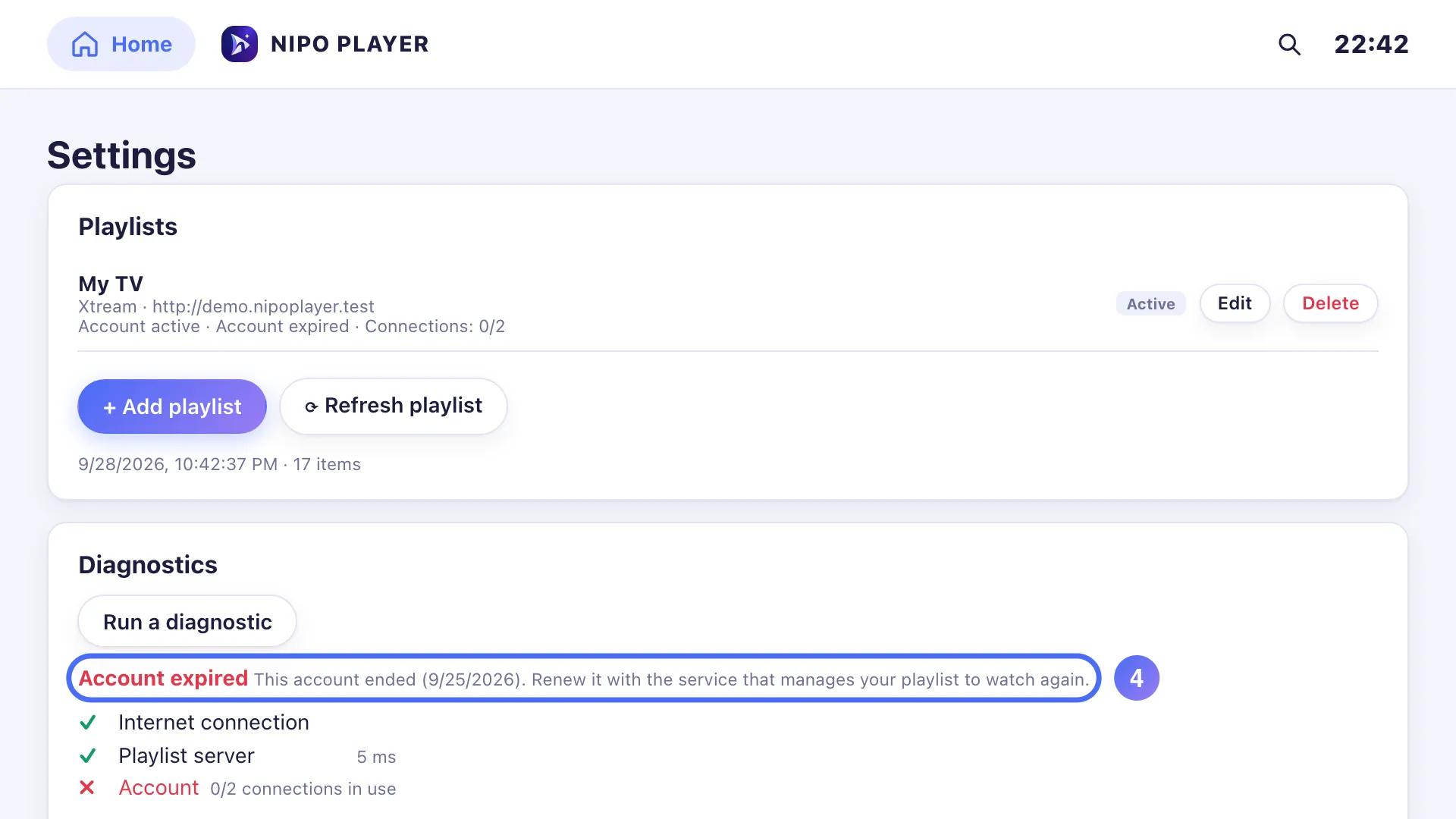
The diagnosis confirms “Account expired”: the account your playlist gave you has ended.
- 05
Once the account is renewed with the service that manages your playlist, press OK on “Refresh playlist”. Key OK
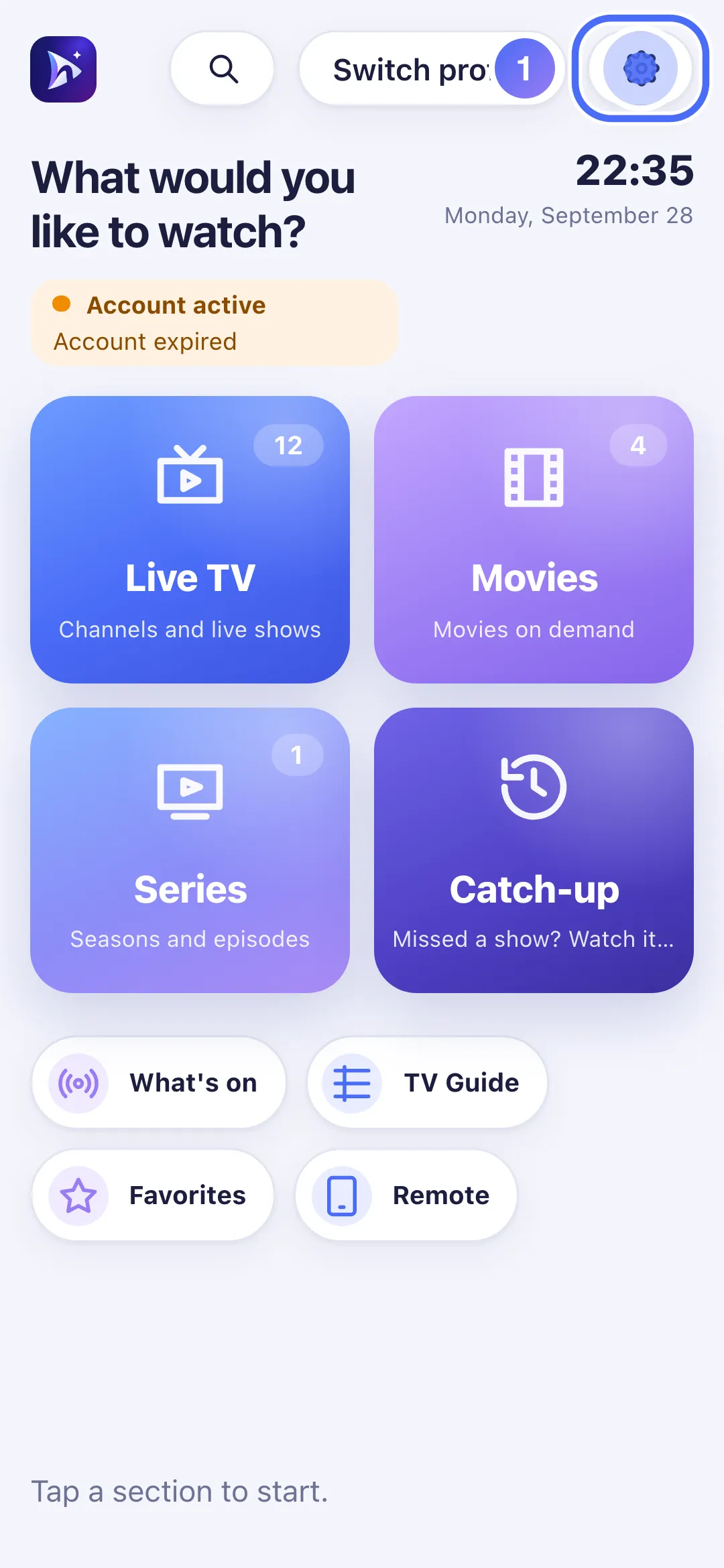
- 01
On Home, touch Settings.
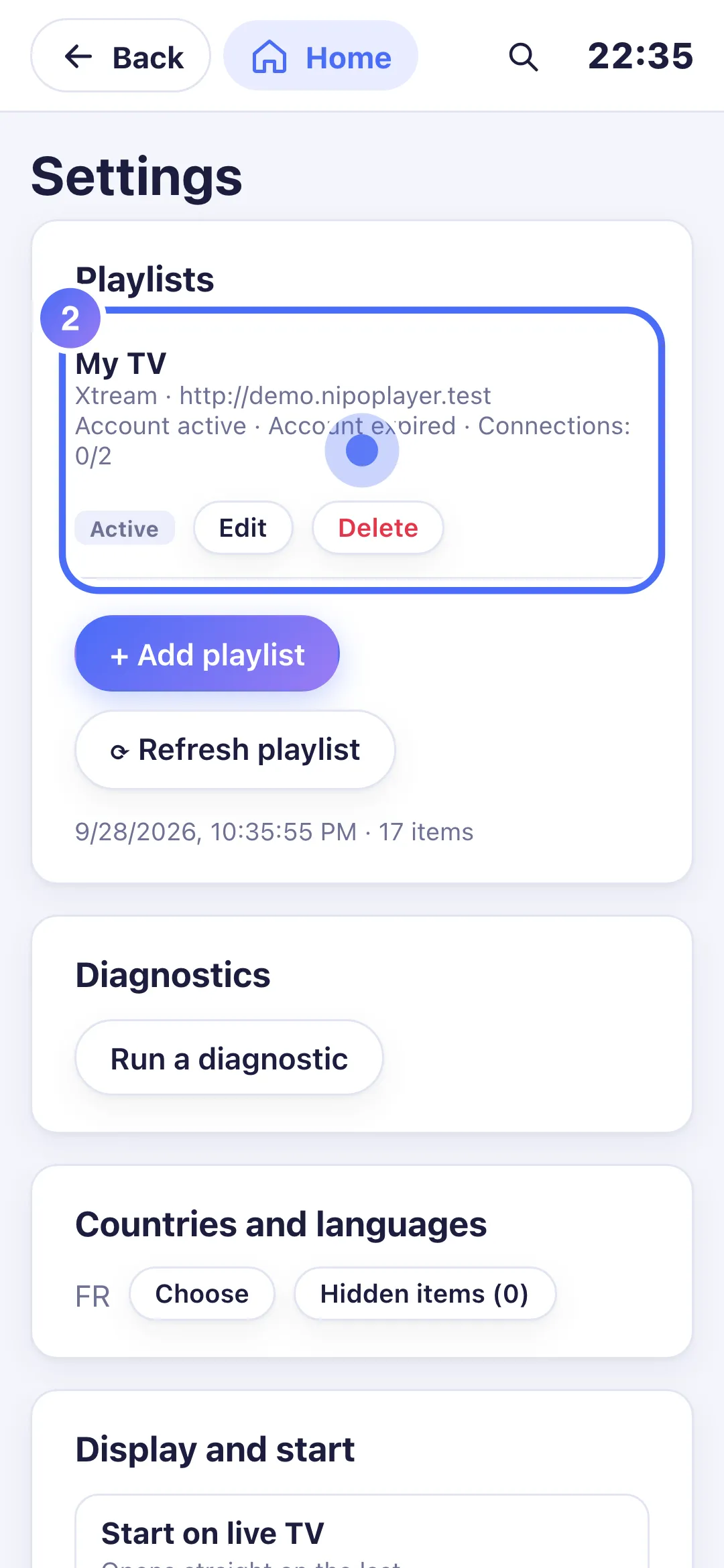
- 02
Under your playlist’s name, the date shown (“Expires…”) has already passed.
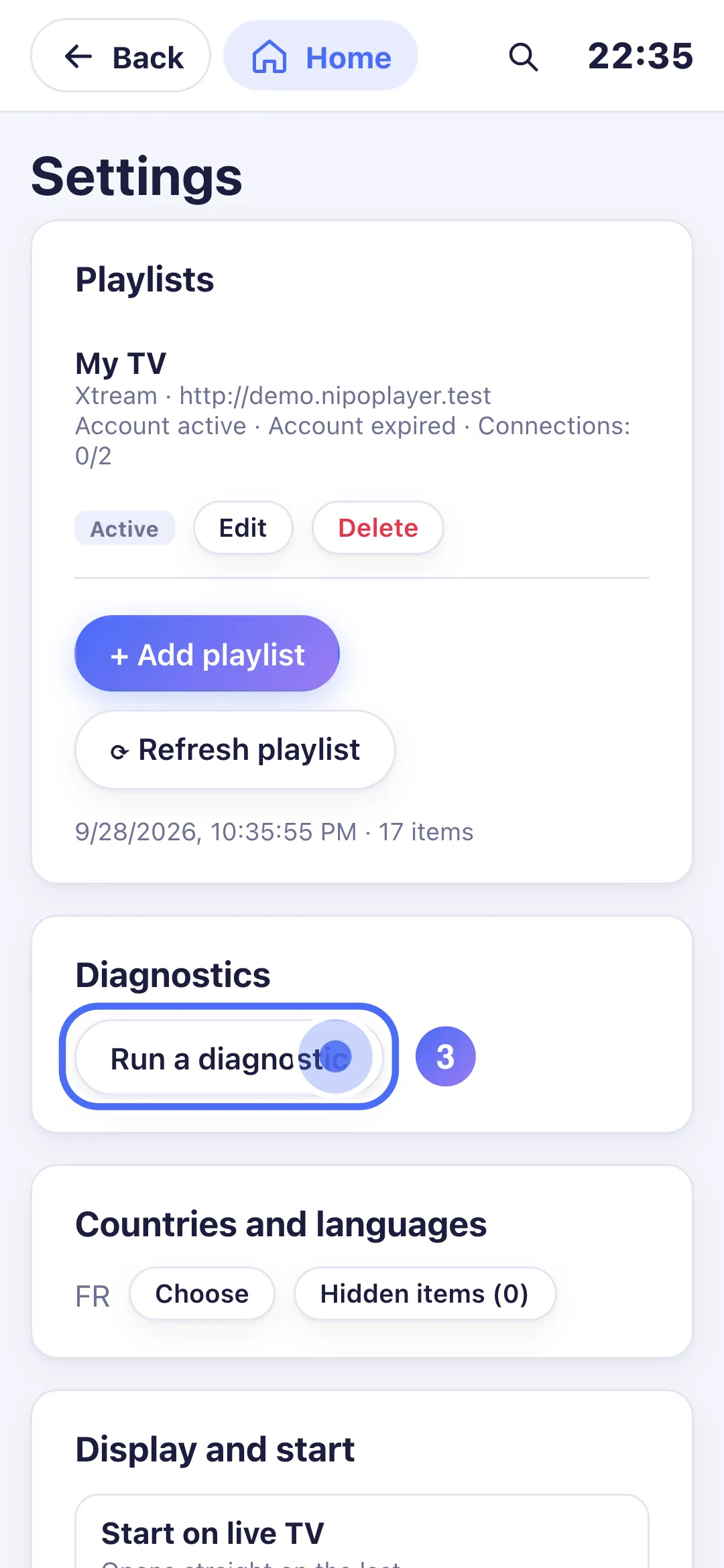
- 03
Touch “Run a diagnostic”.
- 04
The diagnosis confirms “Account expired”: the account your playlist gave you has ended.
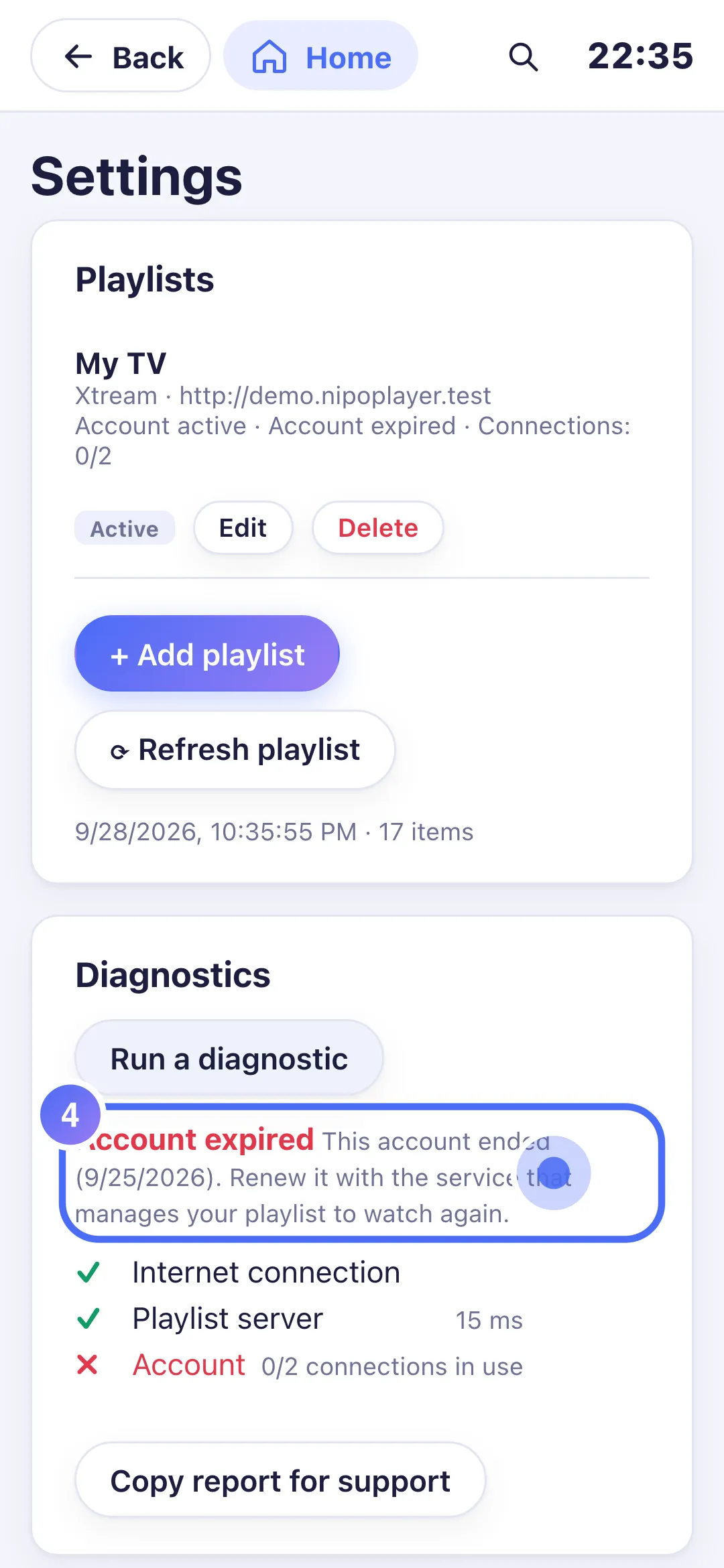
- 05
Once the account is renewed with the service that manages your playlist, touch “Refresh playlist”.
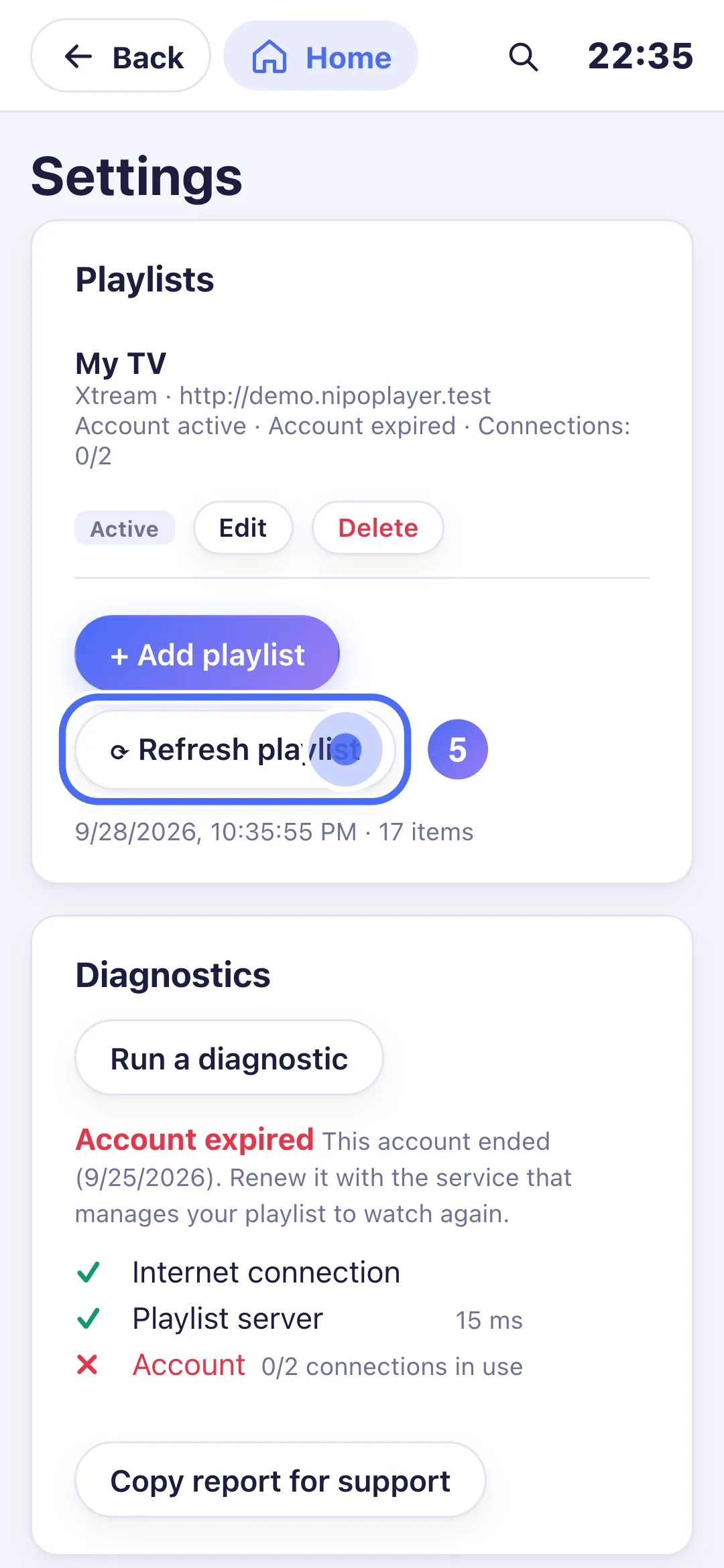
Steps
- Open Settings, and check the date shown under your playlist's name ("Expires").
- If that date is in the past, contact the service that manages this playlist to renew the account.
- Once renewed, tap Refresh playlist in Settings, or just start playback again.
- If the message appears when you believe you're up to date, run a full check from Settings → Diagnostics → Run a diagnostic.
Tip
Nipo Player doesn't provide, sell or host any content; we can't renew an account on a third-party server, or recommend where to find one. If the diagnosis says "Login refused" rather than "Account expired", the problem is the username or password: see "Login refused": what should I do?.
Updated on 28 September 2026
Did this article help you?
Can’t find the answer?
Write to us: we answer about the app and how it works. We can’t recommend a playlist.