
How do I send a diagnostic report to support?
On the diagnosis screen, tap "Copy report for support" then paste it into your message: your login details are removed.
Nipo doesn’t provide, sell or host any channel, movie or playlist: it plays what you already own.
The diagnostic report gives support every useful technical detail (the diagnosis result, your device, the app version) without you having to describe it yourself.
Step by step, with pictures
- 01
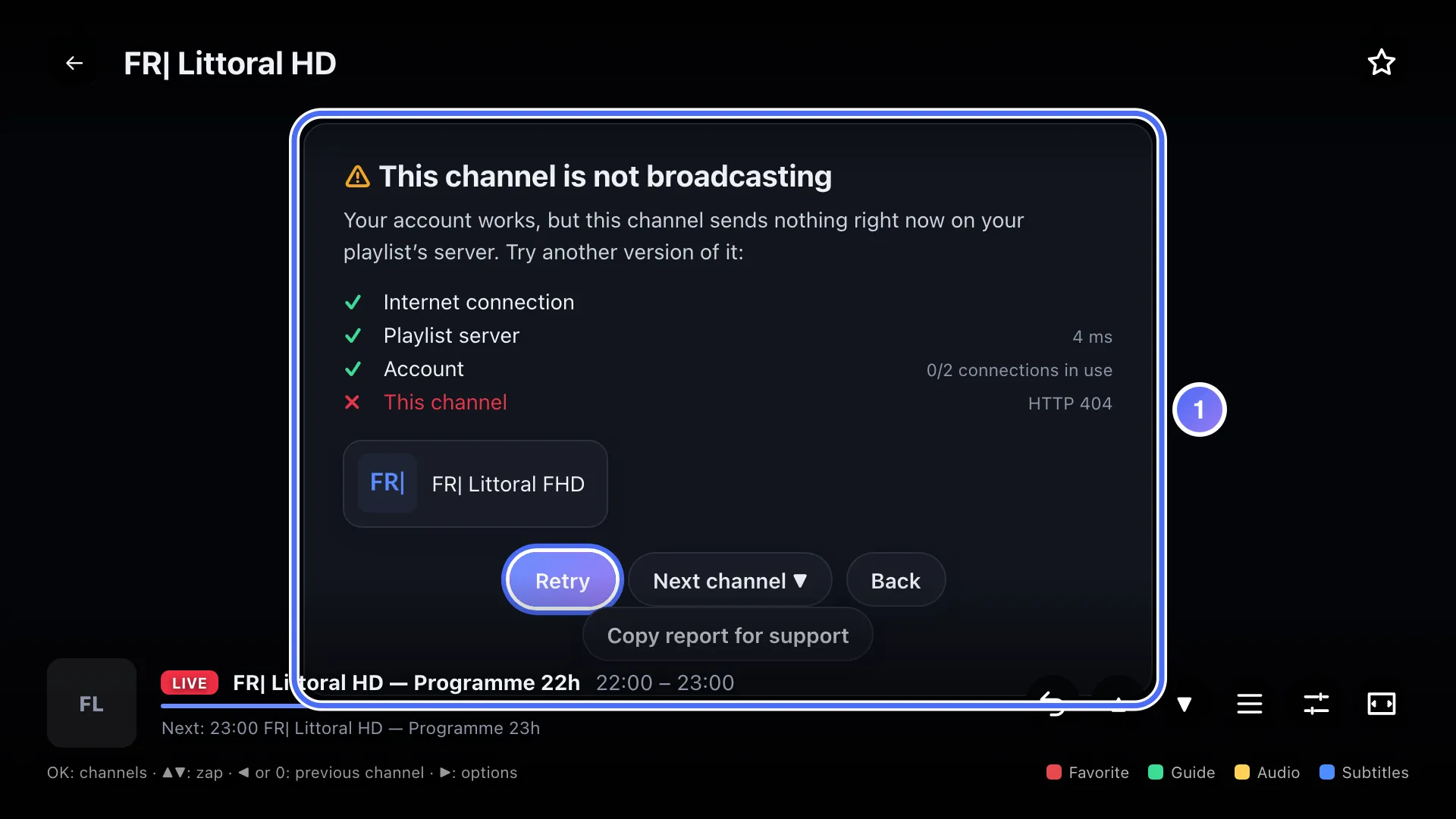
When a diagnosis appears, like here after a playback problem, it’s ready to be copied.
- 02
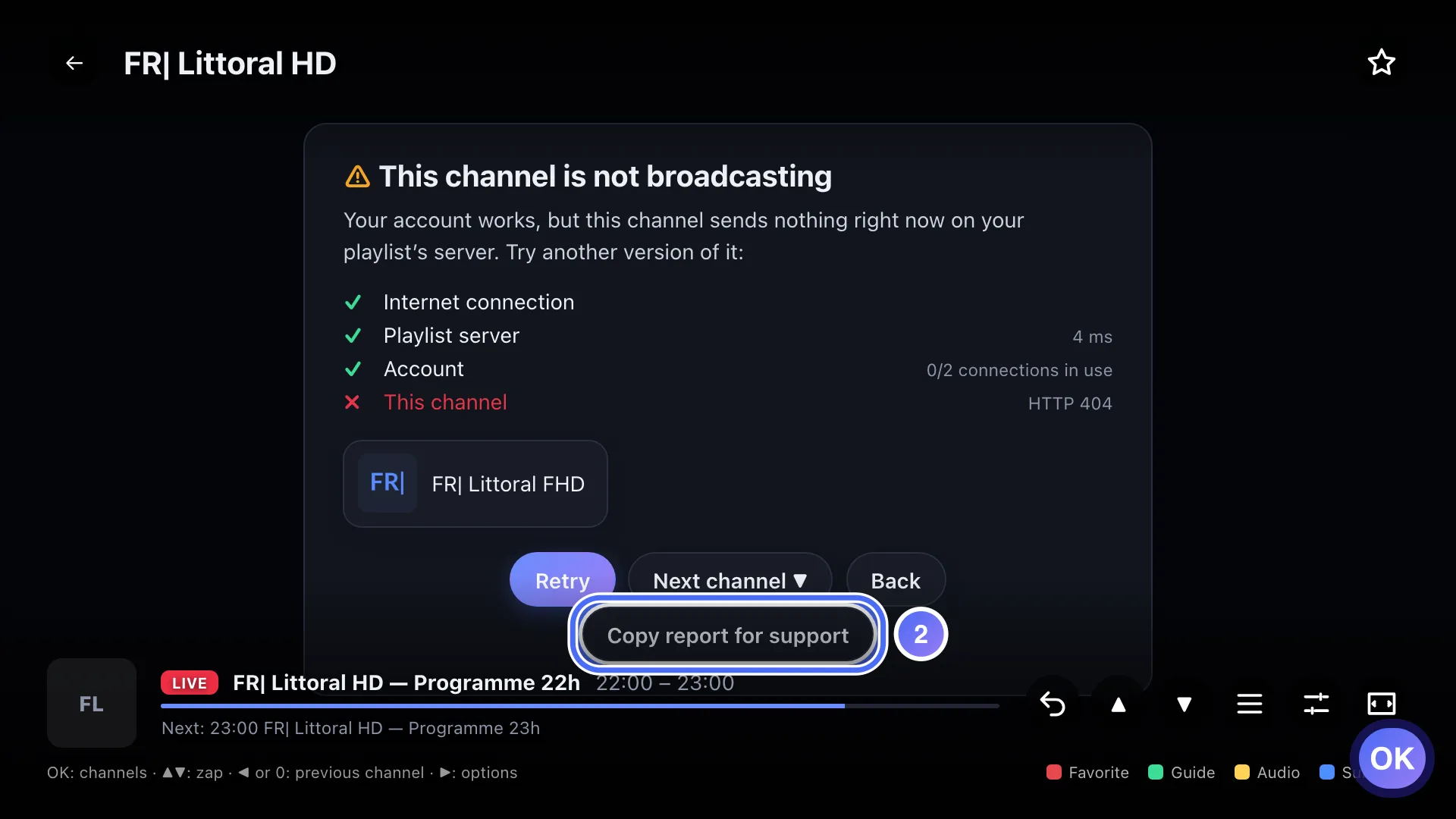
Go down to “Copy report for support” and press OK. Key OK
- 03
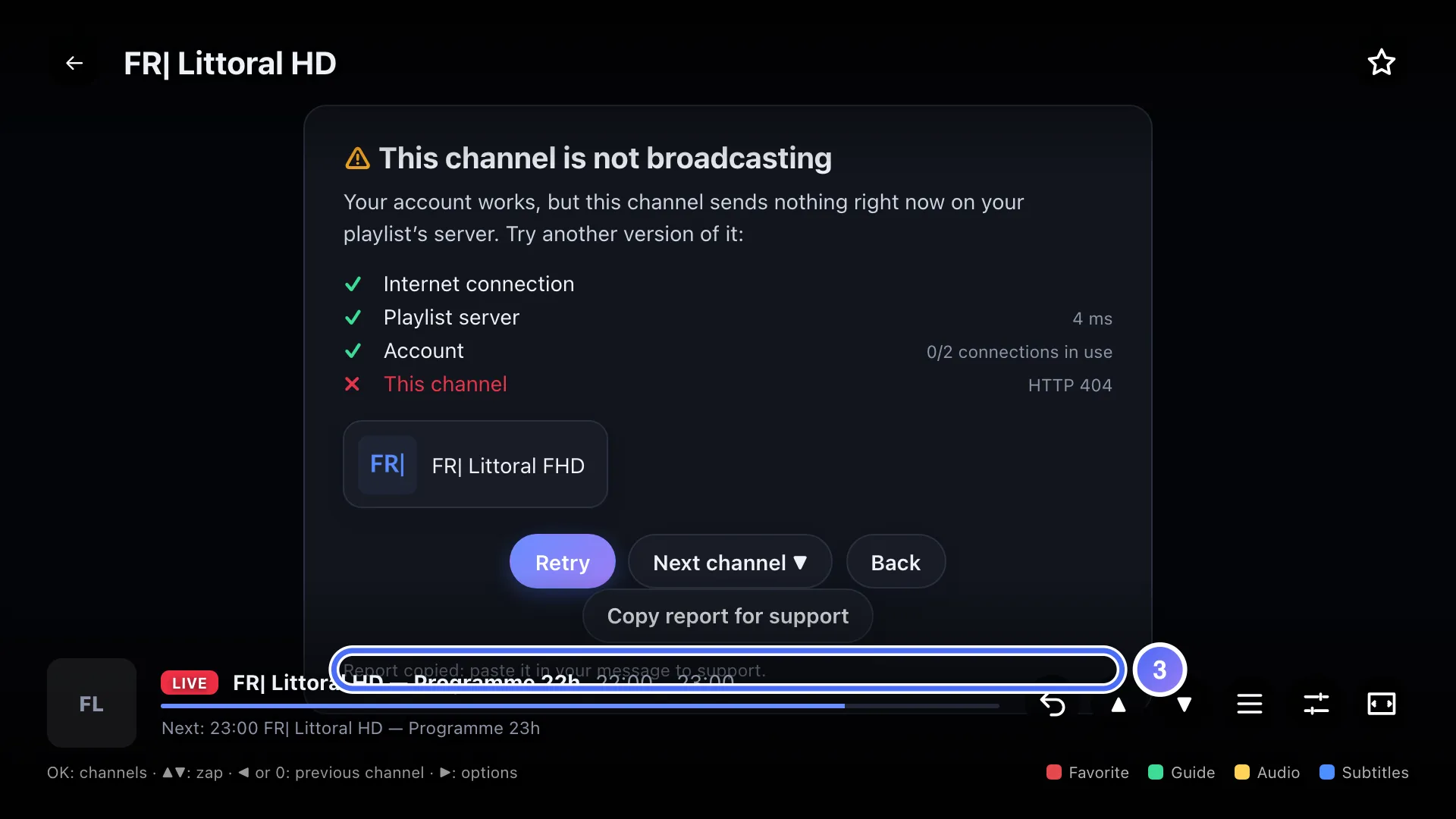
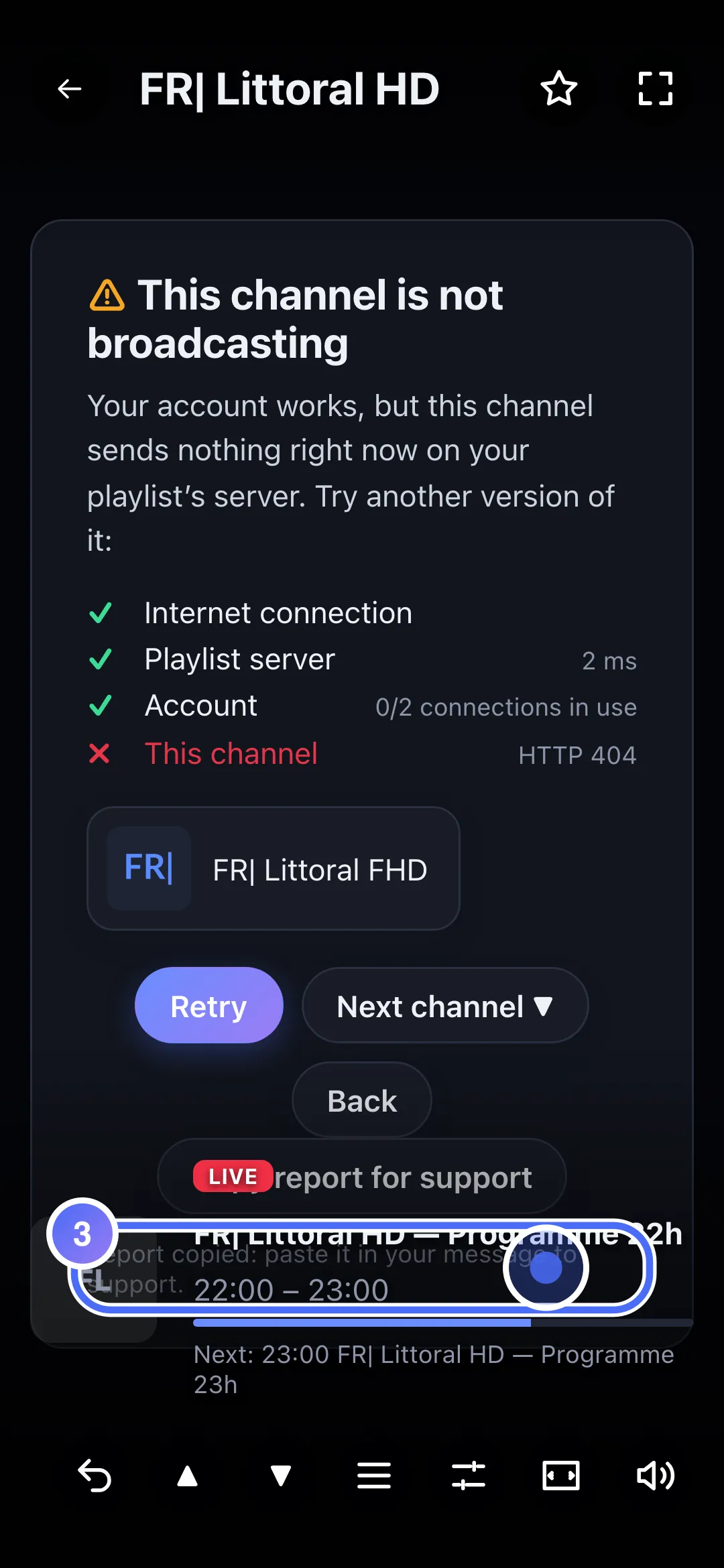
The “Report copied” message confirms the copy: paste it next in your message to support, on the Contact page.
- 01
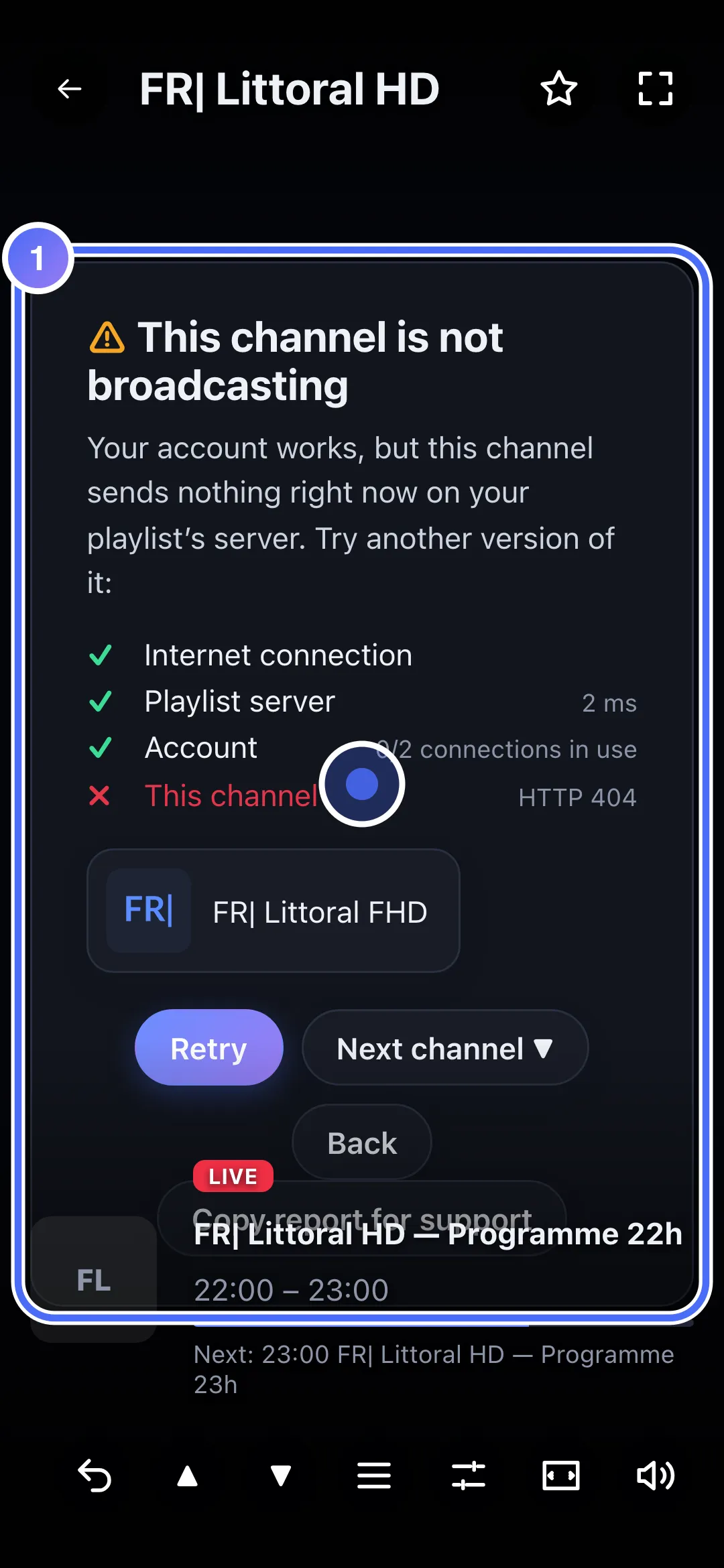
When a diagnosis appears, like here after a playback problem, it’s ready to be copied.
- 02
Touch “Copy report for support”.
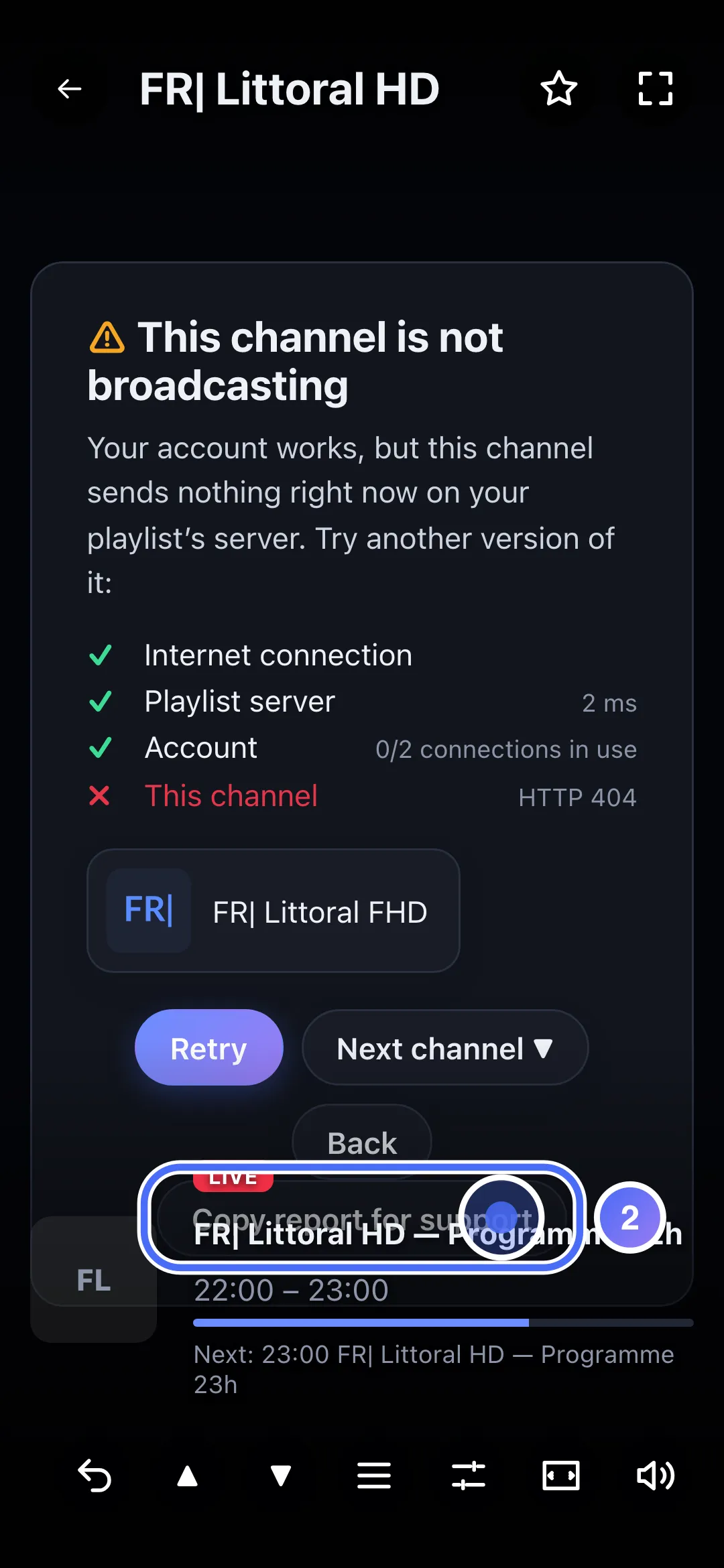
- 03
The “Report copied” message confirms the copy: paste it next in your message to support, on the Contact page.
Steps
- When a diagnosis shows (in the player, or from Settings → Diagnostics → Run a diagnostic), tap Copy report for support.
- The message "Report copied: paste it in your message to support" confirms the copy.
- Open the Contact page, paste the report into the field provided, briefly describe what's happening.
- Send your message.
Tip
Your login details (username and password) are automatically removed from the report before it's copied: nothing confidential is sent. Support answers about the app and how it works; we can't recommend a playlist.
Updated on 28 September 2026
Did this article help you?
Can’t find the answer?
Write to us: we answer about the app and how it works. We can’t recommend a playlist.