
How do I see what's on TV now, and set a reminder?
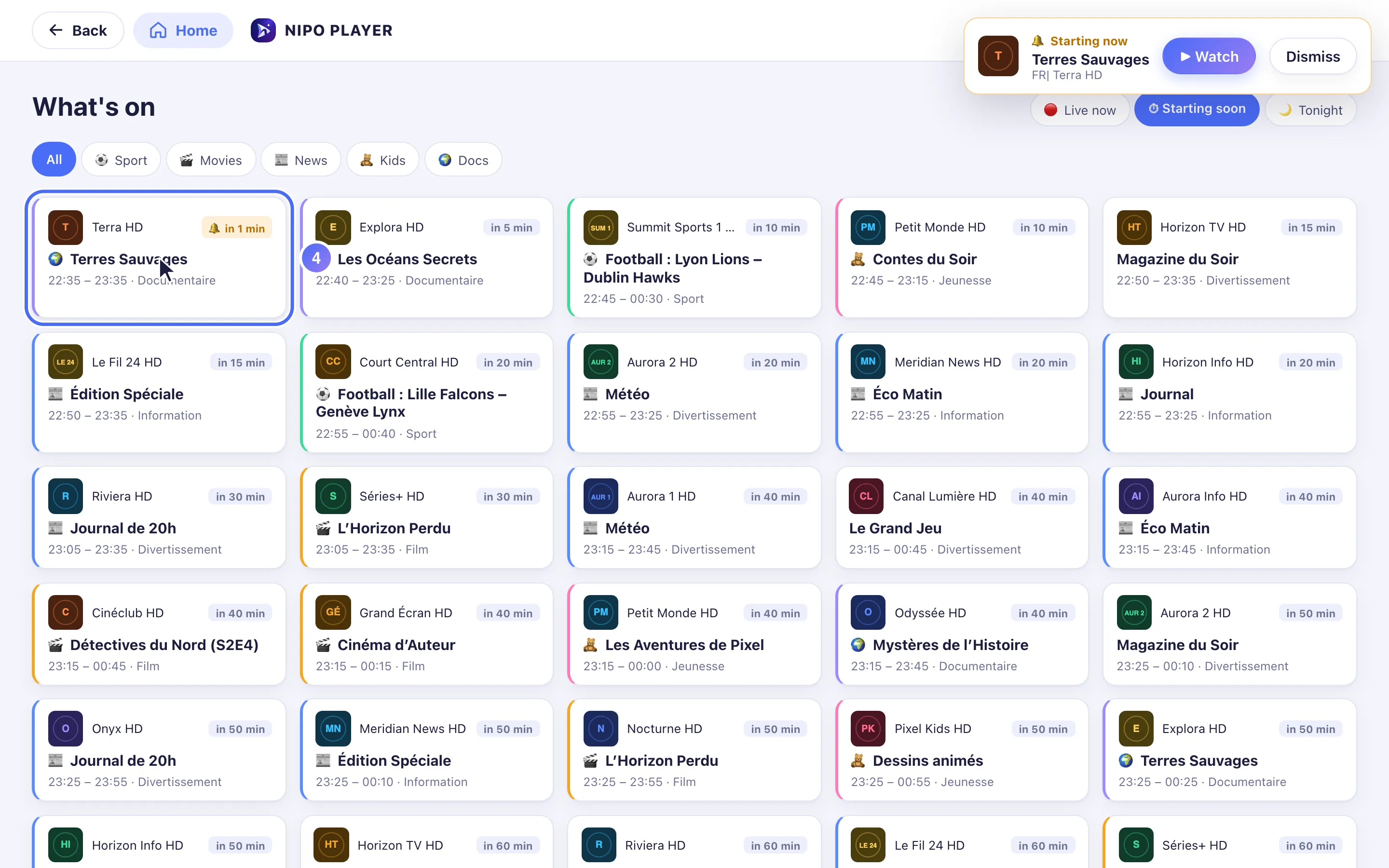
Open the "What's on" shortcut on Home to see what is live, starting soon or on tonight, sorted by genre, and set a reminder.
Nipo doesn’t provide, sell or host any channel, movie or playlist: it plays what you already own.
"What's on" gathers in one place what's worth watching right now or very soon.
Premium feature (Nipo Premium or Family), already in the app. Searching for a programme stays free from Search, no Premium needed.
Step by step, with pictures
- 01
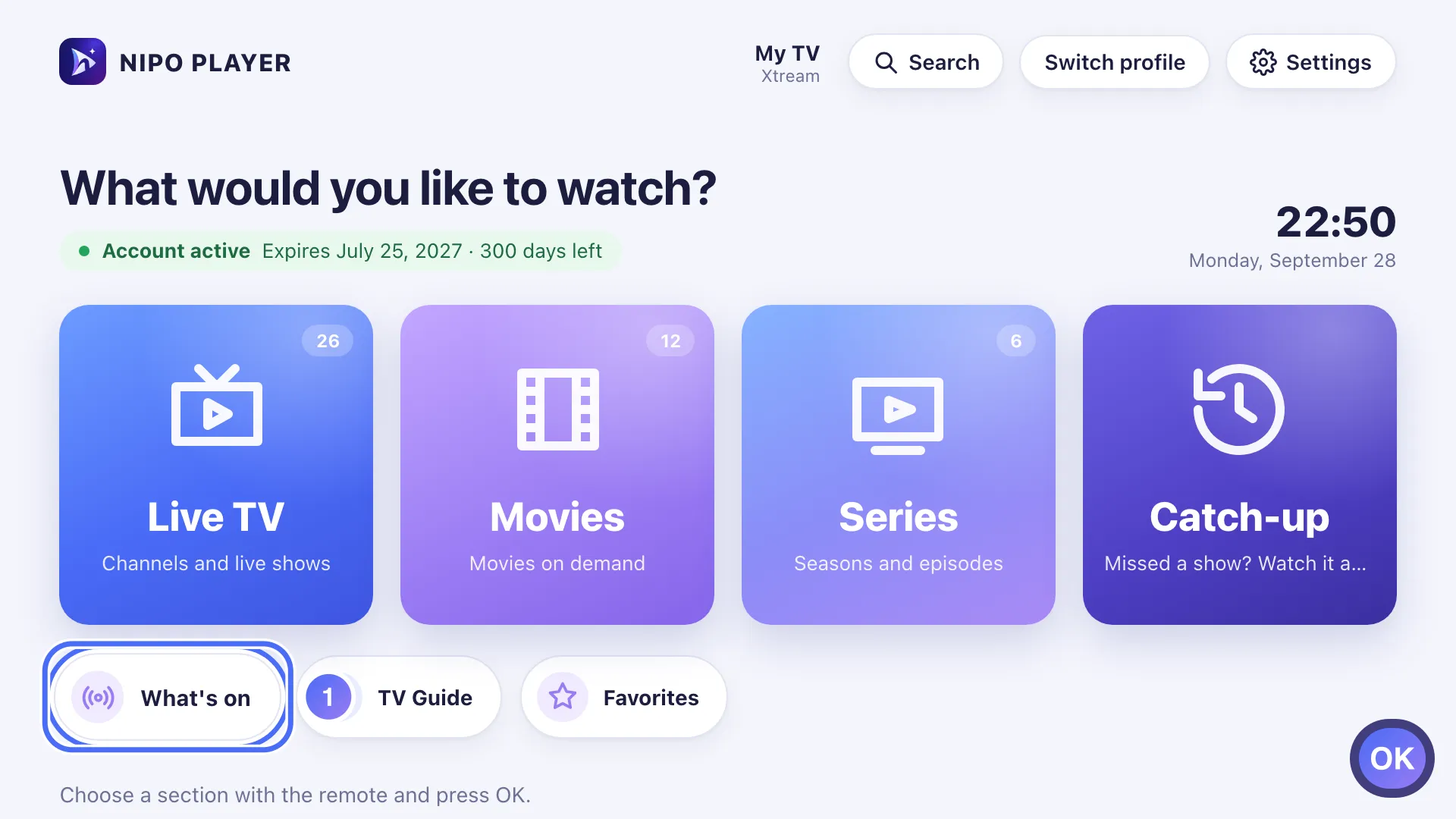
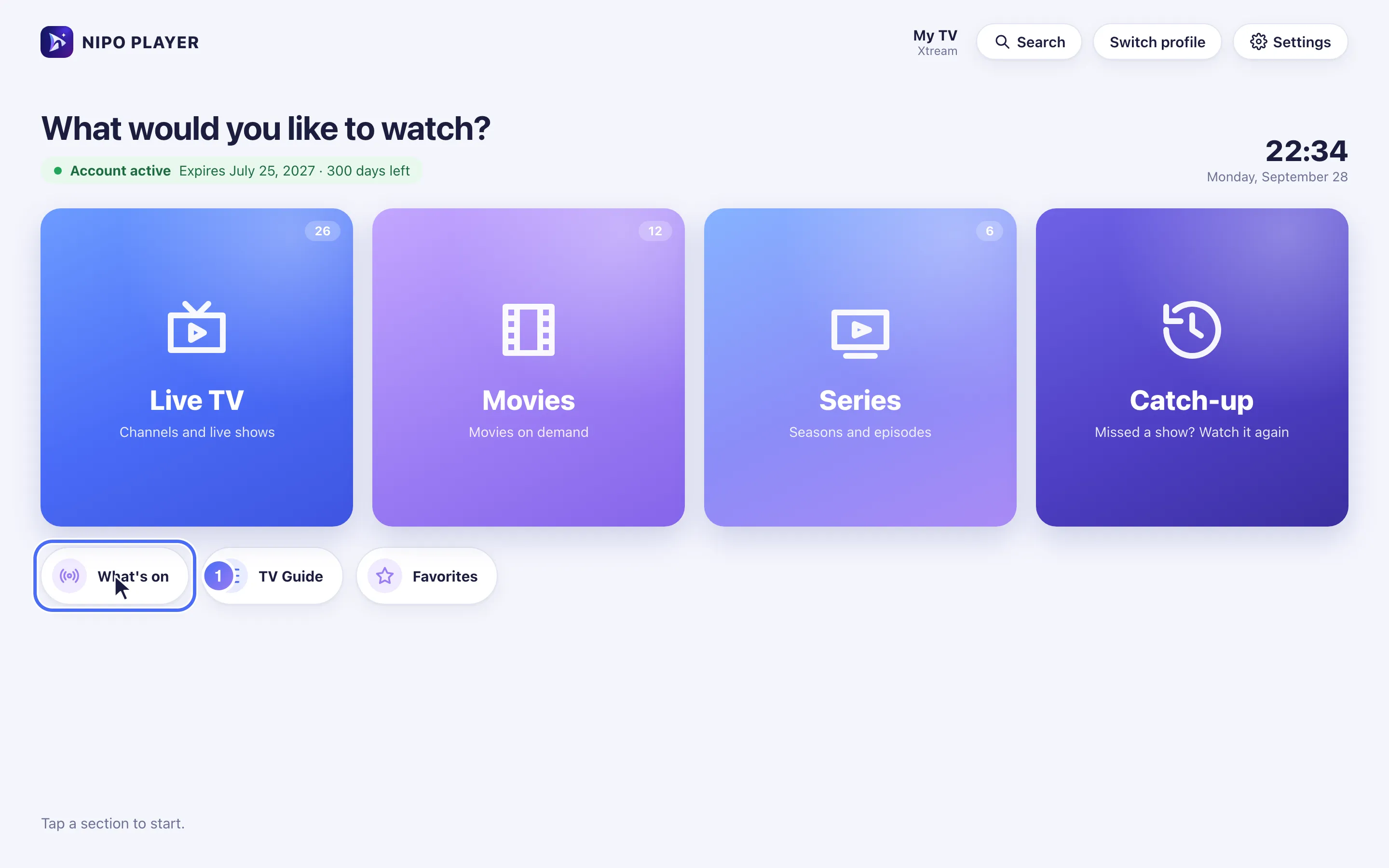
From Home, go to the What's on shortcut and press OK. Key OK
- 02
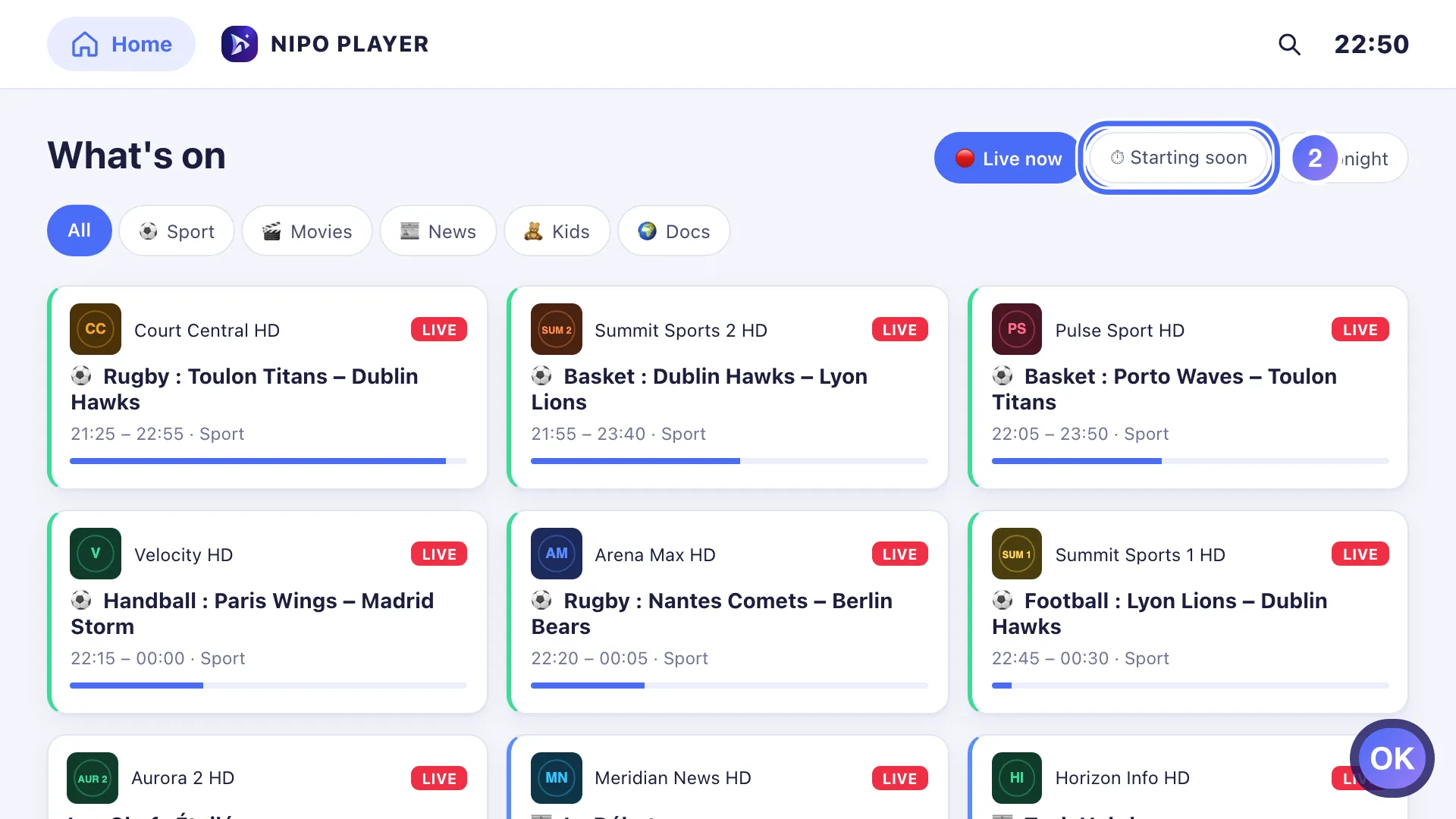
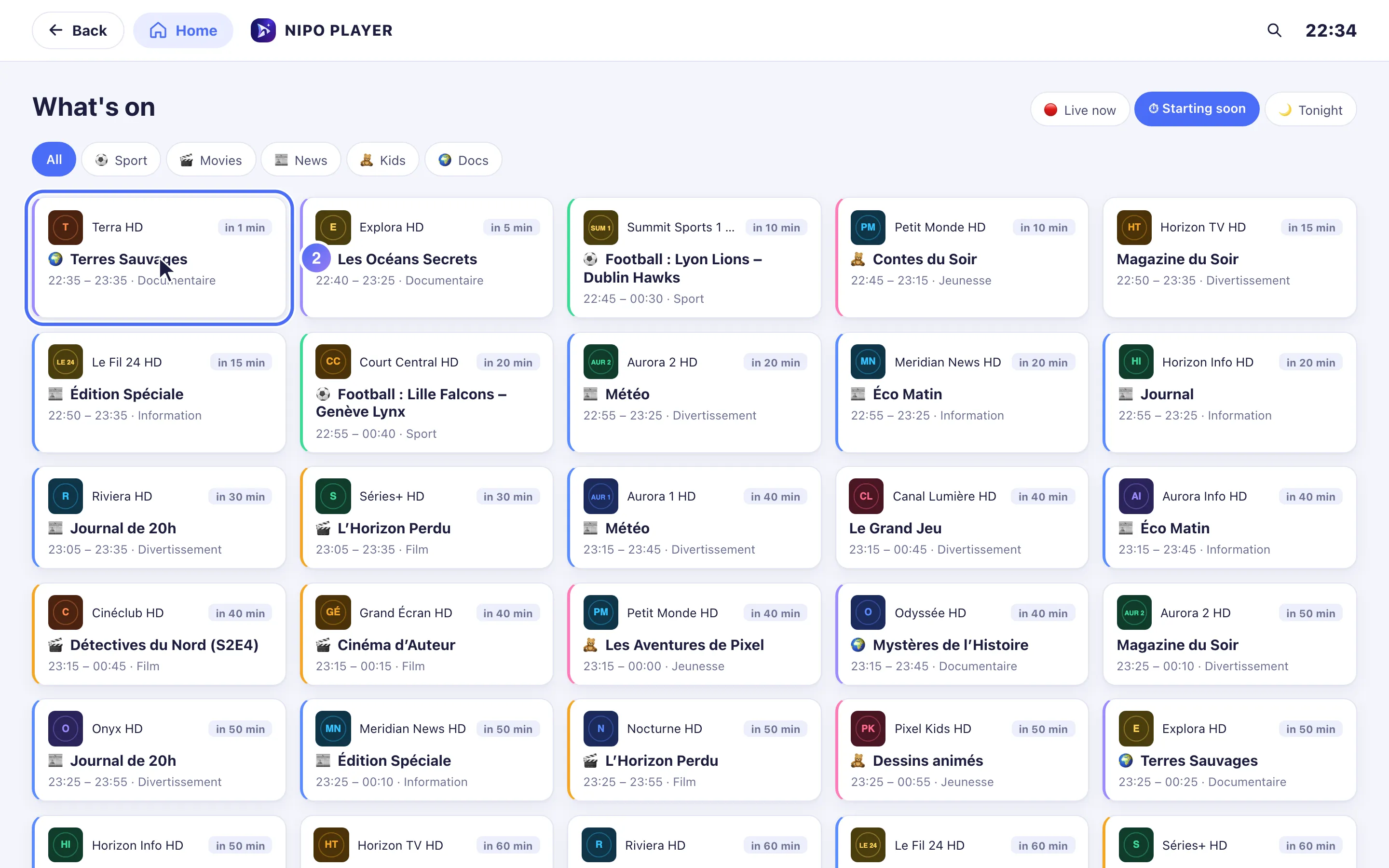
Choose the Starting soon tab to see programmes starting shortly. Key OK
- 03
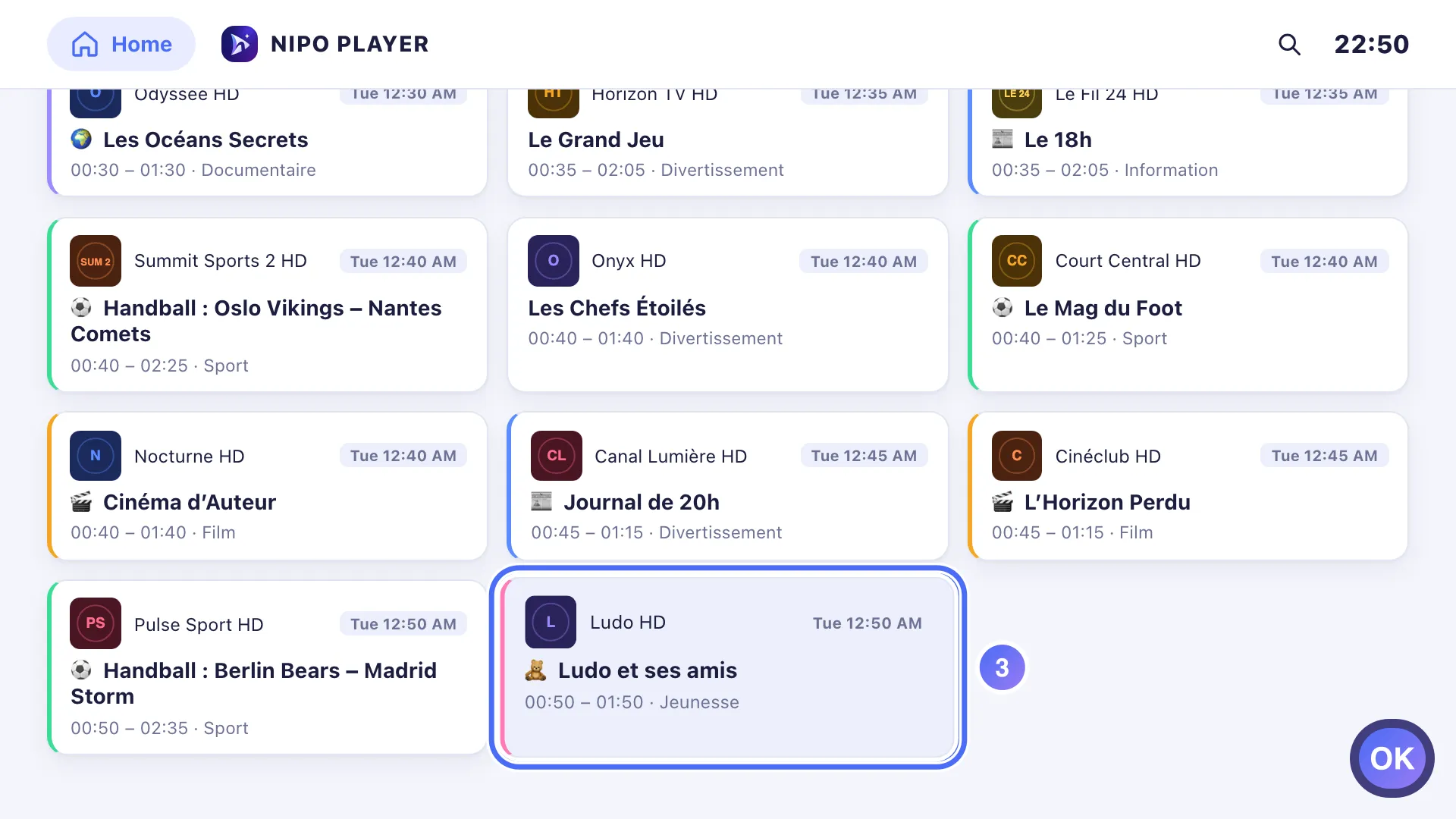
On an upcoming programme, press OK to open it. Key OK
- 04
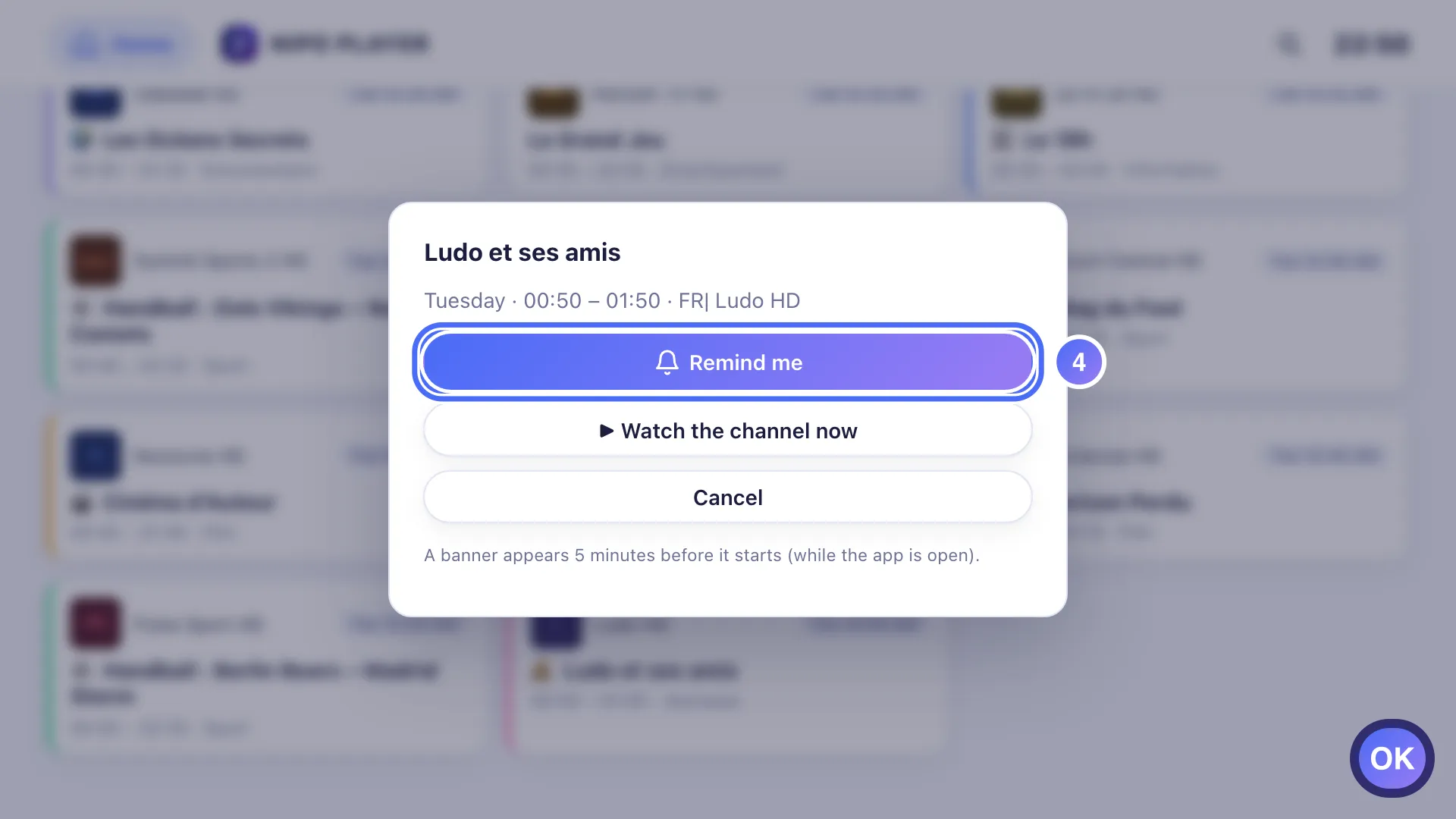
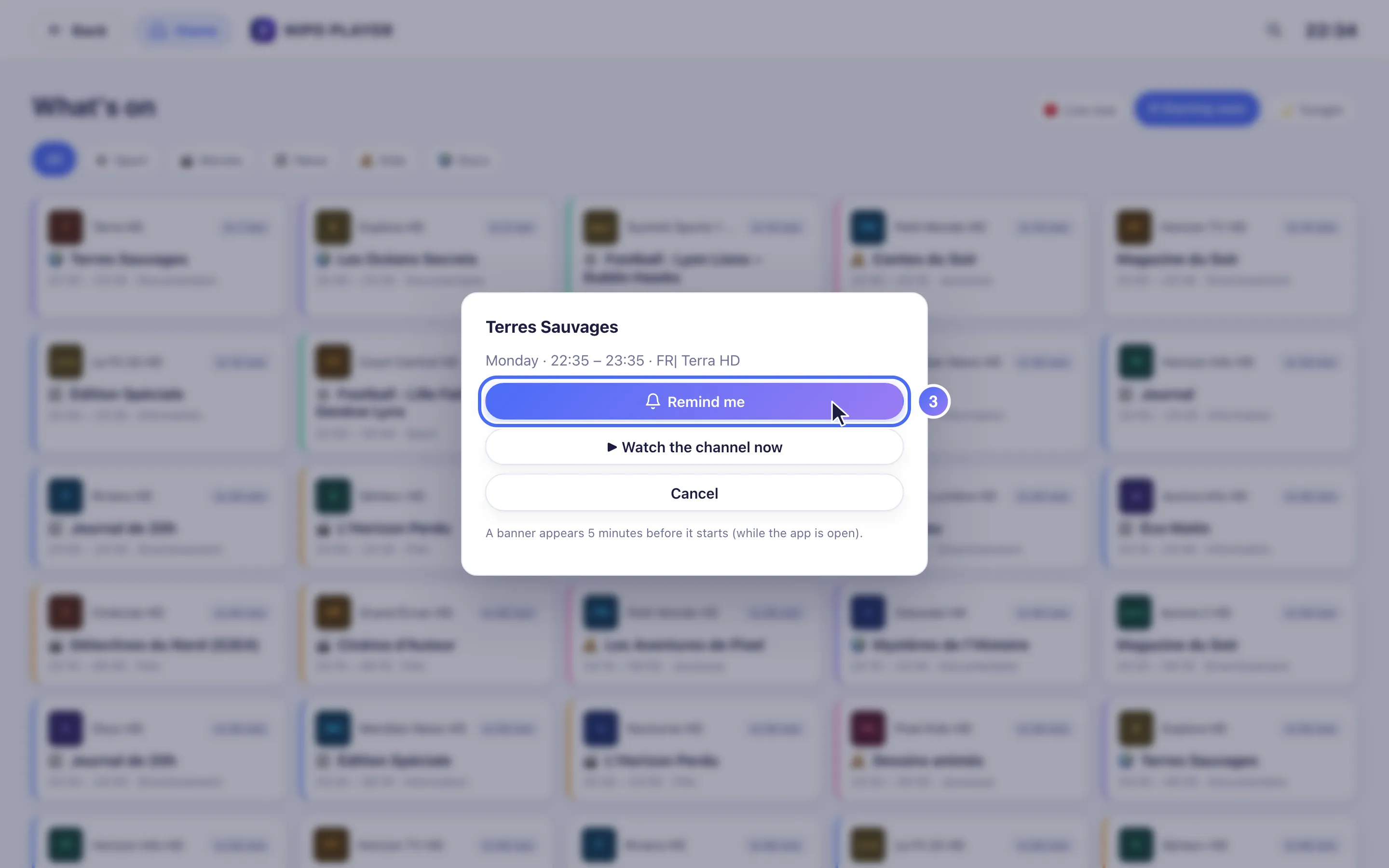
Press OK on Remind me. Key OK
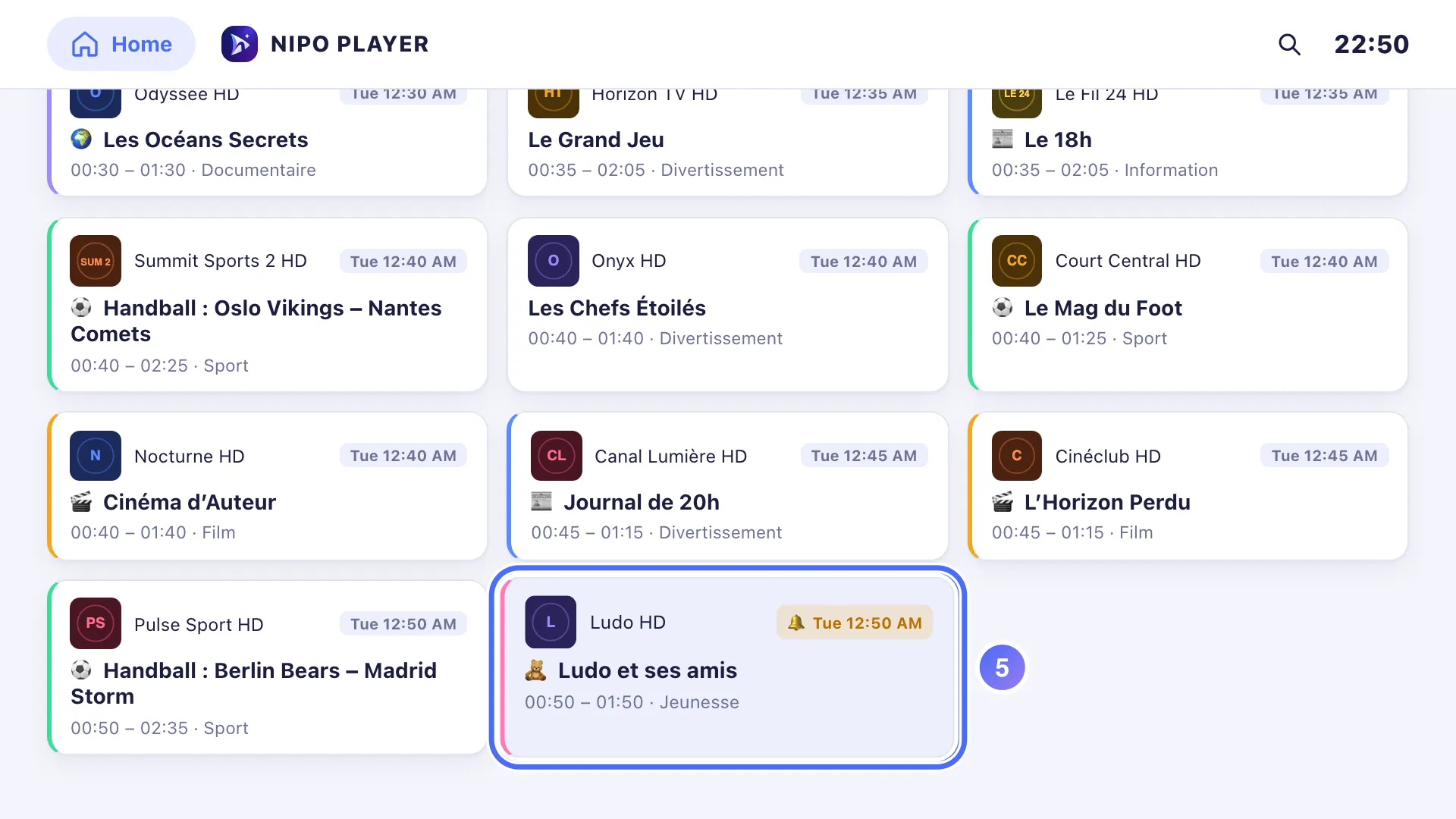
- 05
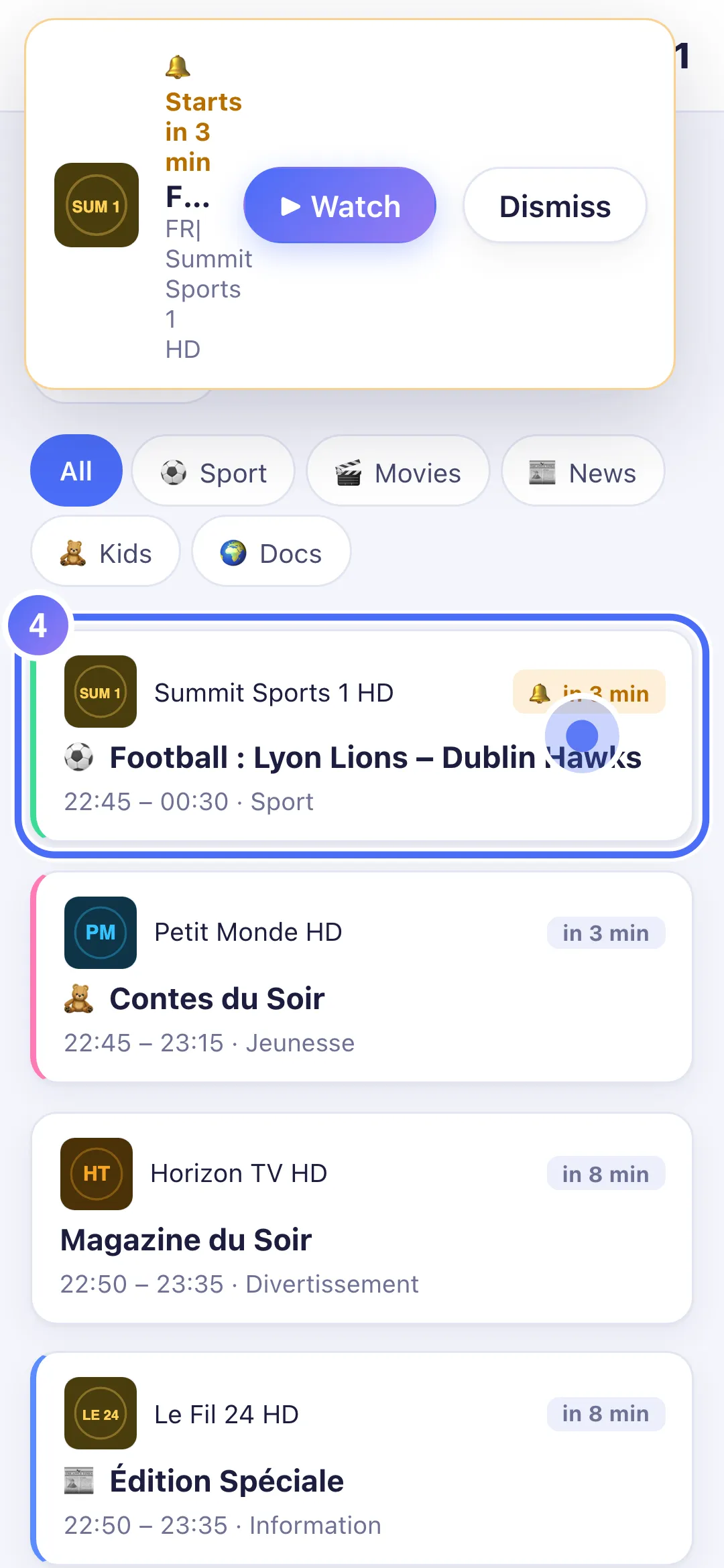
The programme now shows a 🔔 mark in the list: your reminder is active.
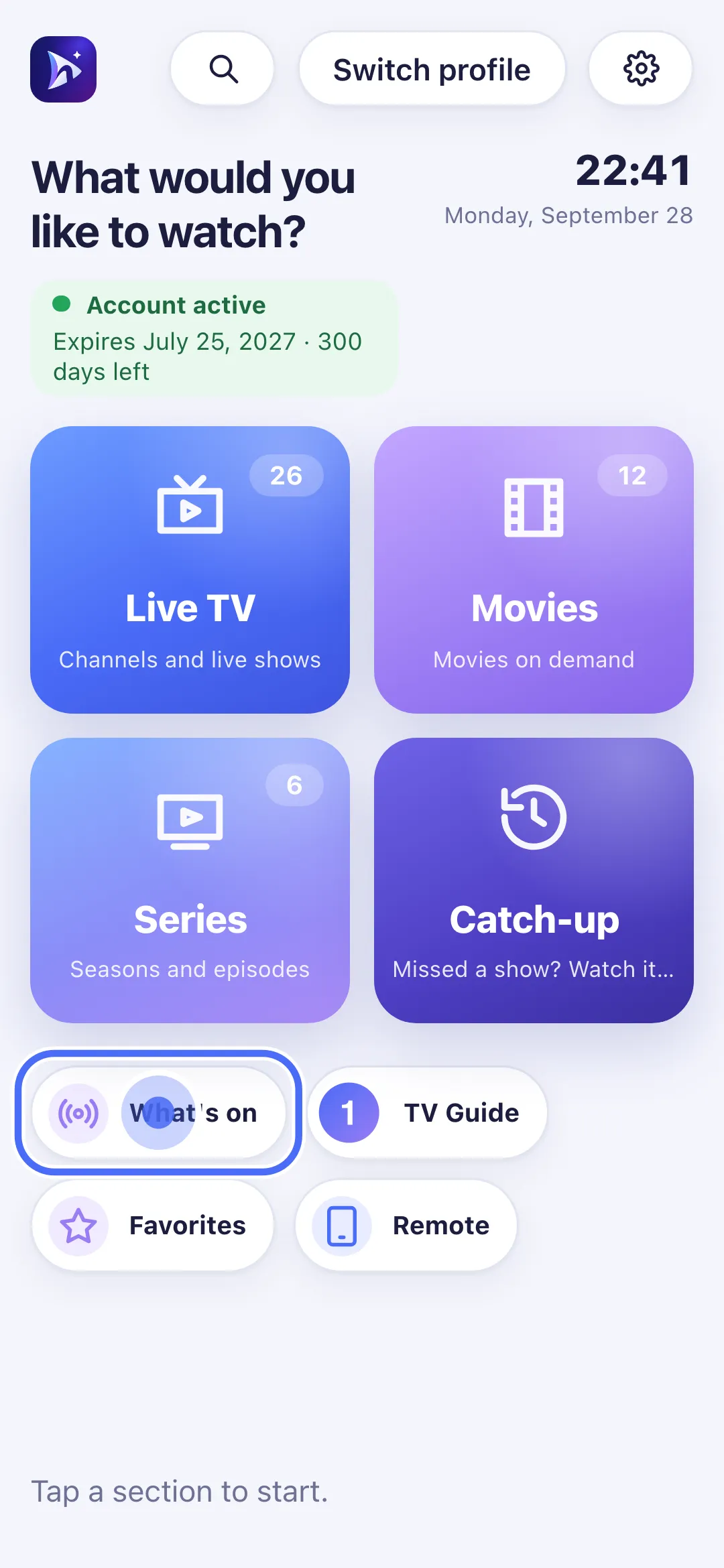
- 01
From Home, tap “What’s on”.
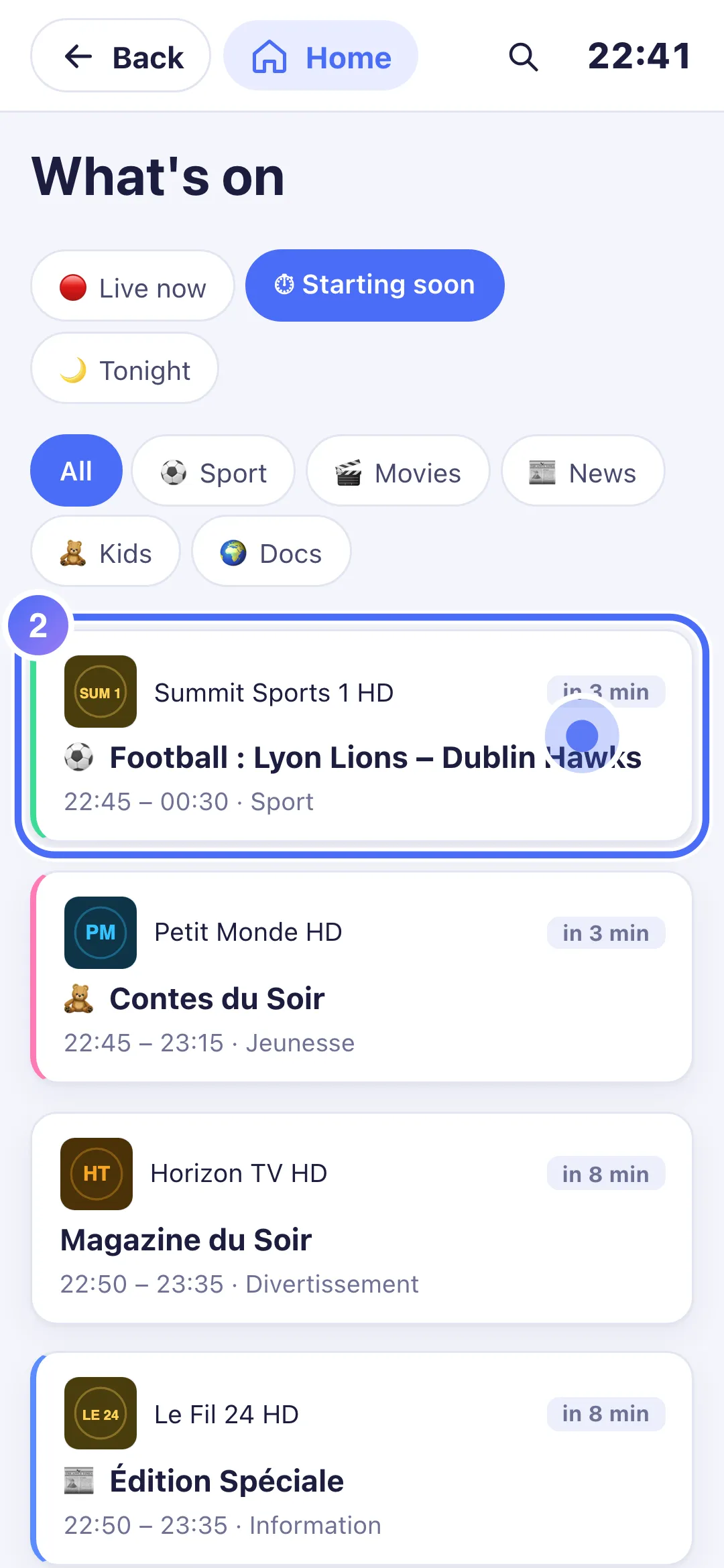
- 02
Under “Starting soon”, tap an upcoming programme.
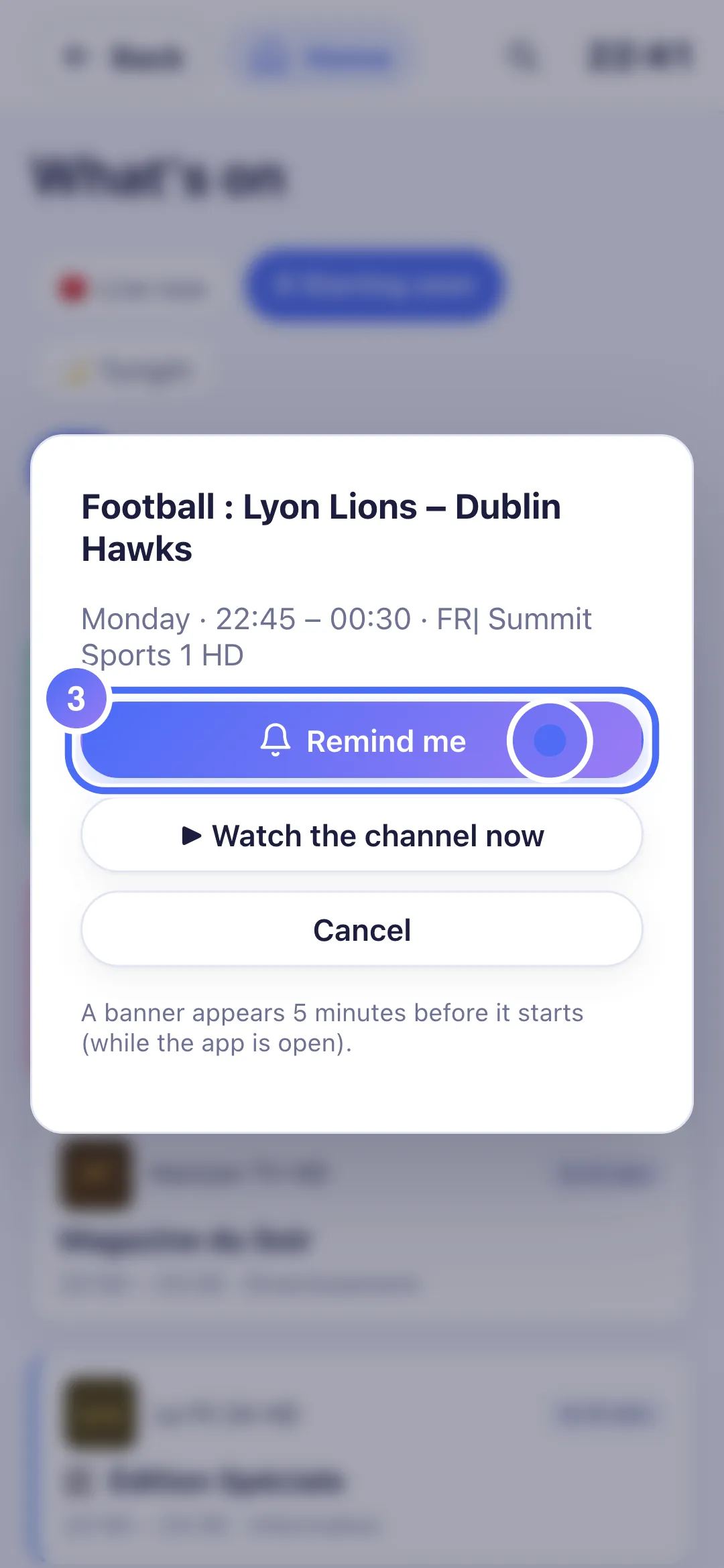
- 03
Tap “Remind me”.
- 04
The programme now shows 🔔: the reminder is active.
- 01
From Home, click “What’s on”.
- 02
Under “Starting soon”, click an upcoming programme.
- 03
Click “Remind me”.
- 04
The programme now shows 🔔: the reminder is active.
Steps
- From Home, tap the What's on shortcut.
- Browse the Live now, Starting soon and Tonight sections, filterable by genre (sport, movies, news, kids, documentaries).
- On an upcoming programme's info sheet, tap Remind me to set a reminder.
- A programme you're reminded about carries a 🔔 mark in every "What's on" list; tap it again on its info sheet to cancel the reminder.
Tip
A reminder shows a banner 5 minutes before the start, but only while the app is open: it doesn't wake the device or send a background notification. For live sport, the "What's on" section separates matches already in progress from ones coming up.
Updated on 29 September 2026
Did this article help you?
Can’t find the answer?
Write to us: we answer about the app and how it works. We can’t recommend a playlist.