
How do I transfer my setup to a new device?
On the new device, open "Add a playlist": it shows a code. Type it into Settings → Backup and transfer on the old one.
Nipo doesn’t provide, sell or host any channel, movie or playlist: it plays what you already own.
Transfer sends your playlists, favorites, countries and settings from one device to another, end-to-end encrypted, with no account involved. Sending and importing (the steps below) are part of Nipo Premium and Nipo Family; exporting to a file stays free (see Backup, export and import).
Step by step, with pictures
- 01
On the old device, go to Settings and press OK. Key OK
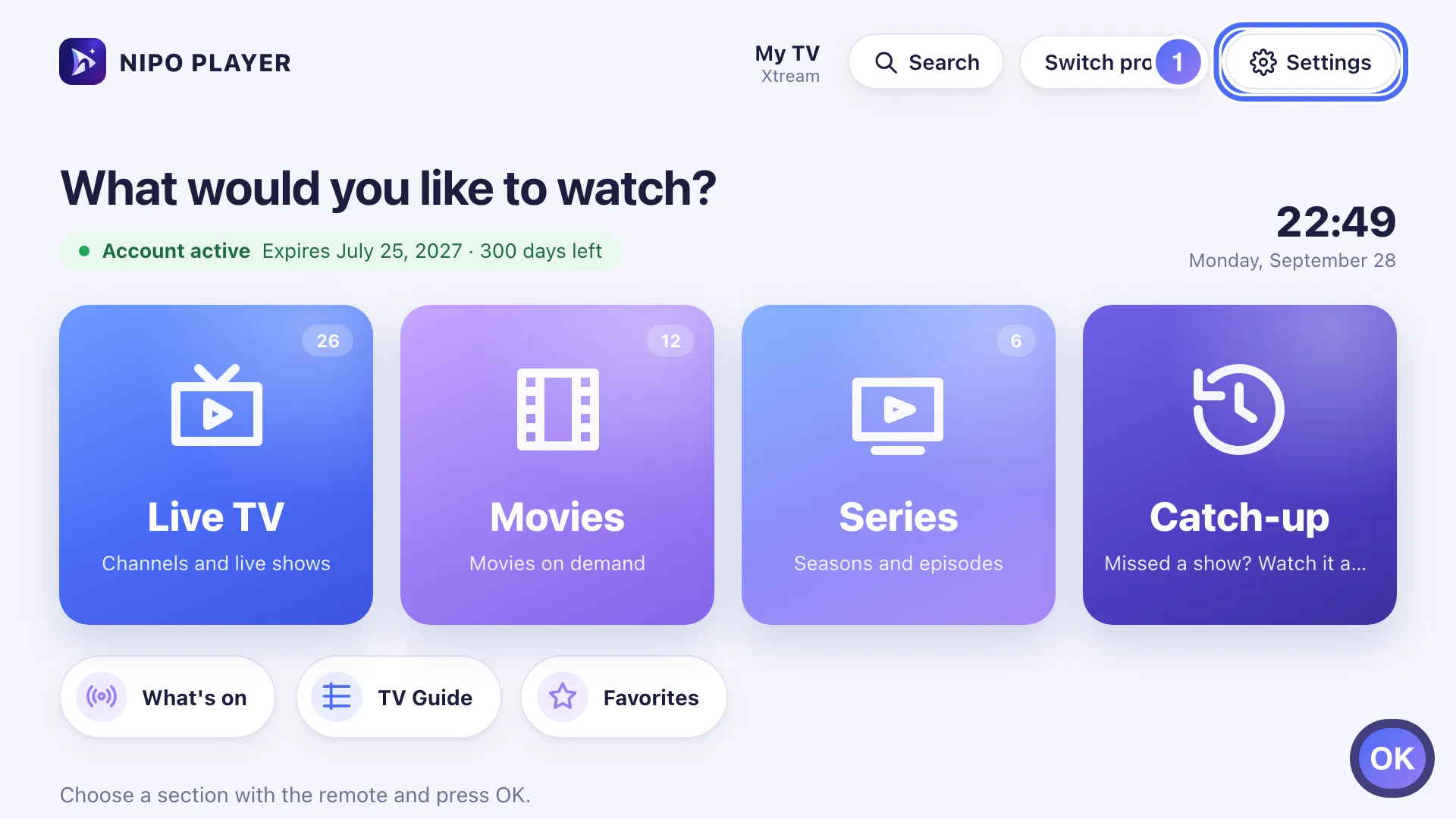
- 02
In Backup and transfer, select the code field and press OK to type. Key OK
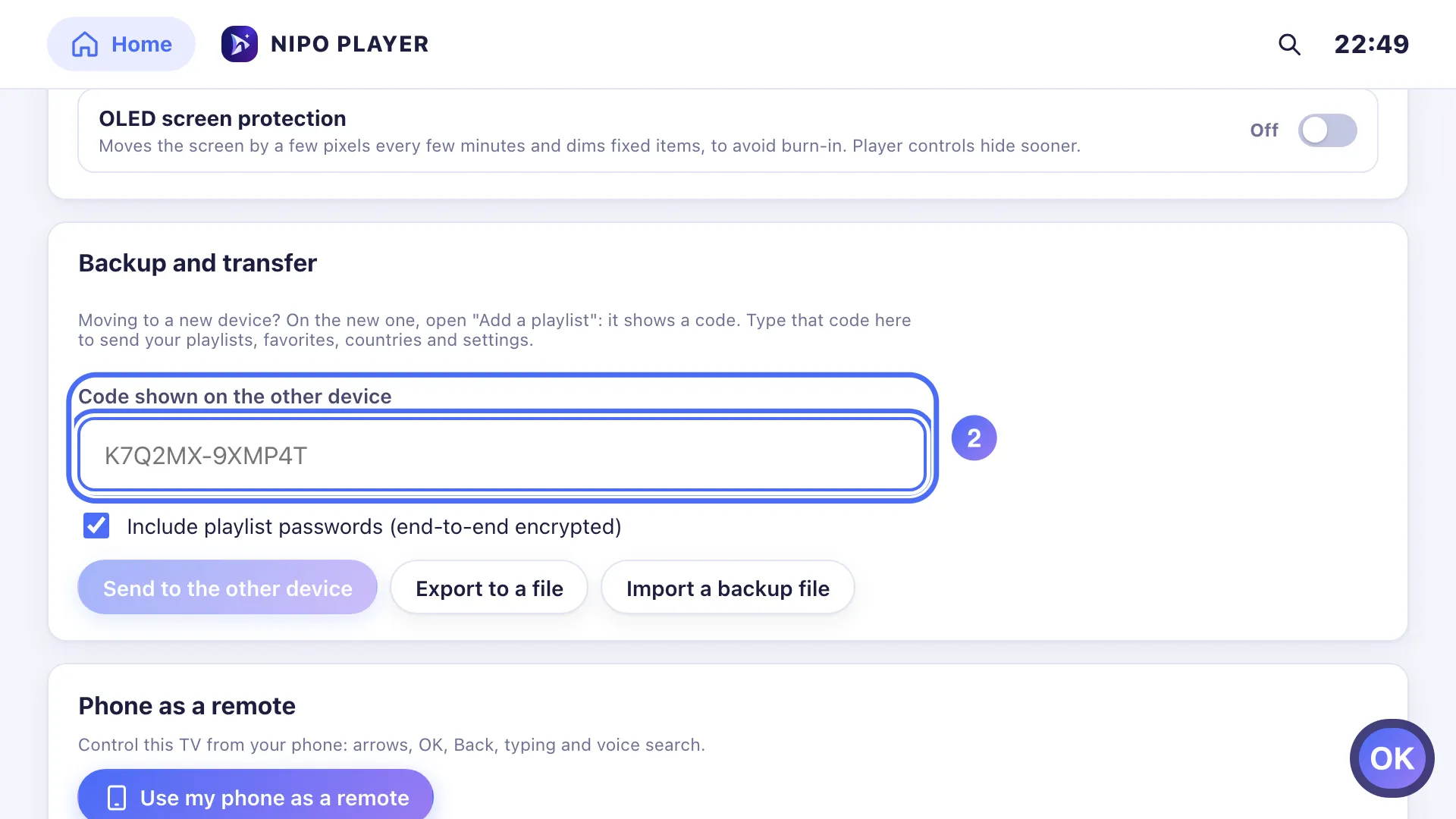
- 03
Type the code shown on the new device, which it displayed by opening "Add a playlist".
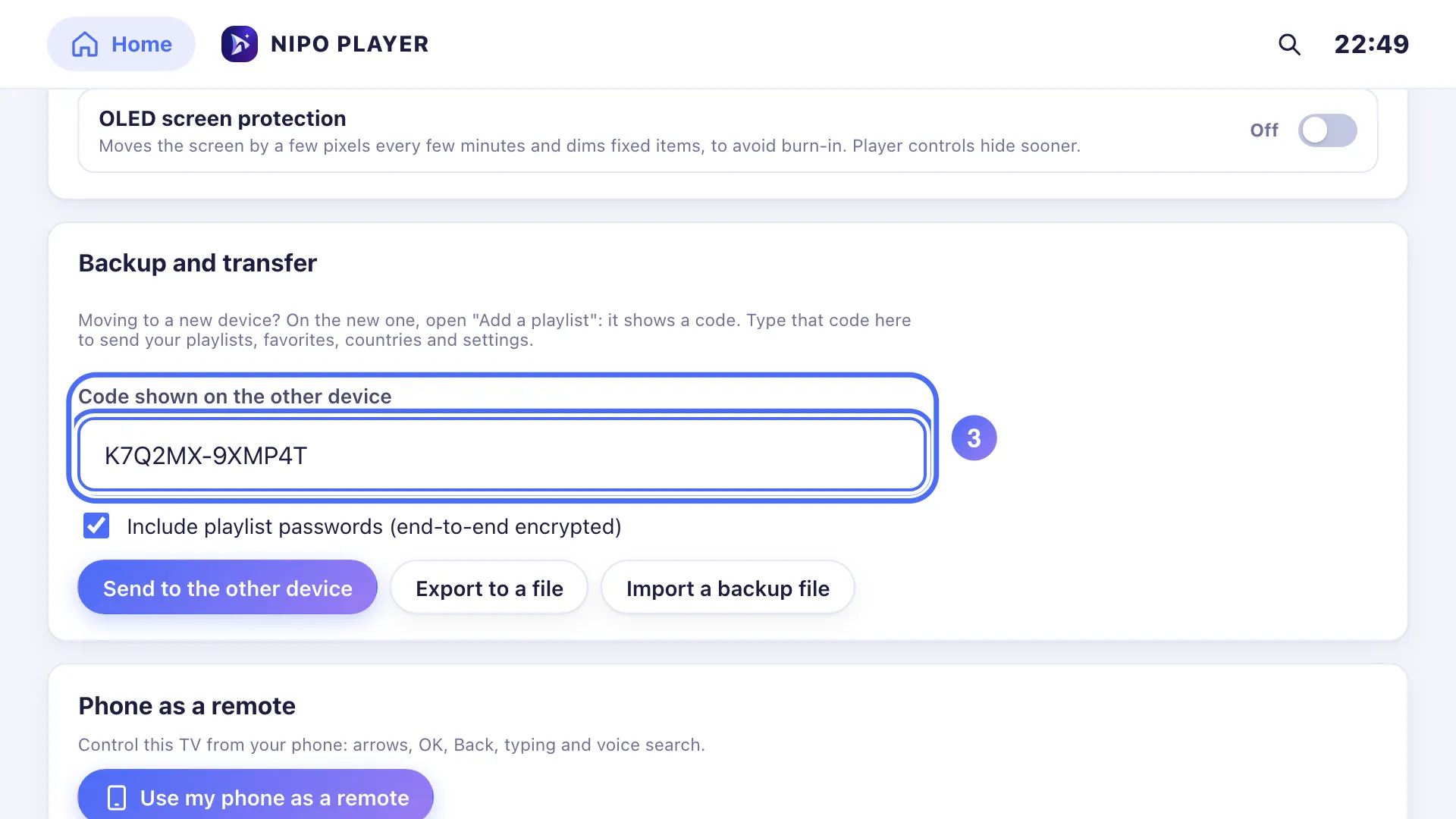
- 04
Go down to Send to the other device and press OK. Key OK
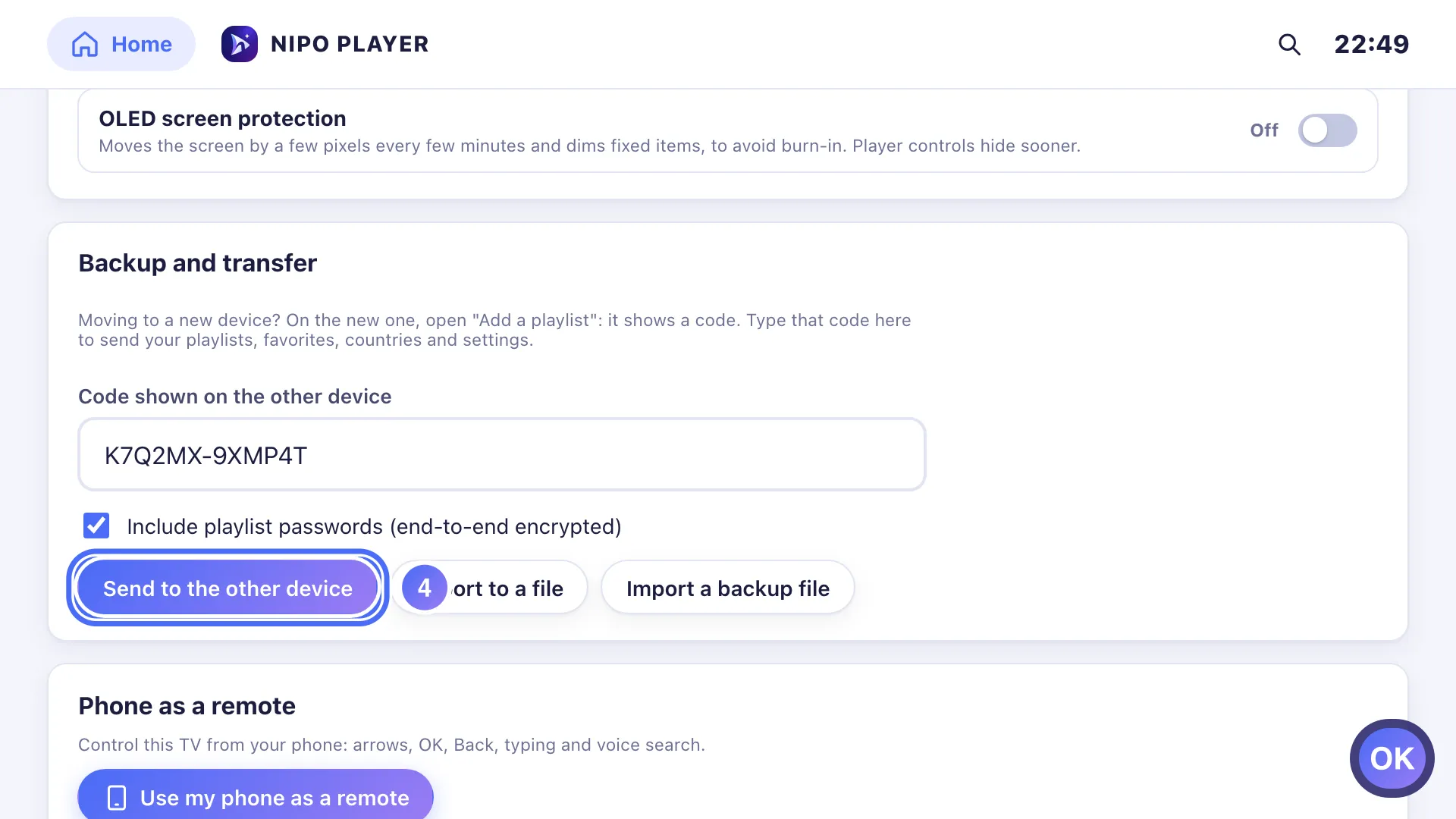
- 01
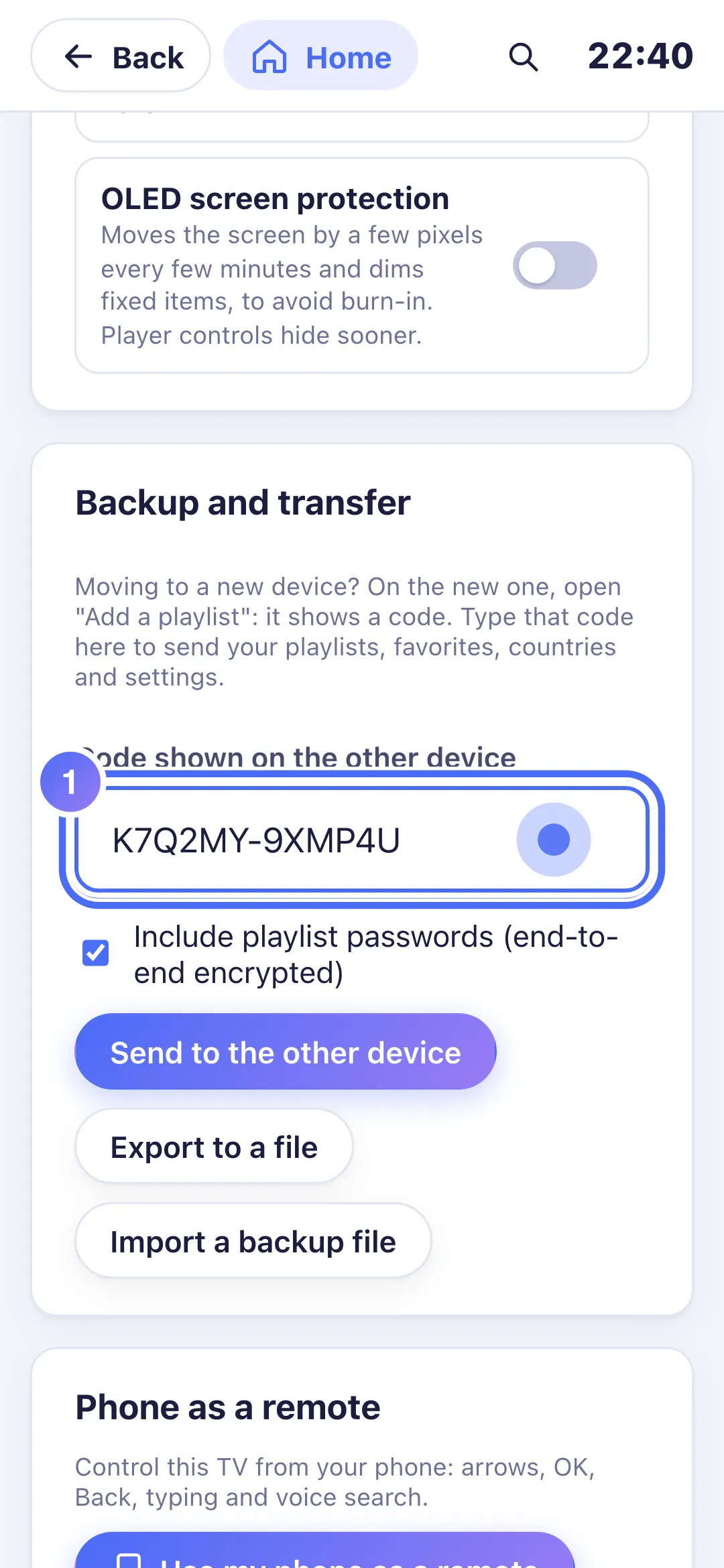
Under “Backup and transfer”, enter the code shown on the new device.
- 02
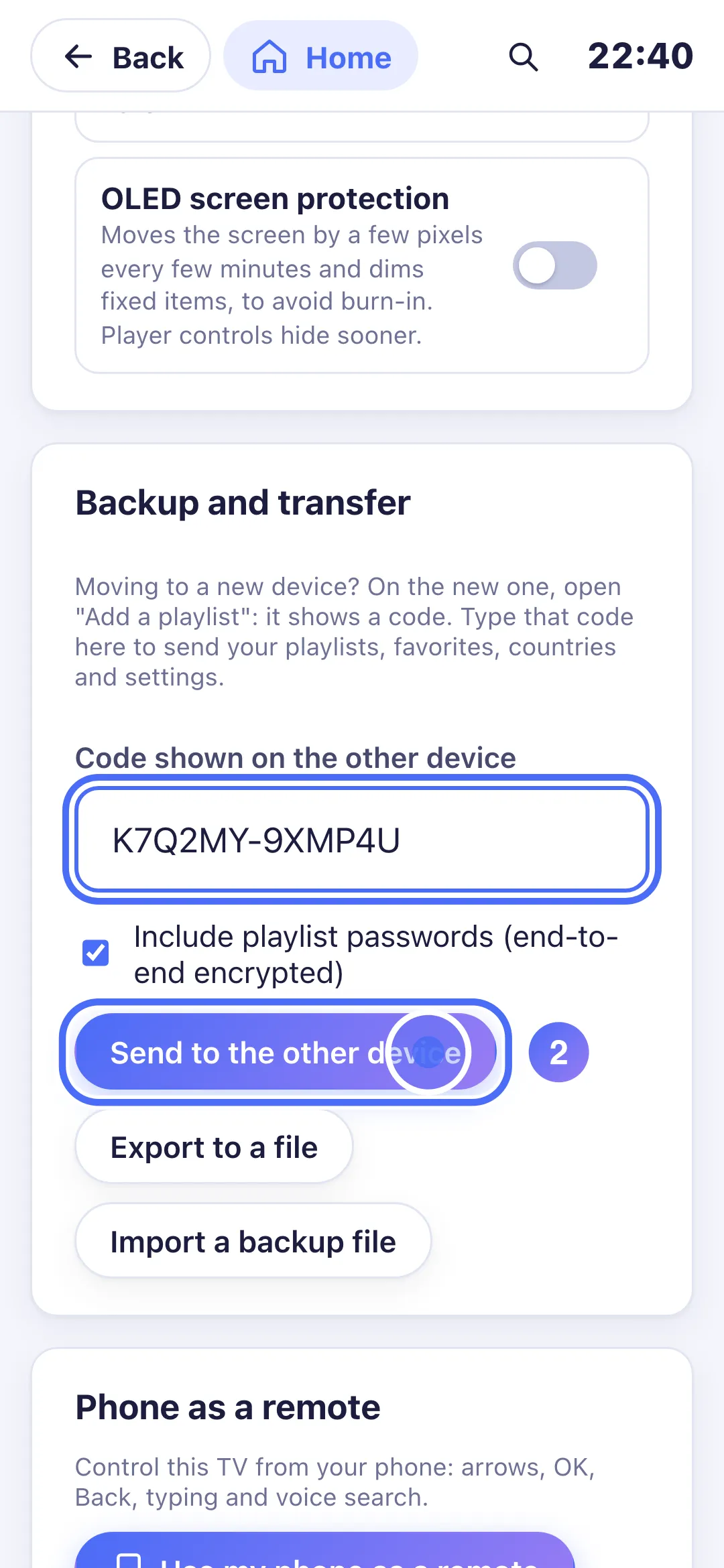
Tap “Send to the other device”.
- 03
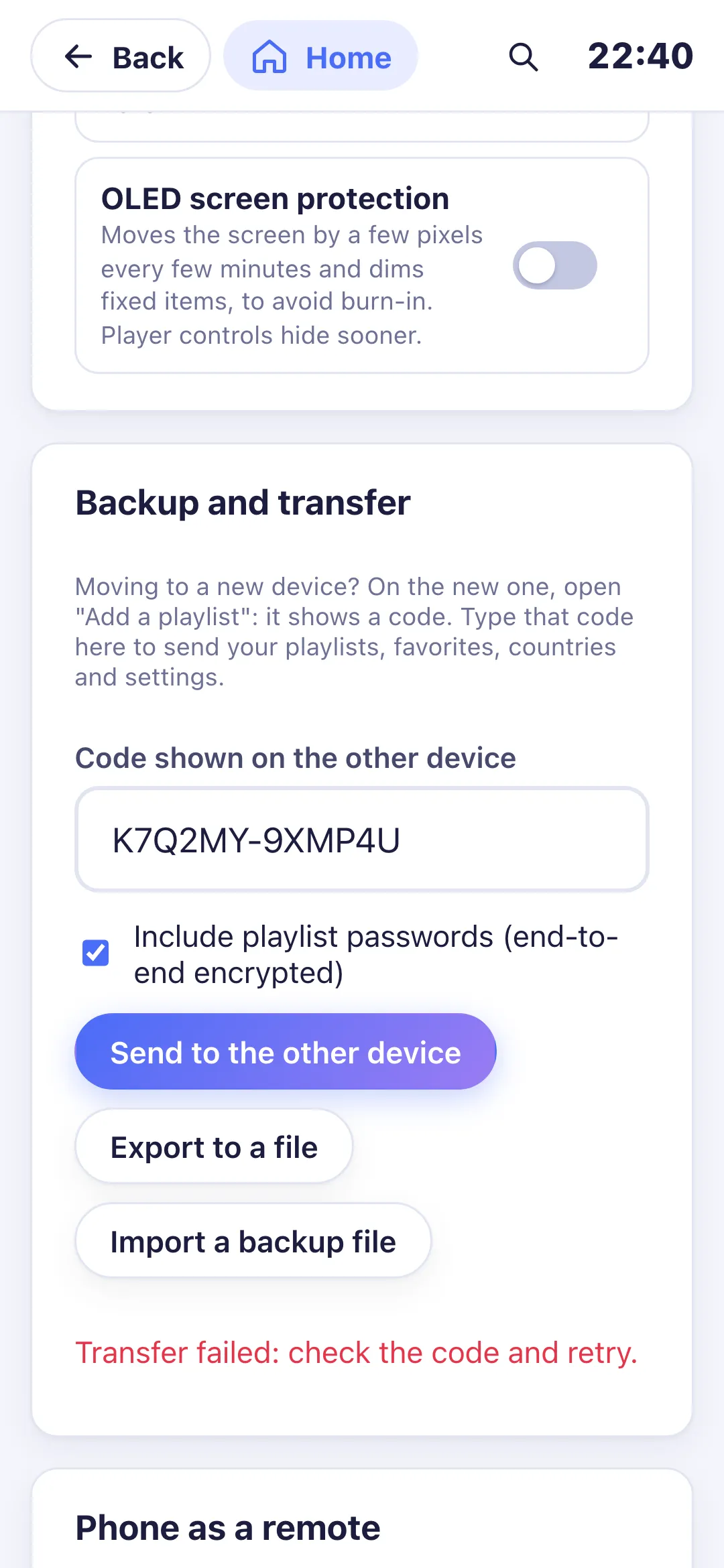
Playlists, favorites, countries and settings go, encrypted, to the new device.
- 01
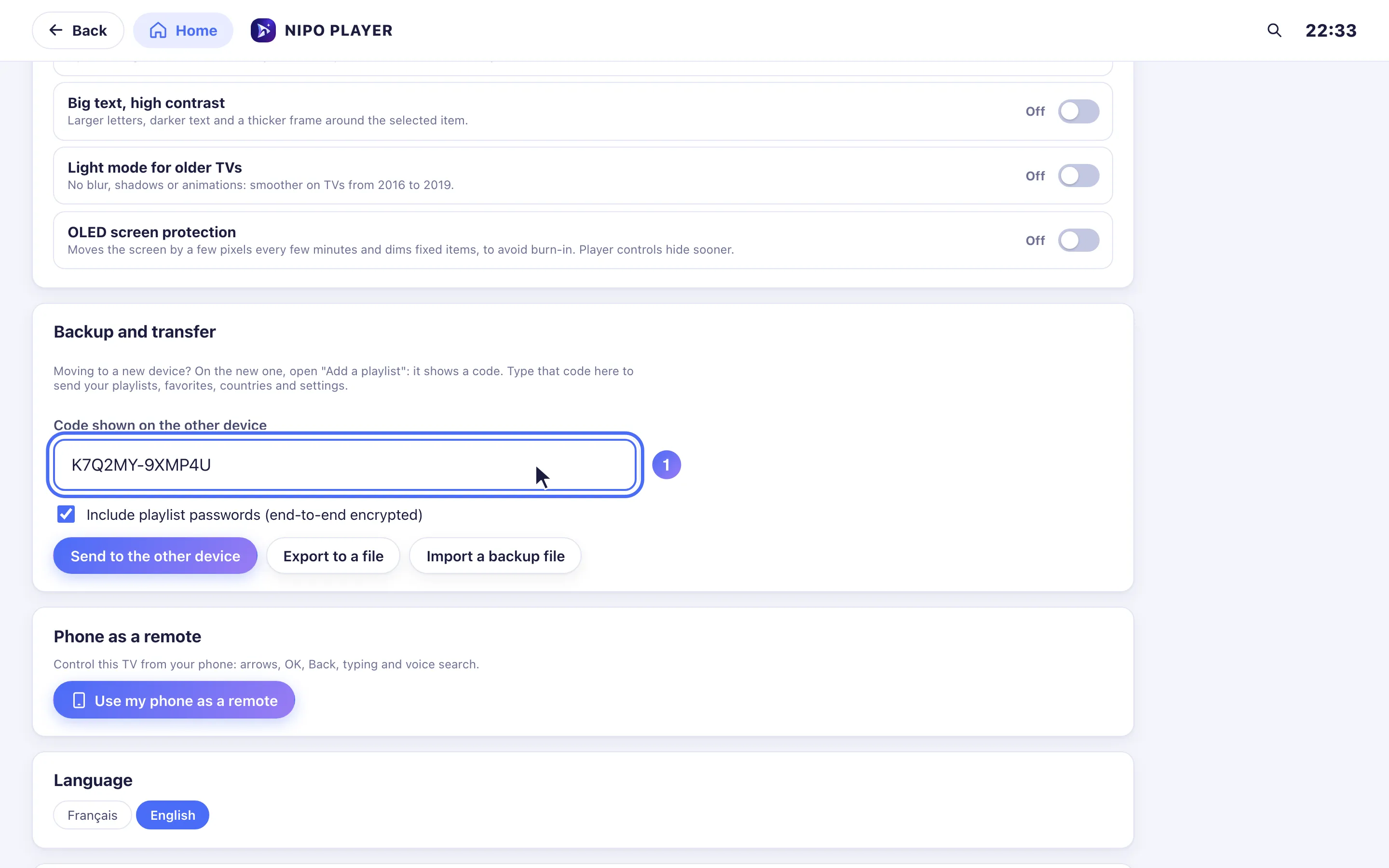
Under “Backup and transfer”, enter the code shown on the new device.
- 02
Click “Send to the other device”.
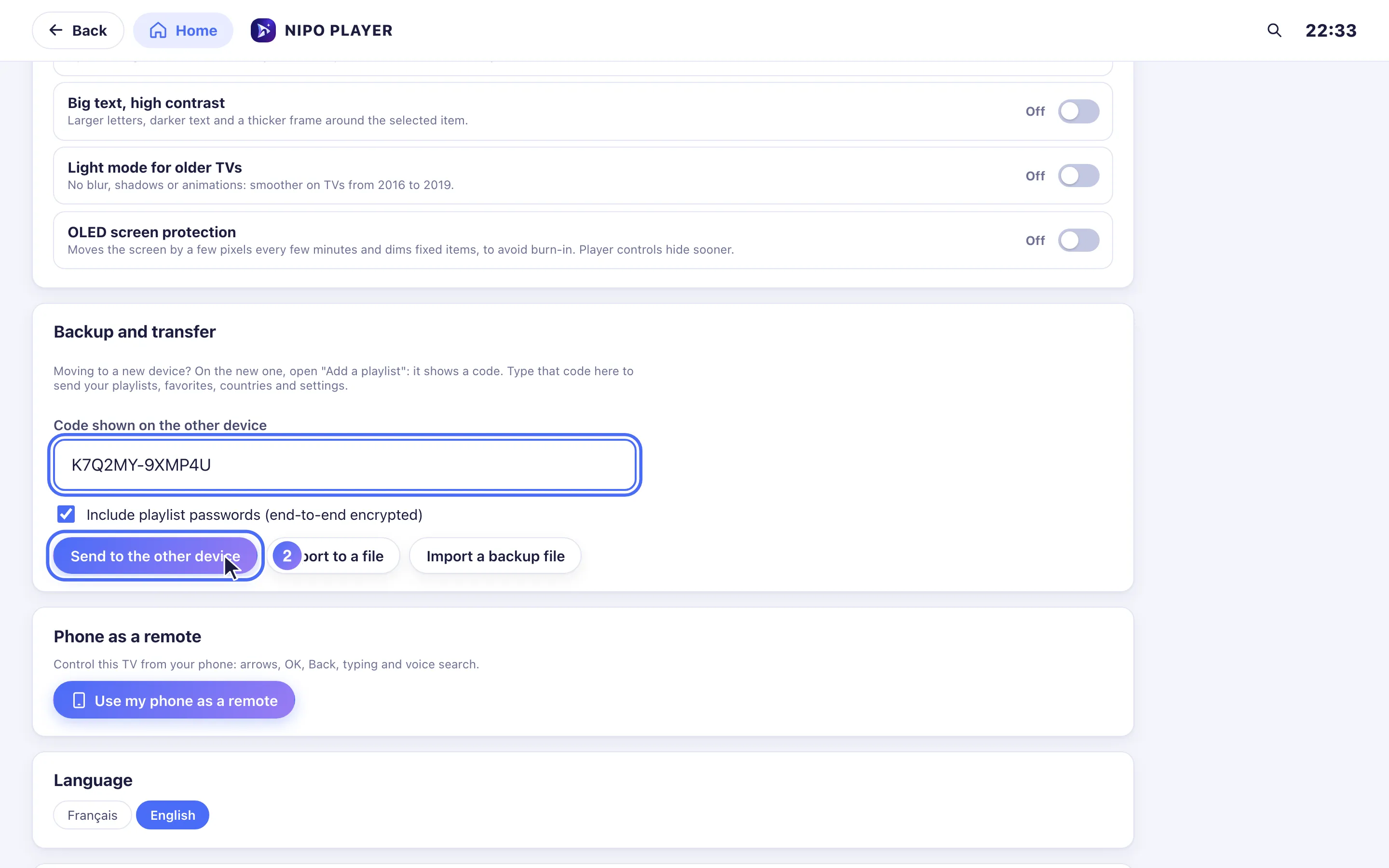
- 03
Playlists, favorites, countries and settings go, encrypted, to the new device.
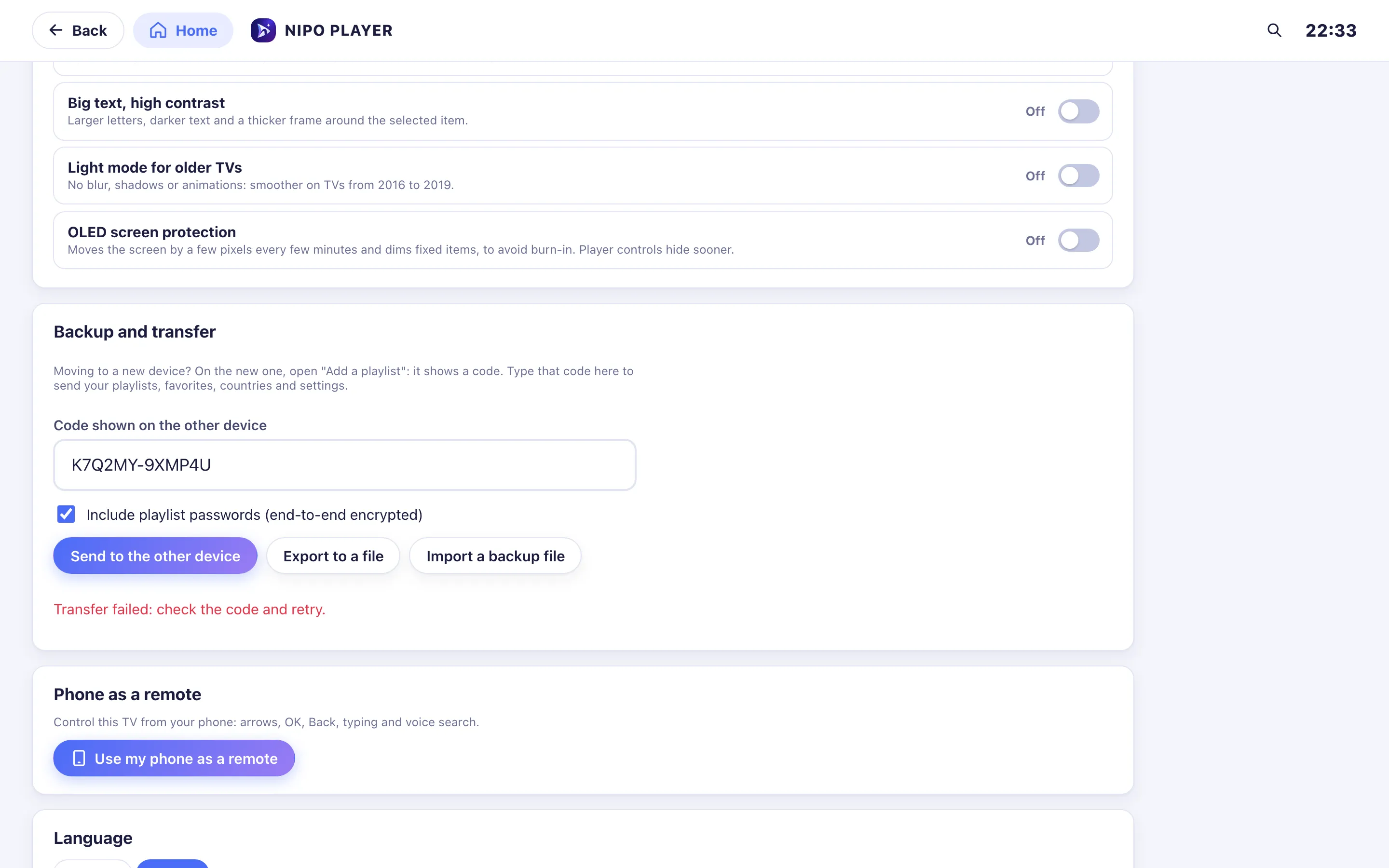
- 04
On a computer, you can also export or import a backup file.
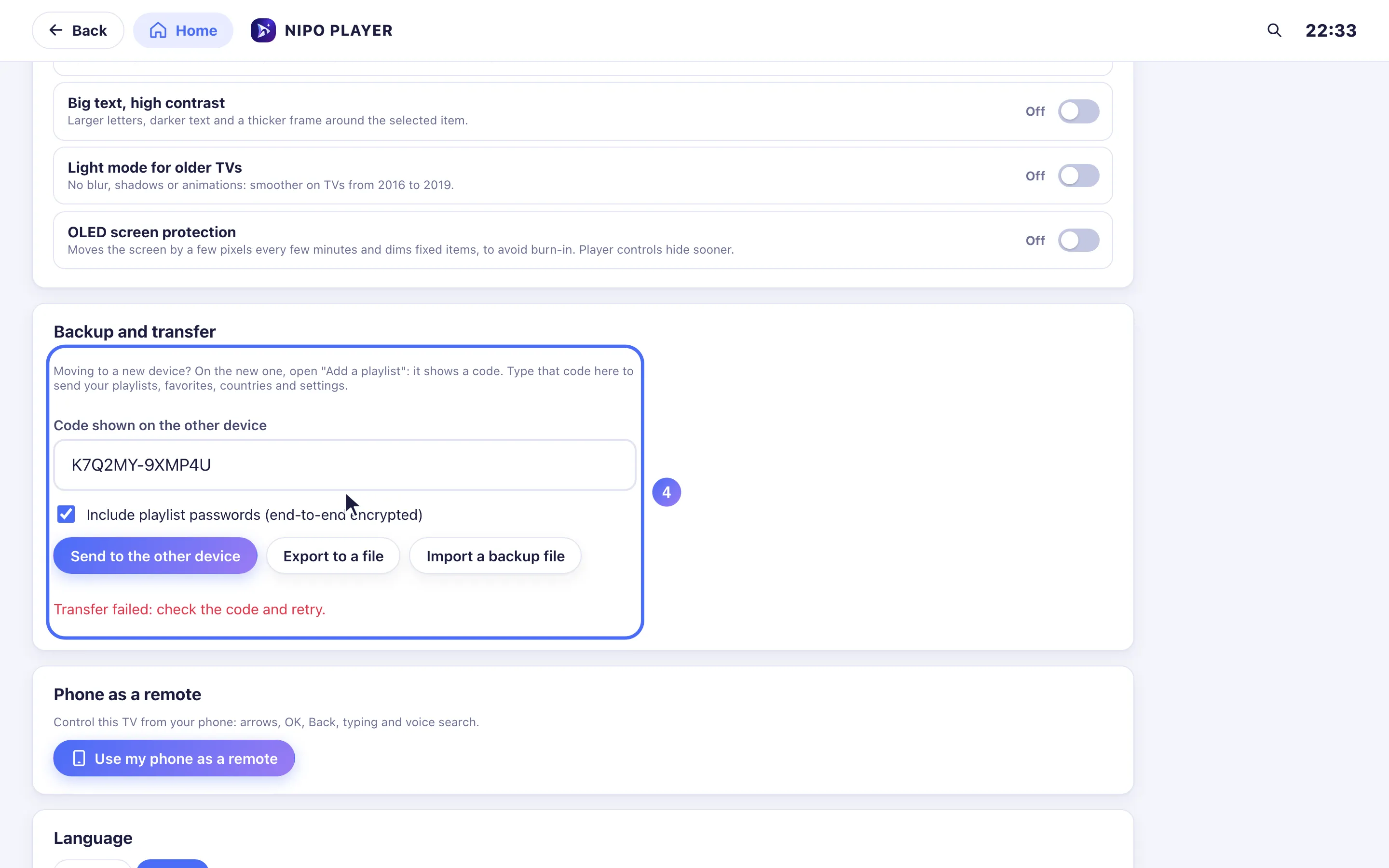
Steps
- On the new device, open the add-playlist screen ("Add a playlist"): a code shows up.
- On the old device, open Settings → Backup and transfer.
- Enter the code shown on the new device into Code shown on the other device.
- Check Include playlist passwords if you want the logins to reconnect on their own (end-to-end encrypted), then tap Send to the other device.
- The new device restarts automatically once it receives the setup.
Tip
On a computer (web), two more options sit in the same screen: Export to a file (a .json backup to keep aside) and Import a backup file (to restore that file later, on this or another device). The transfer code expires after a few minutes: if it has expired, show a new one on the new device.
Updated on 29 September 2026
Did this article help you?
Can’t find the answer?
Write to us: we answer about the app and how it works. We can’t recommend a playlist.