
"This channel is not broadcasting": what should I do?
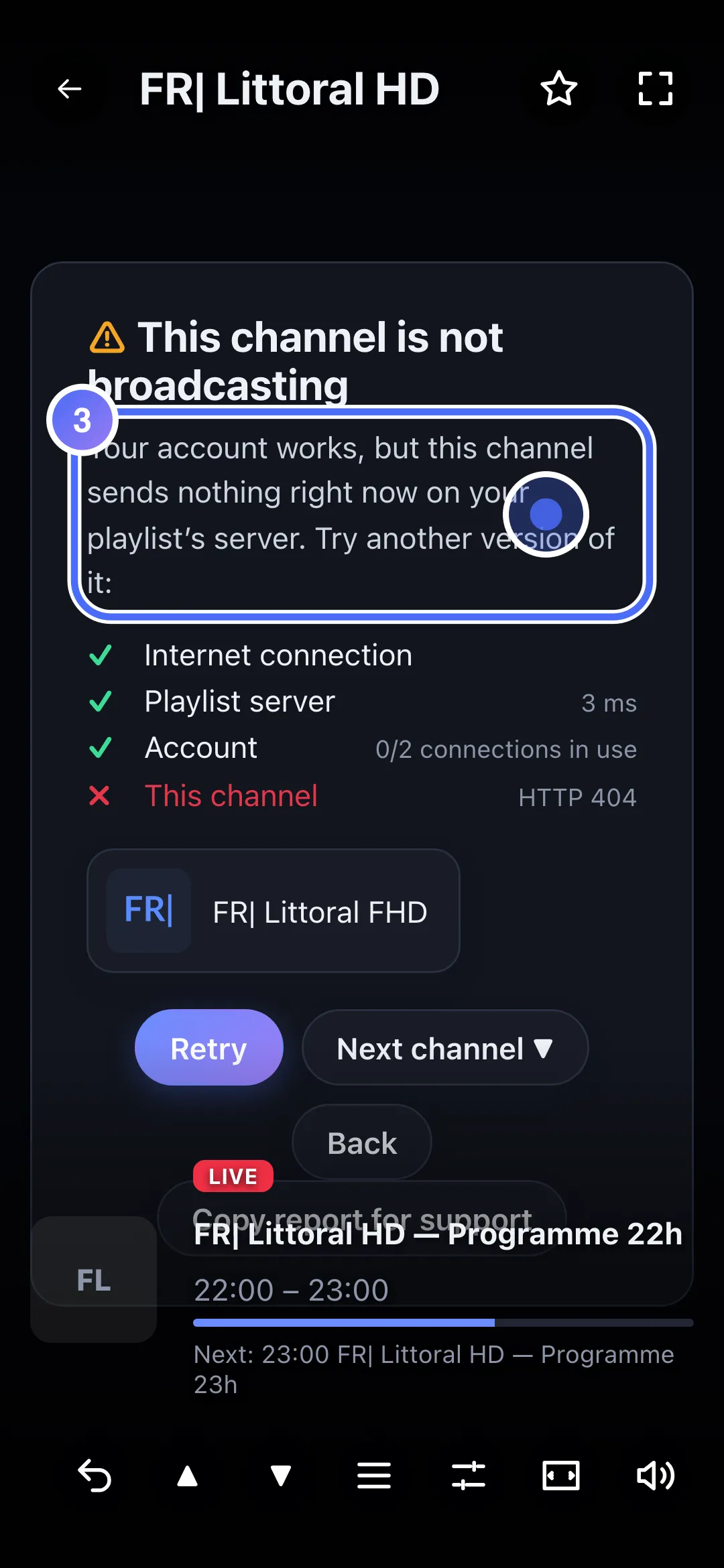
Your account works, but this specific channel is sending nothing right now on your playlist's server: try another version.
Nipo doesn’t provide, sell or host any channel, movie or playlist: it plays what you already own.
This message means everything works on your side (internet, account): it's this specific channel, on your playlist's server, that isn't sending anything right now.
Step by step, with pictures
- 01
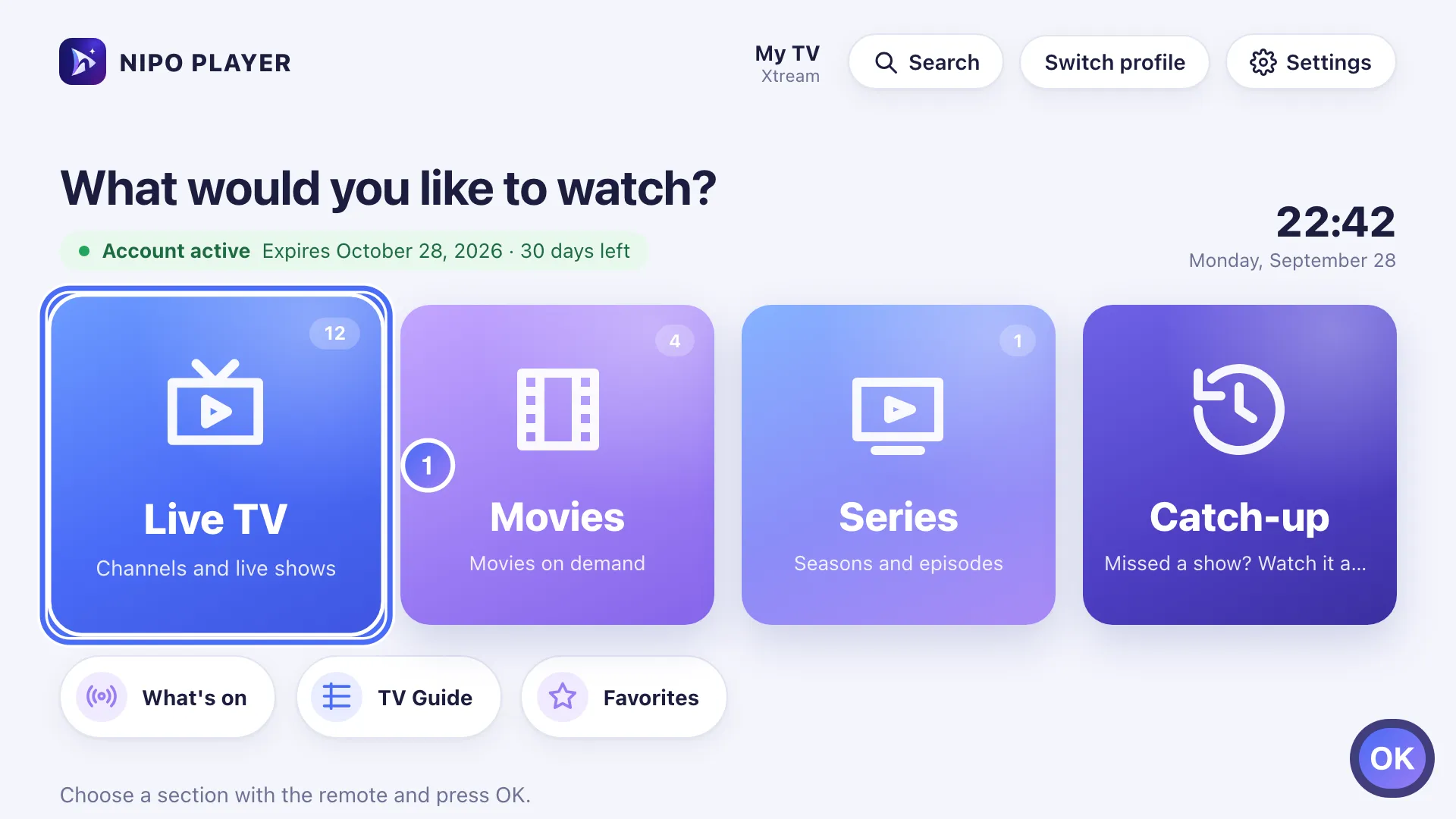
On Home, move to Live TV with the arrows and press OK. Key OK
- 02
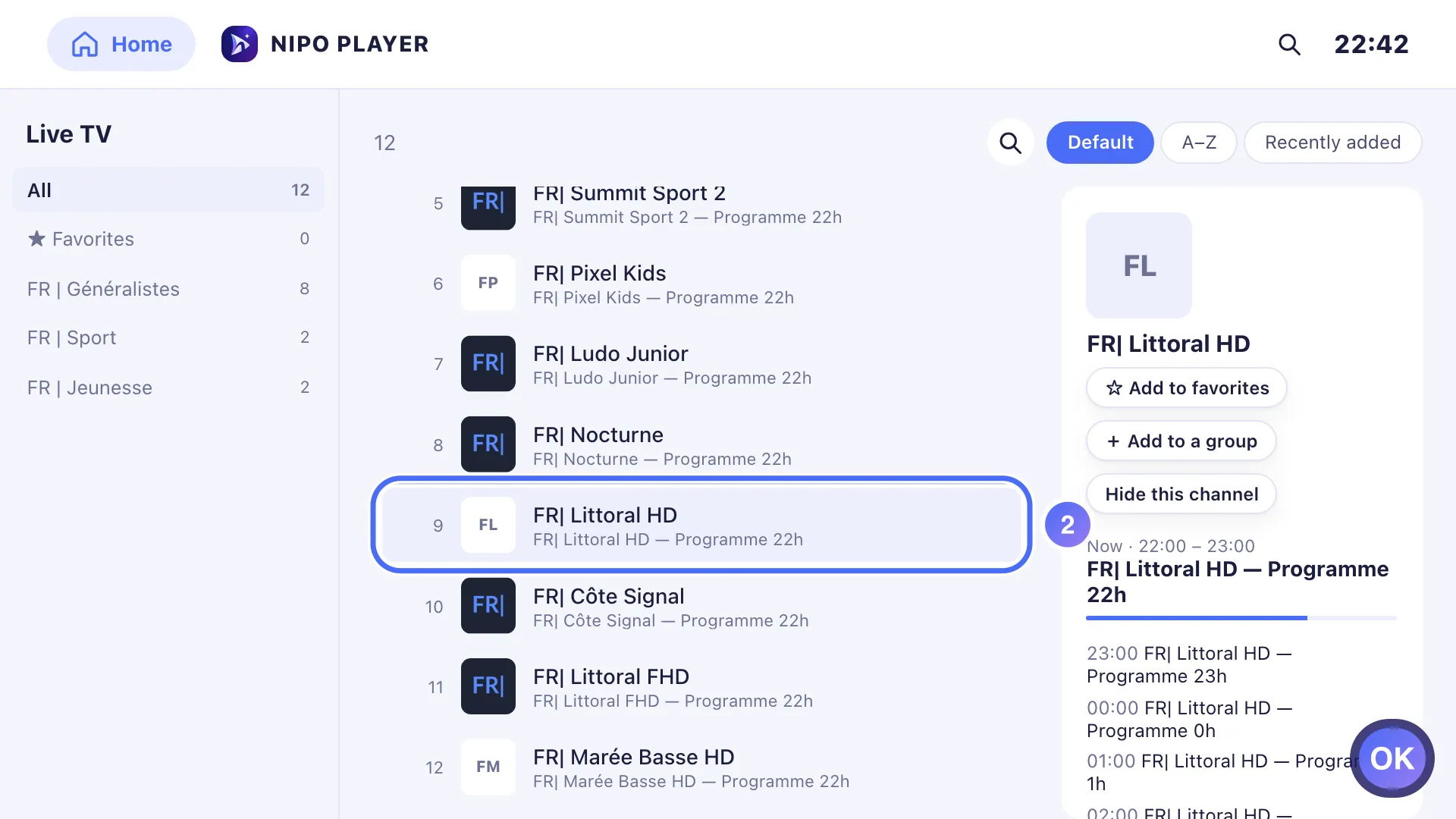
Pick a channel and press OK. Here, this particular channel sends nothing. Key OK
- 03
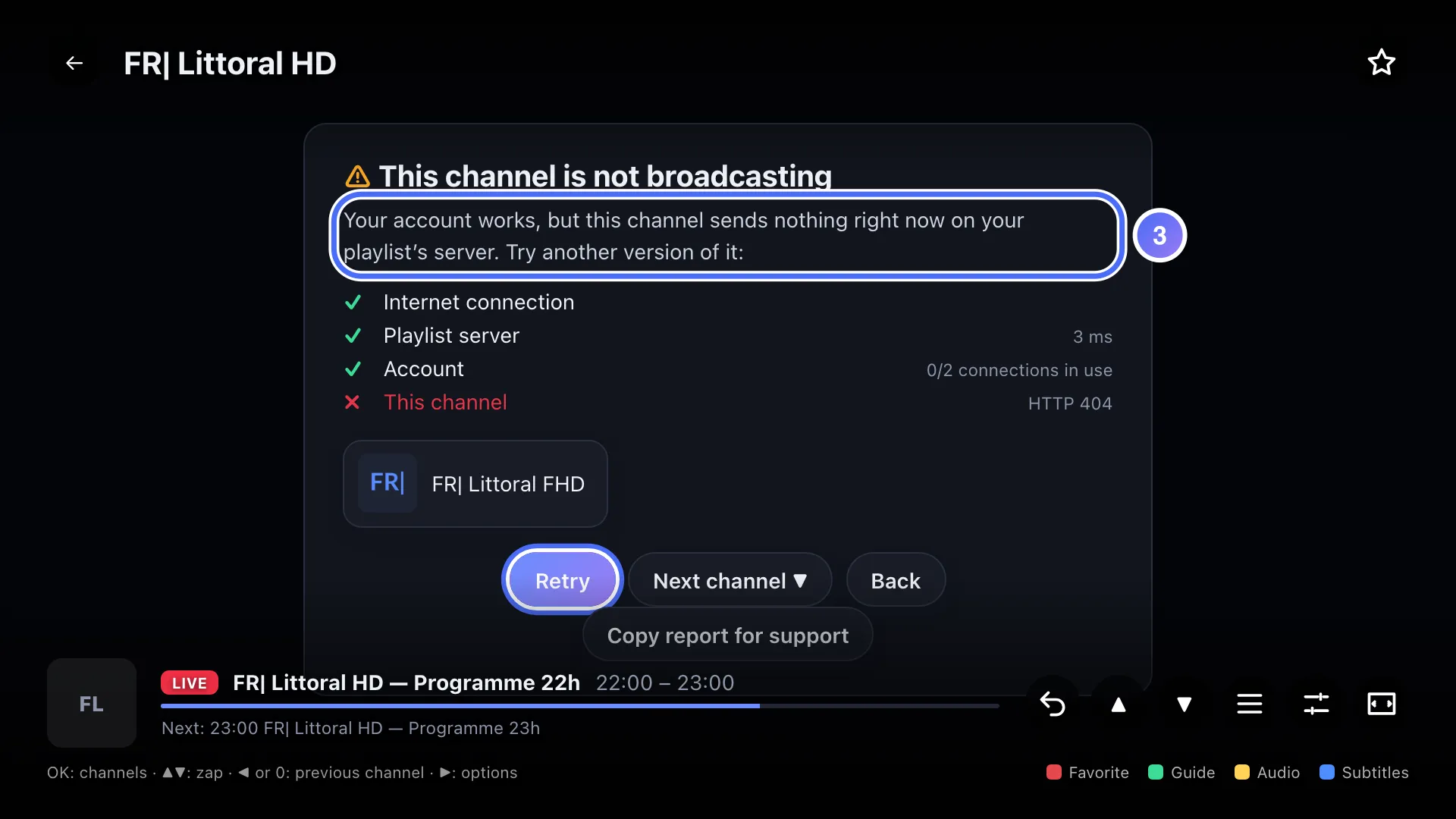
The diagnosis shows “This channel is not broadcasting”: your account works, only this channel is affected.
- 04
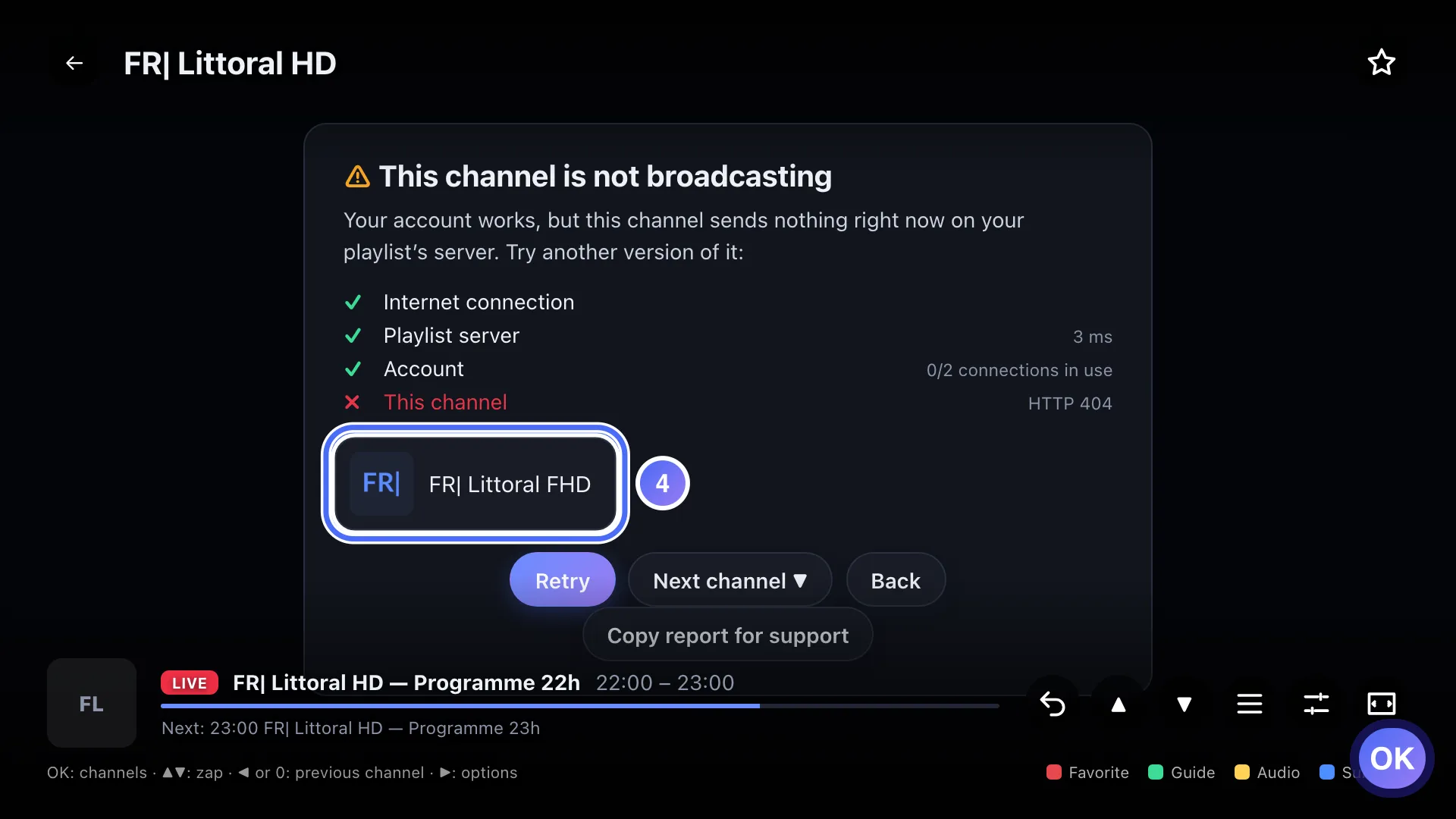
Nipo Player suggests another version of the same channel right below: press OK to try it. Key OK
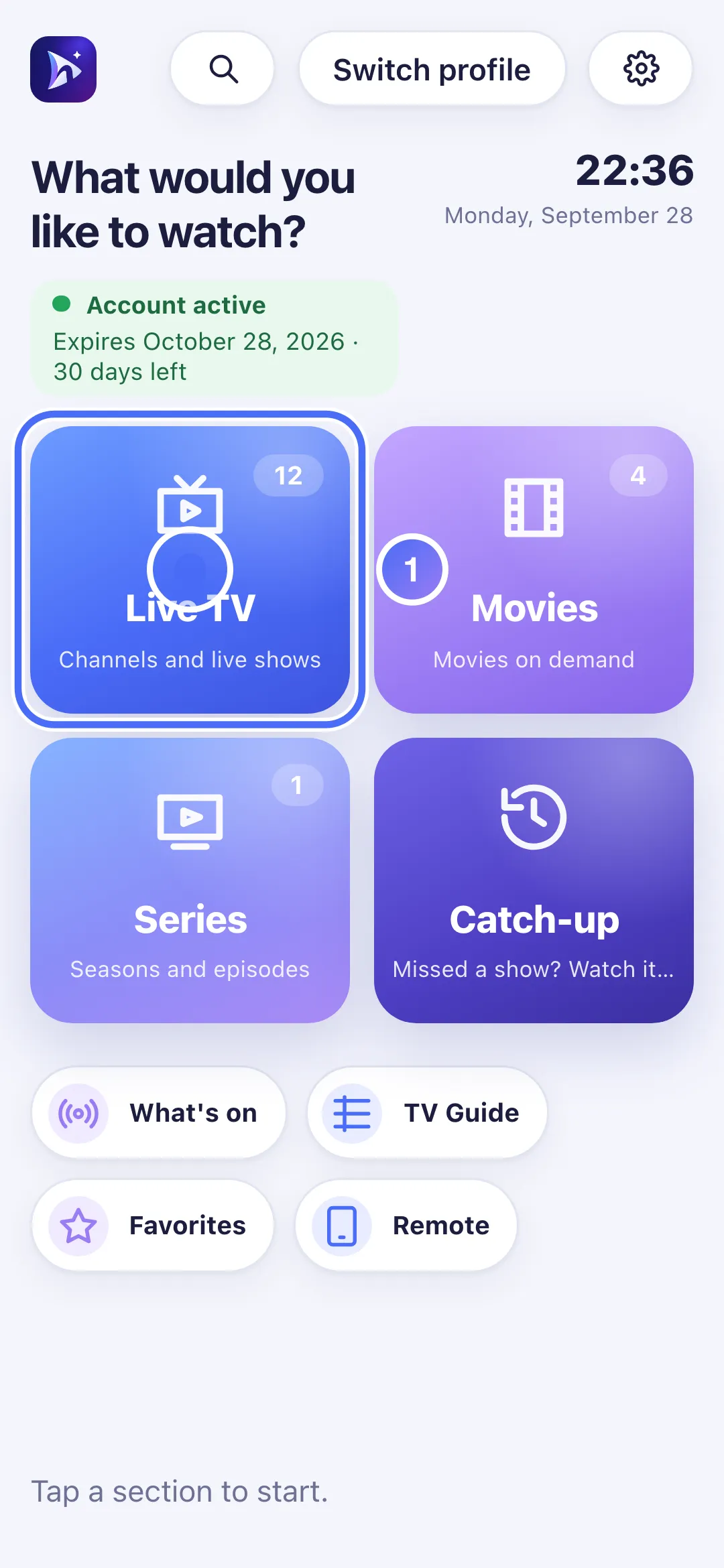
- 01
On Home, touch Live TV.
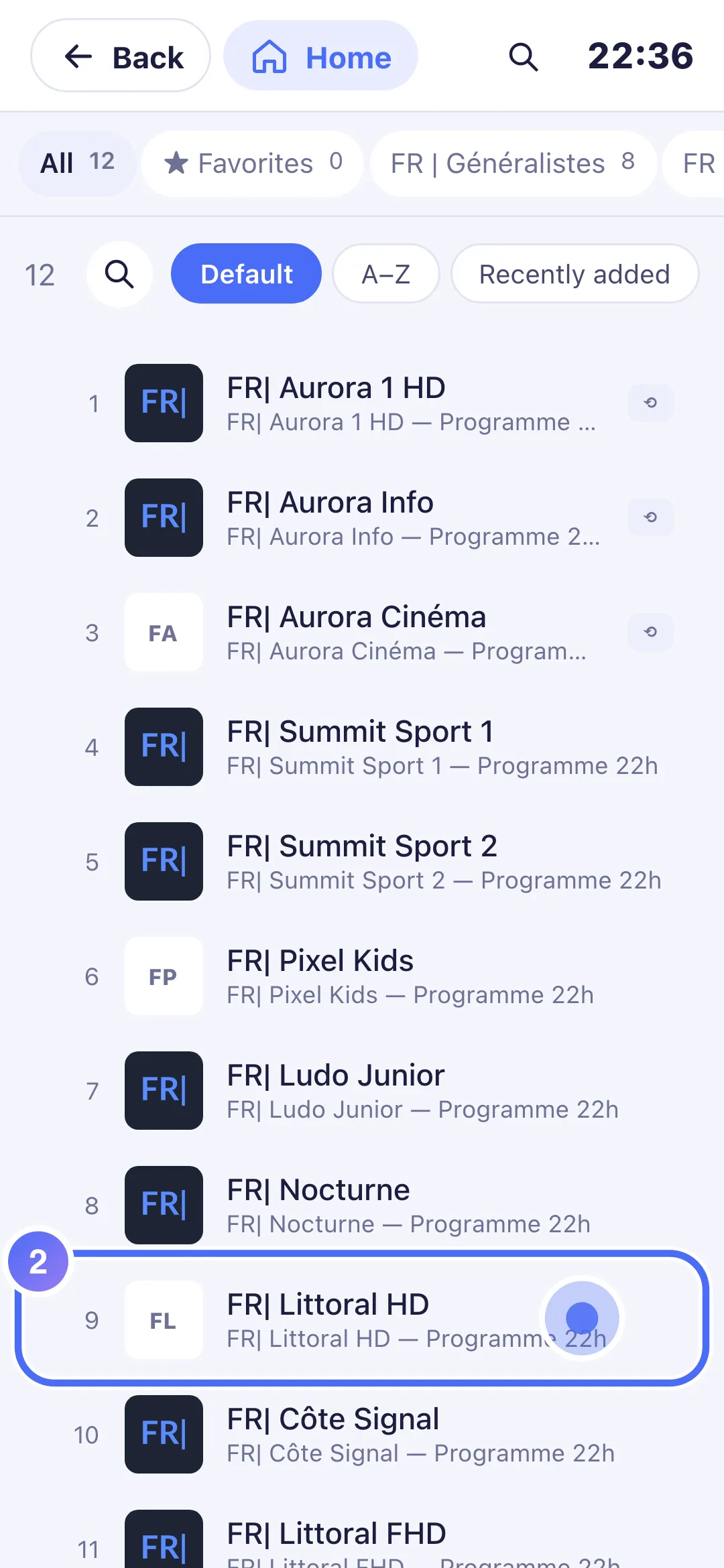
- 02
Touch a channel. Here, this particular channel sends nothing.
- 03
The diagnosis shows “This channel is not broadcasting”: your account works, only this channel is affected.
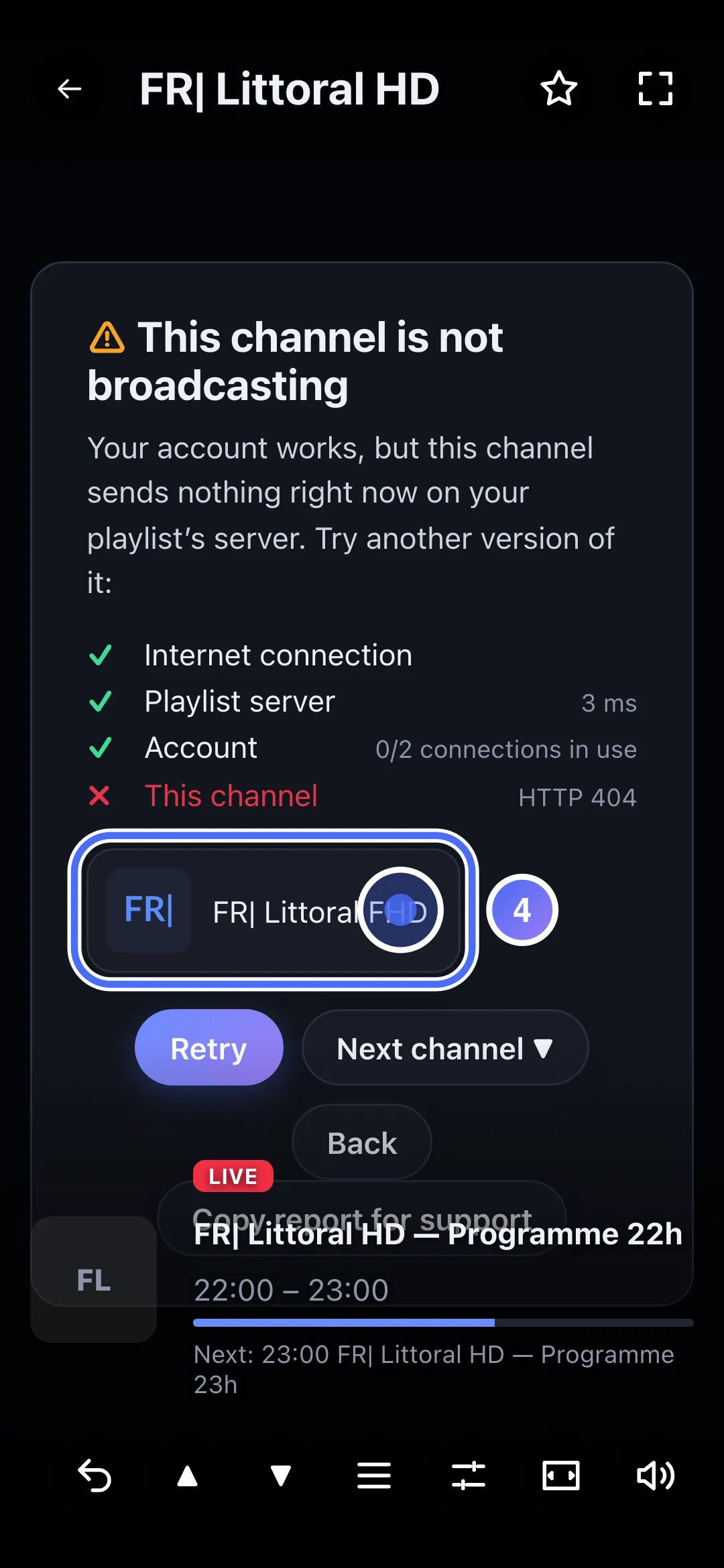
- 04
Nipo Player suggests another version of the same channel right below: touch it to try it.
Steps
- If different versions of the same channel exist in your playlist (e.g. HD, FHD, or a backup channel), Nipo Player offers them directly under the message: try another one.
- Try the original channel again a bit later.
- If no version works, contact the service that manages your playlist: the problem is on their broadcast side.
Tip
A channel duplicated in several qualities ("TF1 FHD", "TF1 HD"…) is recognized automatically by Nipo Player, which offers the other versions without you having to search for them yourself in the channel list.
Updated on 28 September 2026
Did this article help you?
Can’t find the answer?
Write to us: we answer about the app and how it works. We can’t recommend a playlist.