
How do I set the sleep timer, and what does "Are you still watching?" mean?
Pick a sleep timer duration in the player: when it runs out, Nipo Player asks "Are you still watching?" before stopping playback.
Nipo doesn’t provide, sell or host any channel, movie or playlist: it plays what you already own.
The sleep timer stays free, no Premium needed: it stops playback after a chosen time, handy for falling asleep to a movie.
Step by step, with pictures
- 01
In the player, open the Sleep timer setting and choose a duration. Key ▶
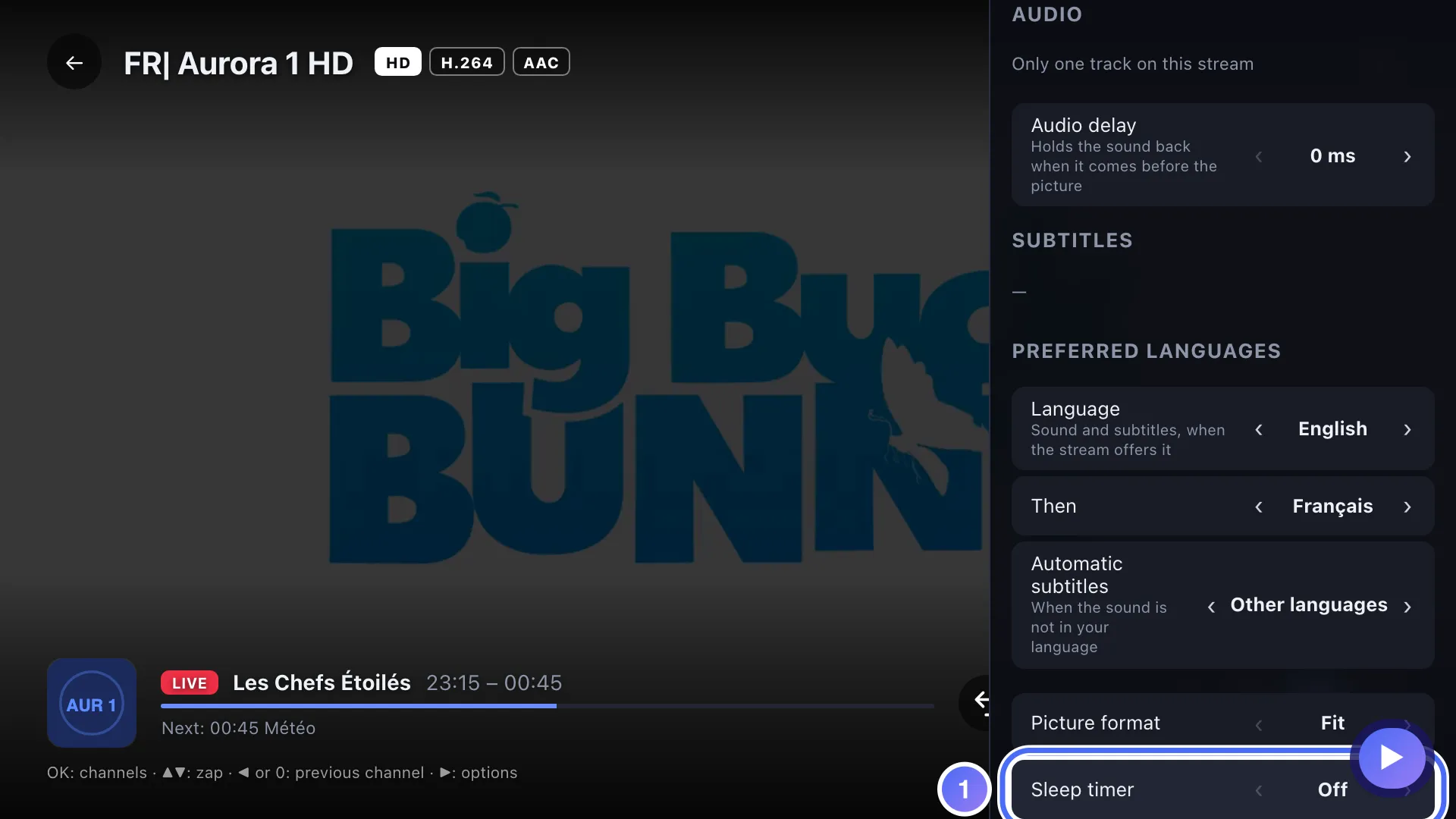
- 02
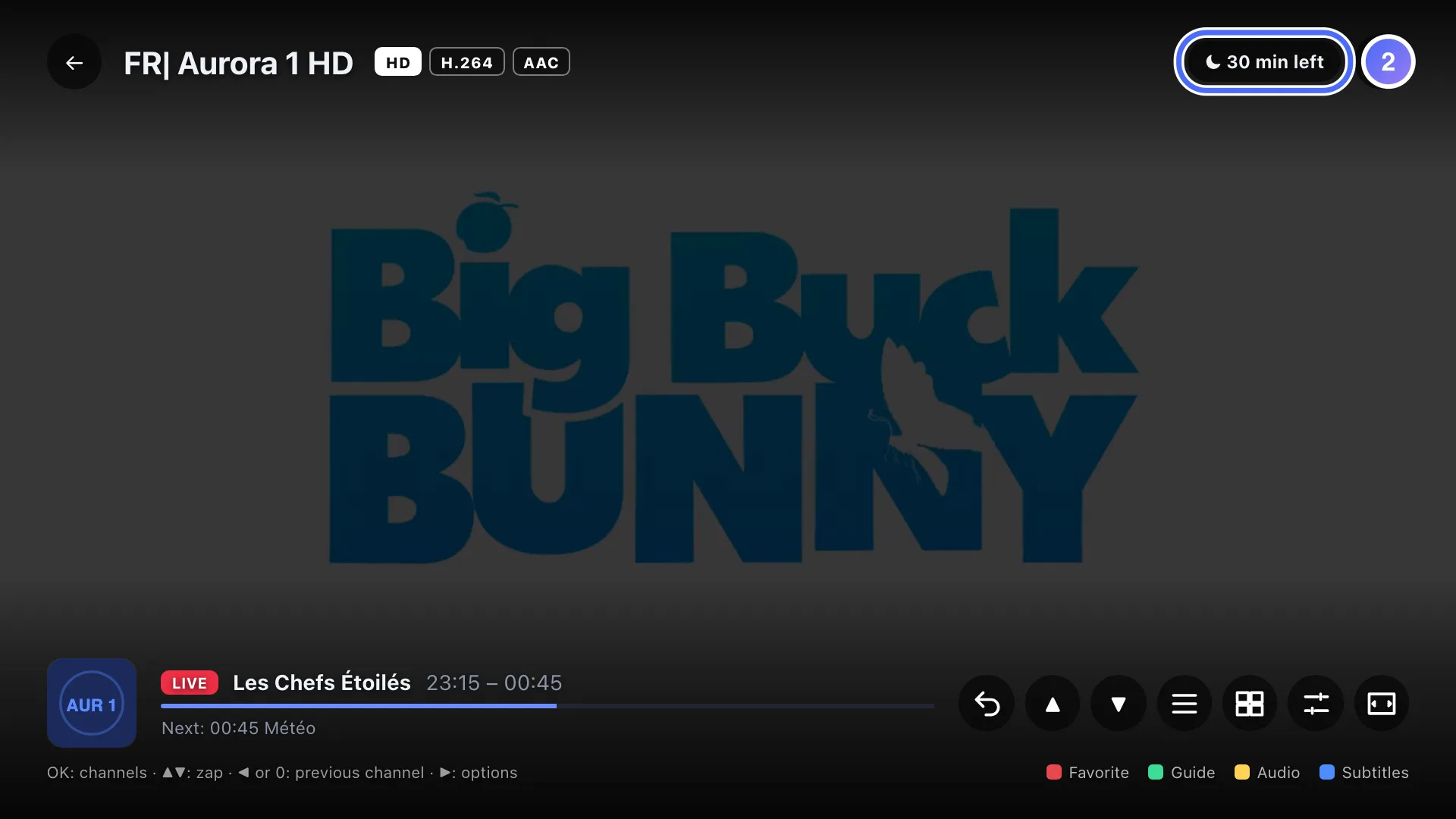
A ⏾ chip shows the time left while the sleep timer is active.
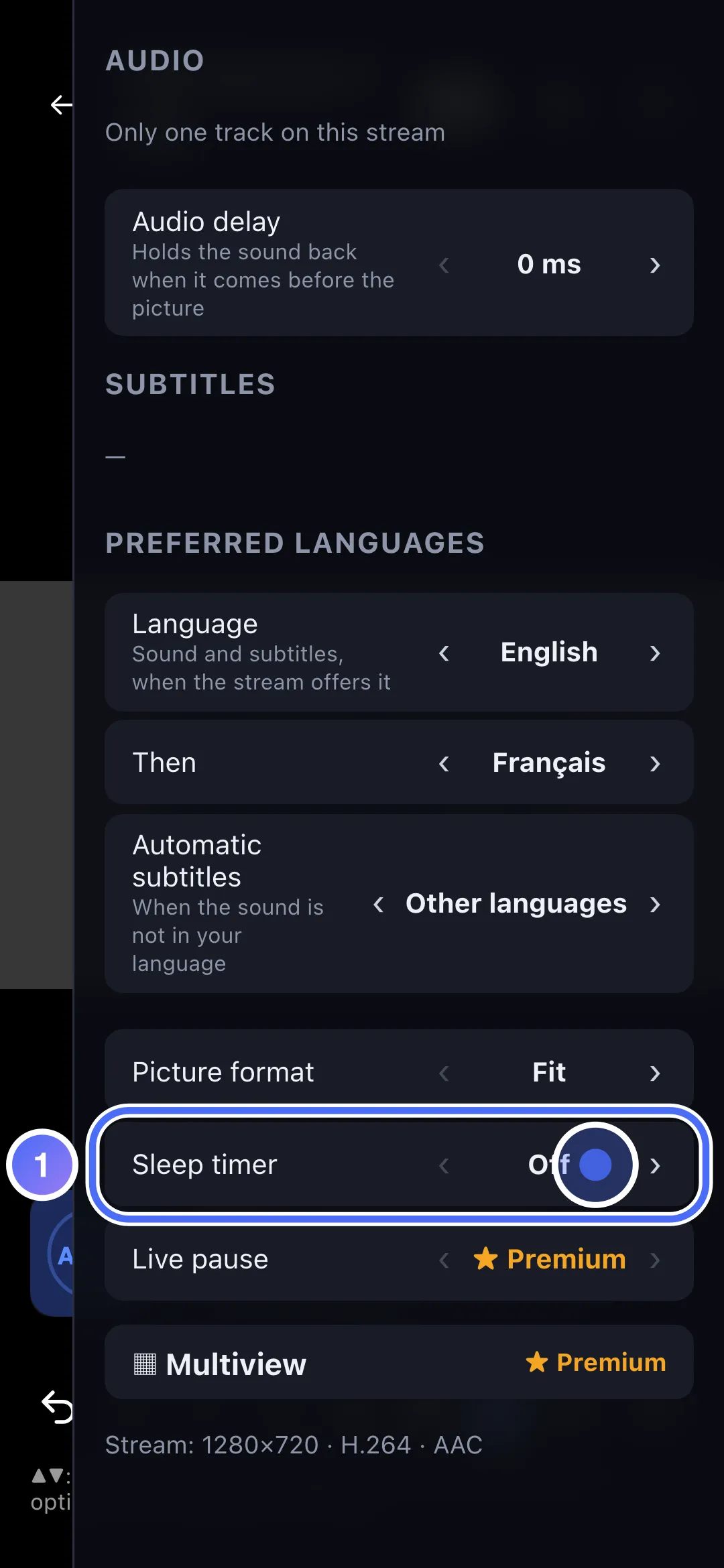
- 01
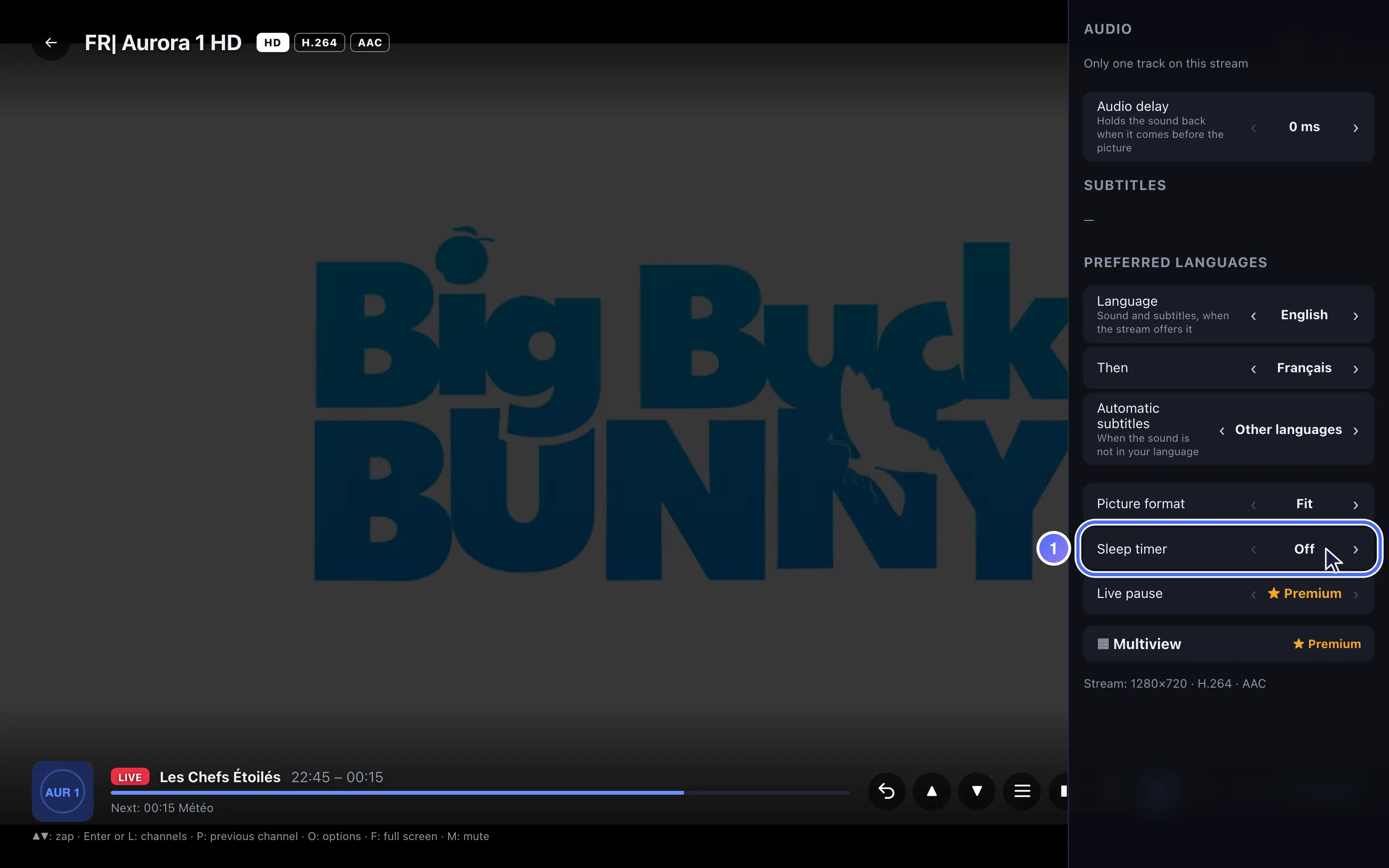
In the player, open Audio, subtitles & format and choose a sleep timer duration.
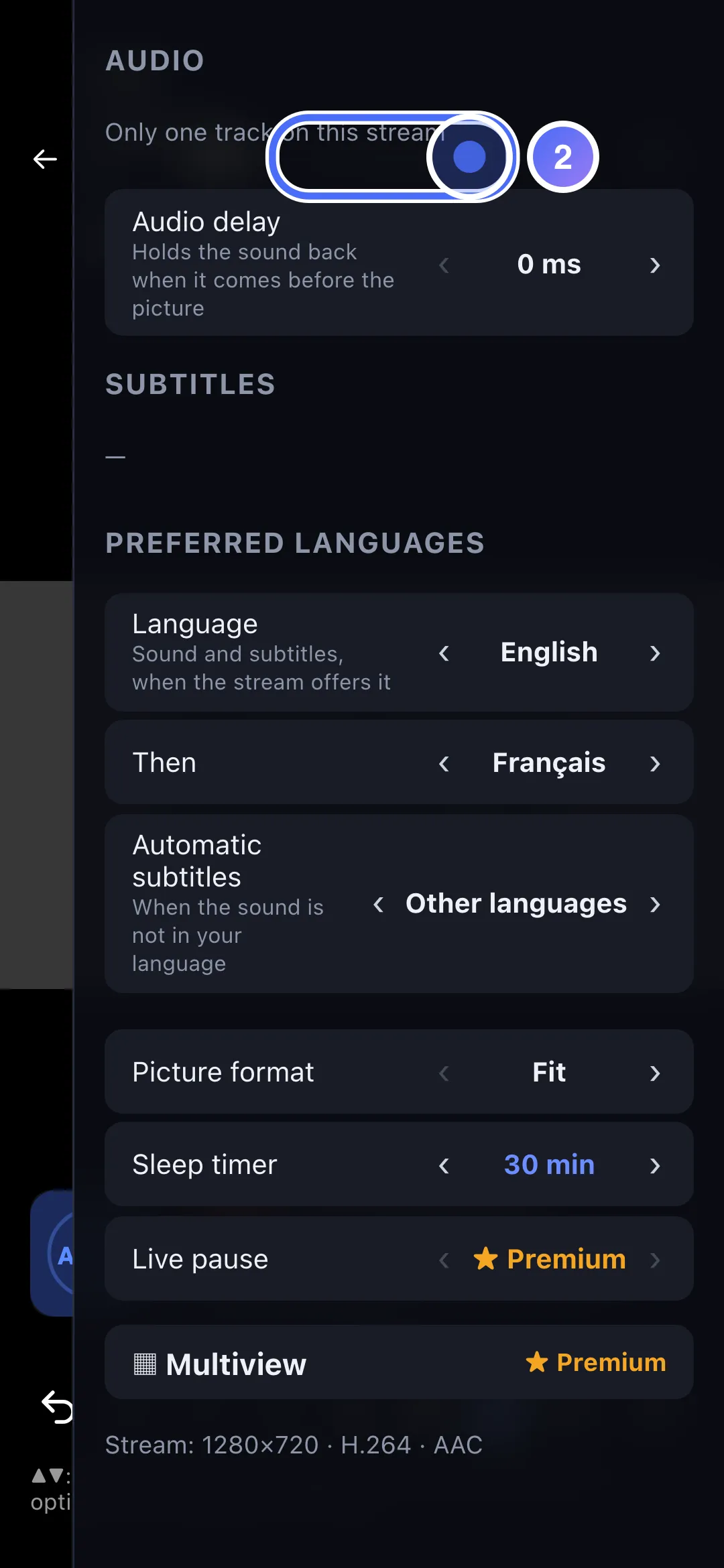
- 02
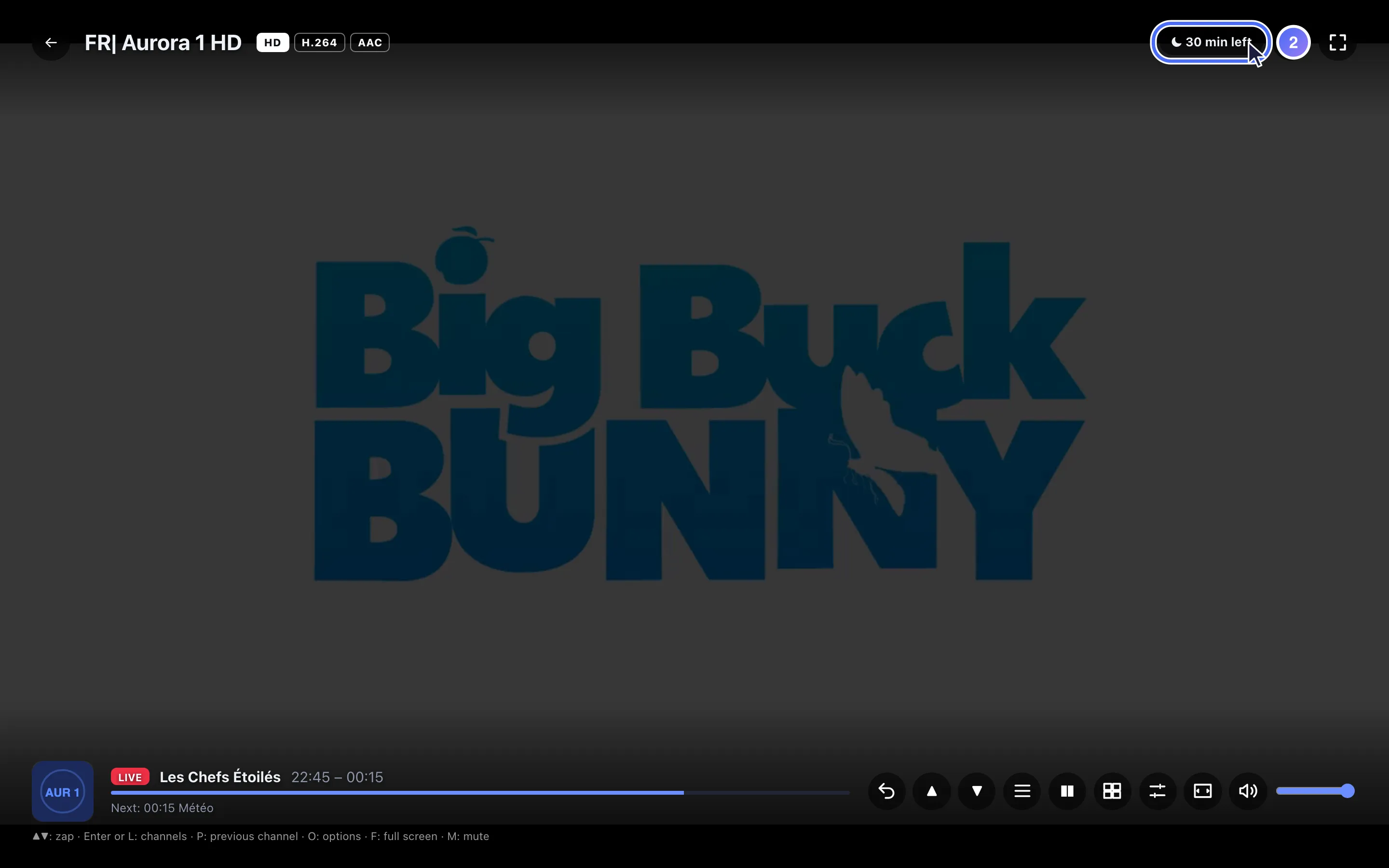
A ⏾ chip shows the time left while the sleep timer is active.
- 01
In the player, open Audio, subtitles & format and choose a sleep timer duration.
- 02
A ⏾ chip shows the time left while the sleep timer is active.
Steps
- In the player, open the Sleep timer setting.
- Choose a duration: Off, 15, 30, 45, 60, 90 or 120 minutes.
- A ⏾ mark shows the time left at the bottom of the screen while the timer is active.
- When time runs out, Are you still watching? appears: press any key to continue, otherwise playback stops a minute later.
Tip
Answering "still watching" simply restarts the sleep timer for the same duration: it doesn't turn itself off. To turn it off completely, reopen the setting and choose Off.
Updated on 29 September 2026
Did this article help you?
Can’t find the answer?
Write to us: we answer about the app and how it works. We can’t recommend a playlist.