
M3U player for Google TV
Nipo Player is a media player for Google TV (Chromecast, Freebox Pop/Ultra, Bbox 4K): M3U playlists and Xtream logins, TV guide and multiview.
Nipo Player does not provide, sell or host any content. Use it with playlists you are legally allowed to access.
How to install it
Google Play
Nipo Player installs from Google Play, the same listing as Android TV. An APK file is also offered for manual install.
Compatibility
- Example devices
- Chromecast with Google TV, Freebox Pop, Freebox Ultra, Bbox 4K
- Minimum system
- Android 5.1 (Google TV) or later
- Playback
- Native Android player (Media3/ExoPlayer), the same base as Android TV and Fire TV
- Note
- Older non-Android-TV Freebox/Bbox decoders aren’t covered: see “What about my device?” on the Devices page
Installation, step by step
Google Play
Search for “Nipo Player” on Google Play from your Chromecast with Google TV or your box.
Or the APK file
An APK file is offered on this page for manual install.
First launch
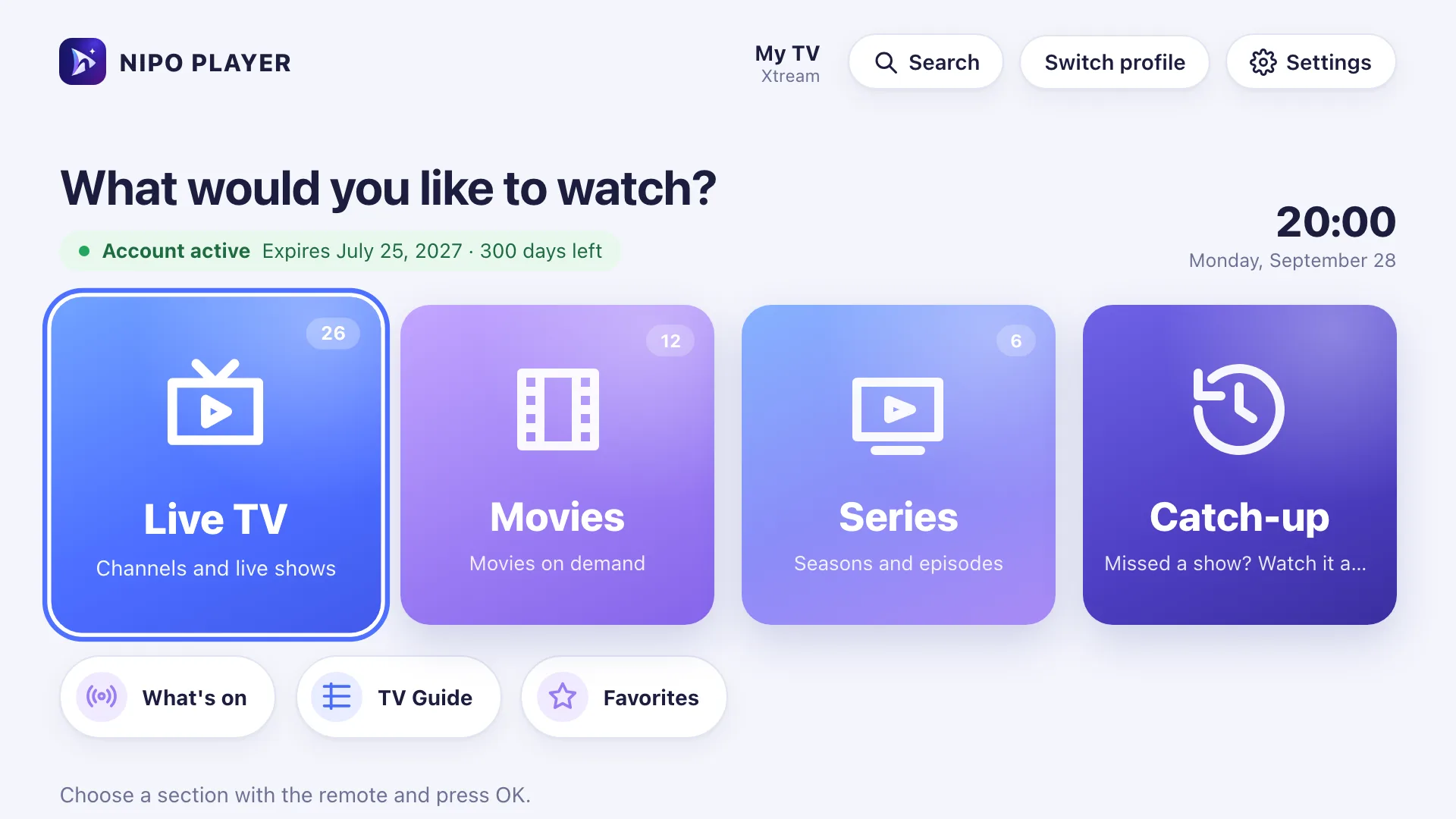
Open Nipo Player: the home screen appears, ready for you to add a playlist.
Google TV
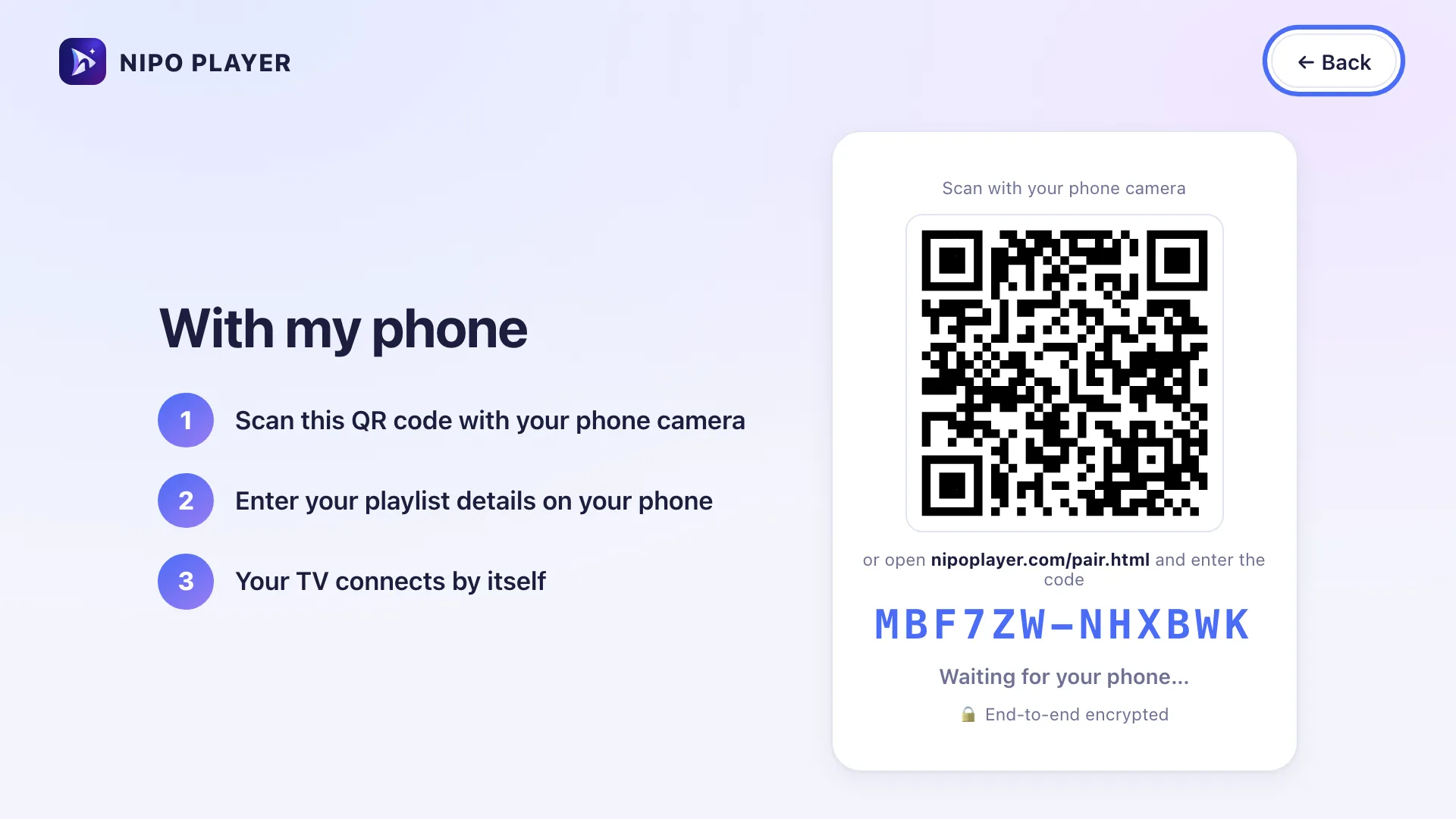
First setup: scan with your phone
Once the app is open, it shows a QR code. Scan it with your phone, then type your playlist’s address on the phone’s screen.
Google TV remote
The Google TV remote has a D-pad, OK, Back, Home, Play/Pause and a mic key, but no number pad and no colour keys.
Back
Long-press OK
Changing channel
Limits on this device
- Recording stays limited to Android TV and computers (local/USB storage).
- Automatic frame rate and audio passthrough stay limited to Android TV.
- The Android TV “Continue watching” row isn’t guaranteed on the Google TV home screen.
Free vs Premium (Nipo Premium or Family)
- Live TV, movies, series, search
- 1 playlist (Xtream or M3U)
- Favourites and resume
- Subtitles, parental PIN, diagnosis
- Several playlists + Mes playlists
- Profiles, including a kids profile
- Pro EPG and What’s on
- Catch-up (watch from the start)
- Pause and rewind live TV
- Multiview 2 / 2×2
- Phone remote
- Start on live TV, OLED protection
Related features
When something goes wrong
No “Continue watching” row on the Google TV home
Google TV reads recommendations differently from classic Android TV; this row isn’t guaranteed to appear on the Google TV home.
Nothing happens when opening a channel
Nipo shows a step-by-step diagnosis (connection, account, channel) and a report you can copy for support.
The app won’t install
Check that your device is up to date and allows the install source you’re using (Google Play or the manual file).
Frequently asked questions
Does Nipo provide channels?
No. Nipo plays the playlists you already own (M3U or an Xtream login).
How do I install an M3U player on Google TV?
Search for “Nipo Player” on Google Play from your Chromecast with Google TV or your box, and install it.
Is my Freebox Pop/Ultra or Bbox 4K covered?
Yes, these boxes run Google TV / Android TV and are covered by this page.
Download Nipo for free.
All playback is free, with no ads and no account.