
How do I change the app's language?
Open Settings → Language and choose Français or English: the menus, dates and times of Nipo Player switch to it right away.
Nipo doesn’t provide, sell or host any channel, movie or playlist: it plays what you already own.
Nipo Player is available in French and English for now.
Step by step, with pictures
- 01
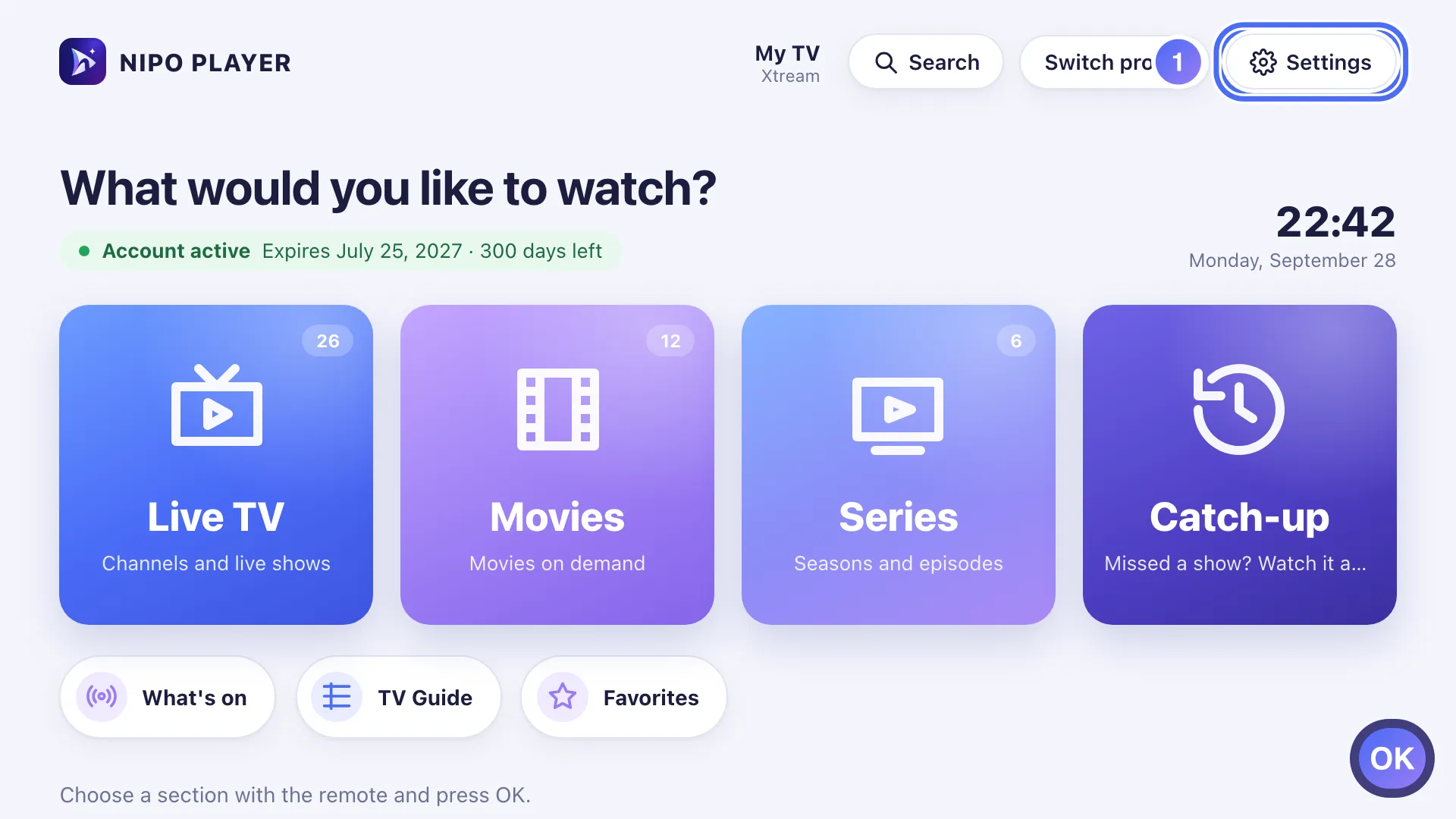
On Home, move to Settings with the arrows and press OK. Key OK
- 02
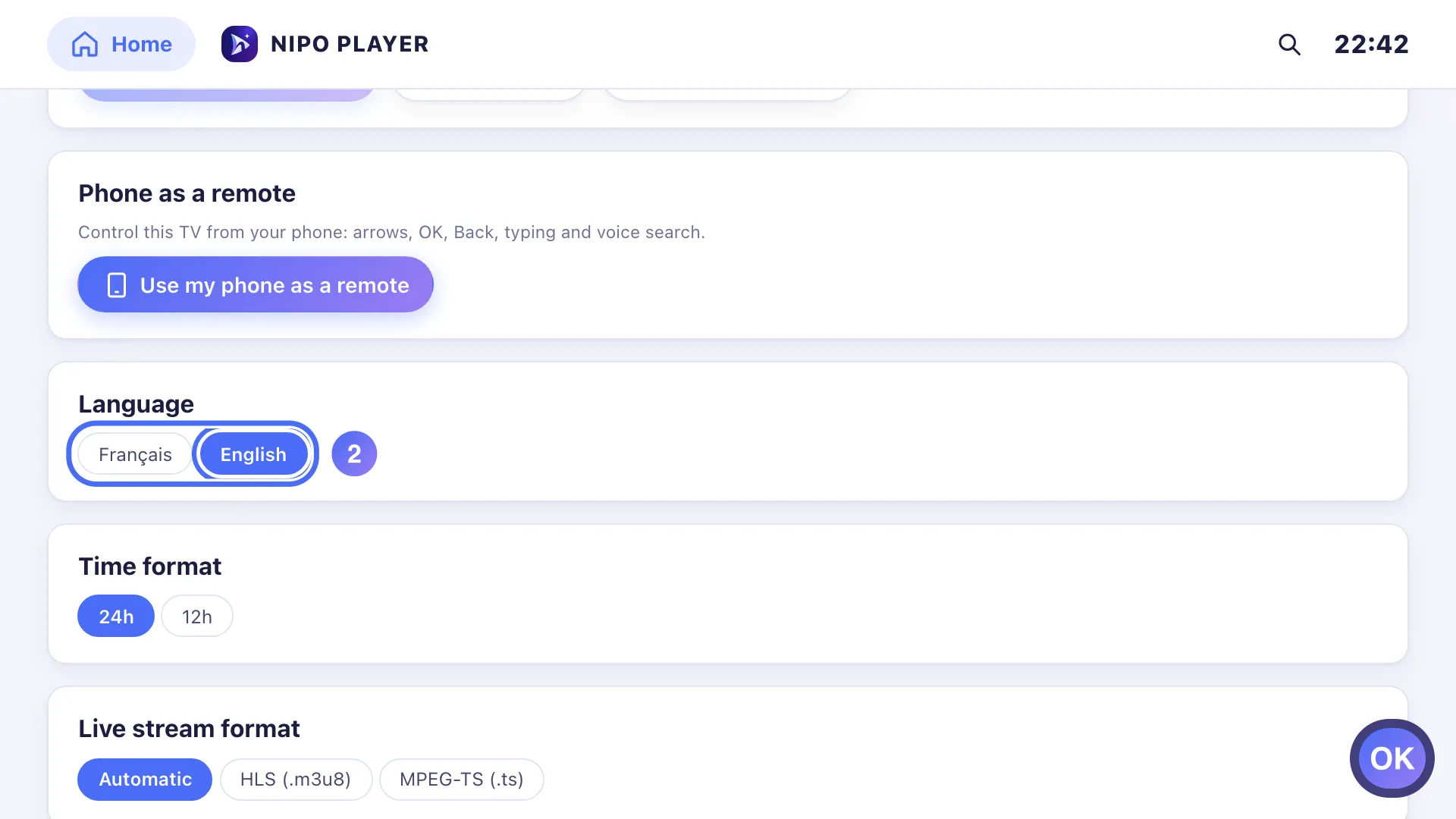
Go down to Language, pick Français or English and press OK. Key OK
- 01
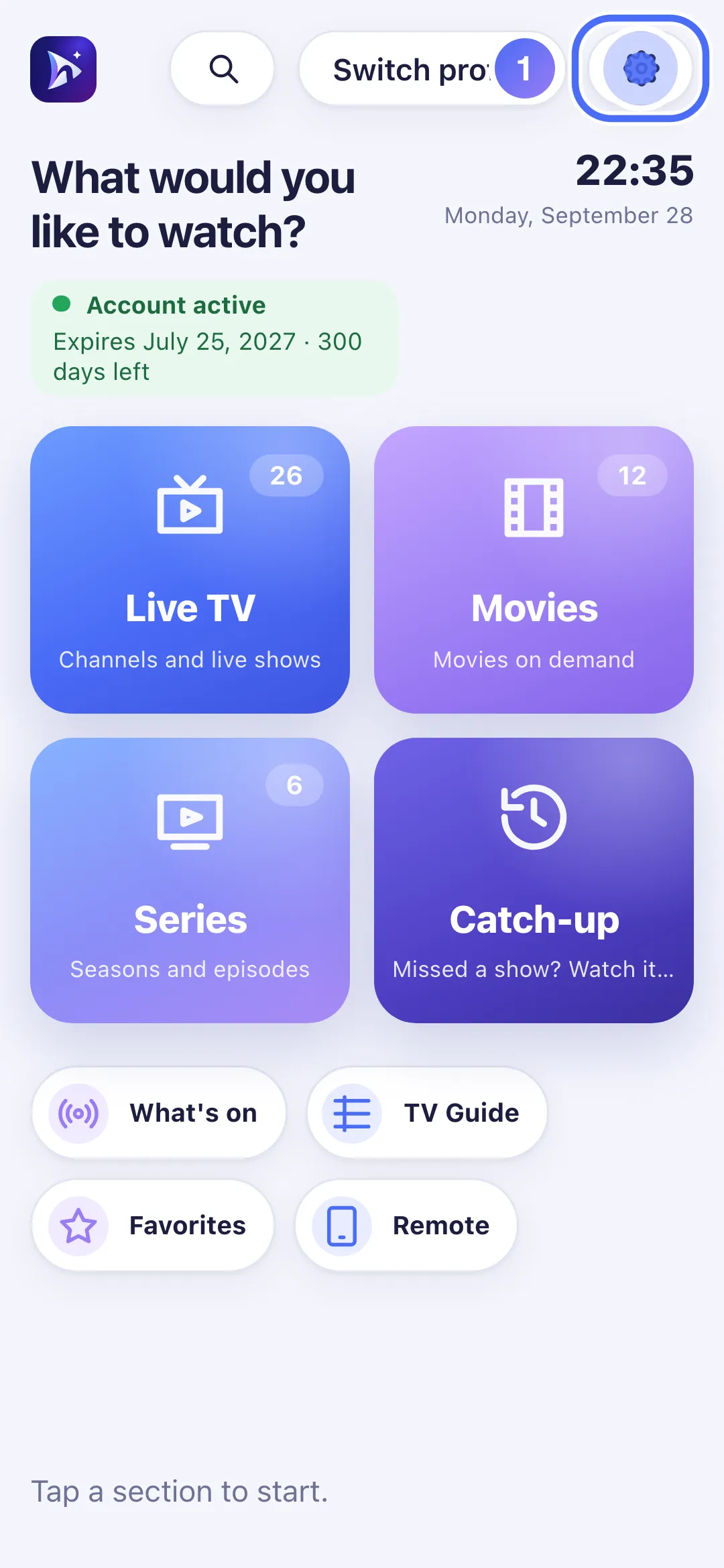
From Home, tap “Settings”.
- 02
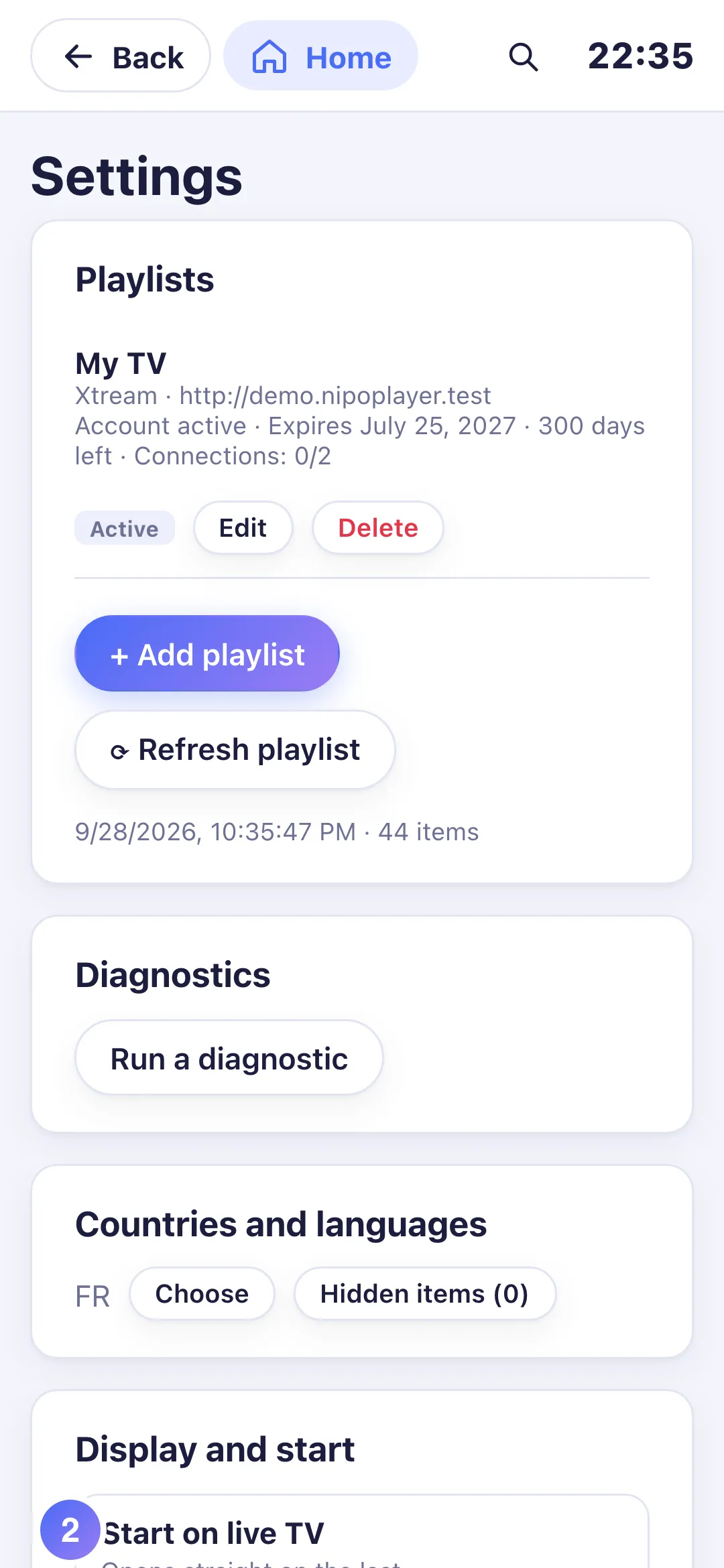
Under “Language”, tap Français or English.
- 01
From Home, click “Settings”.
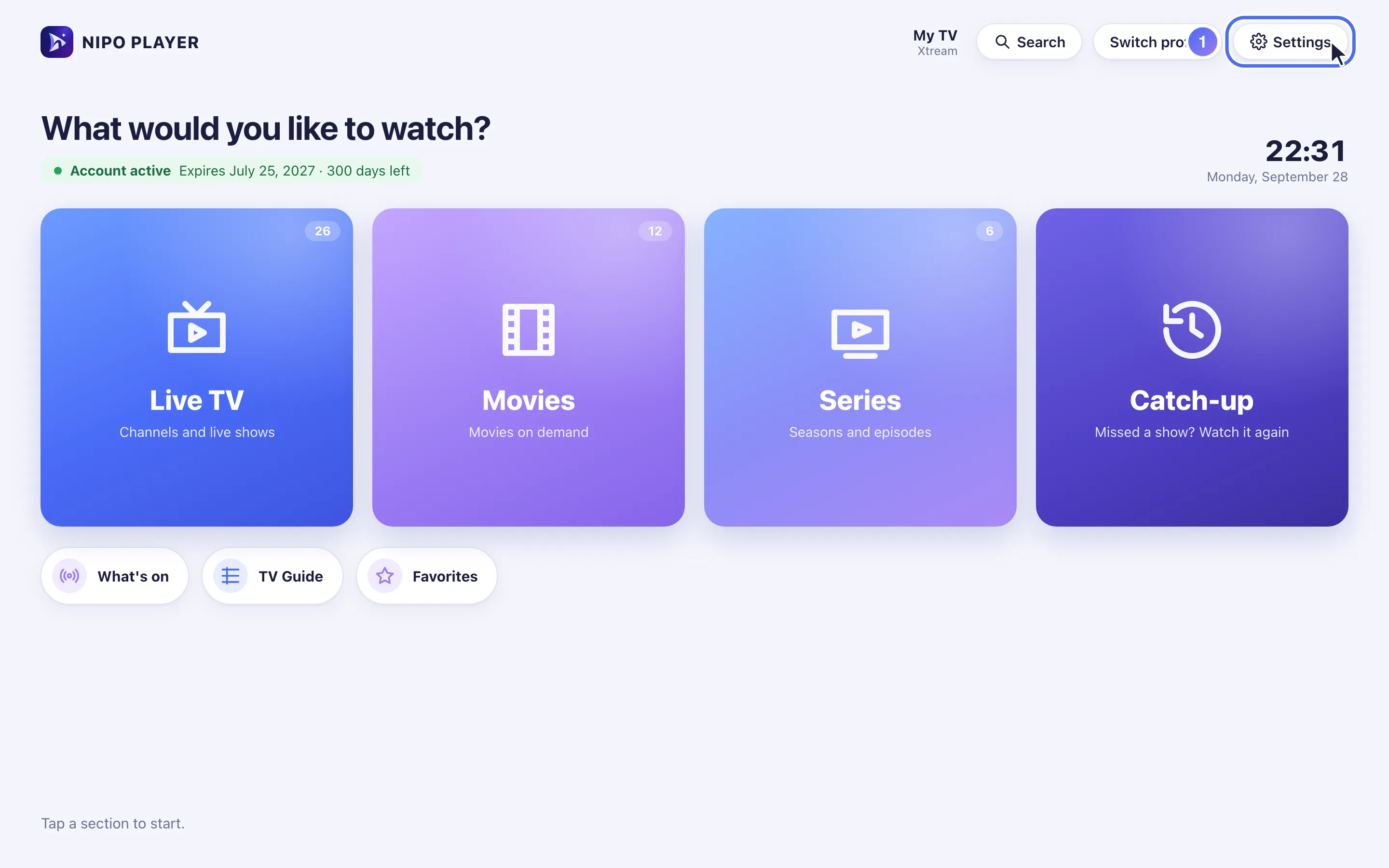
- 02
Under “Language”, click Français or English.
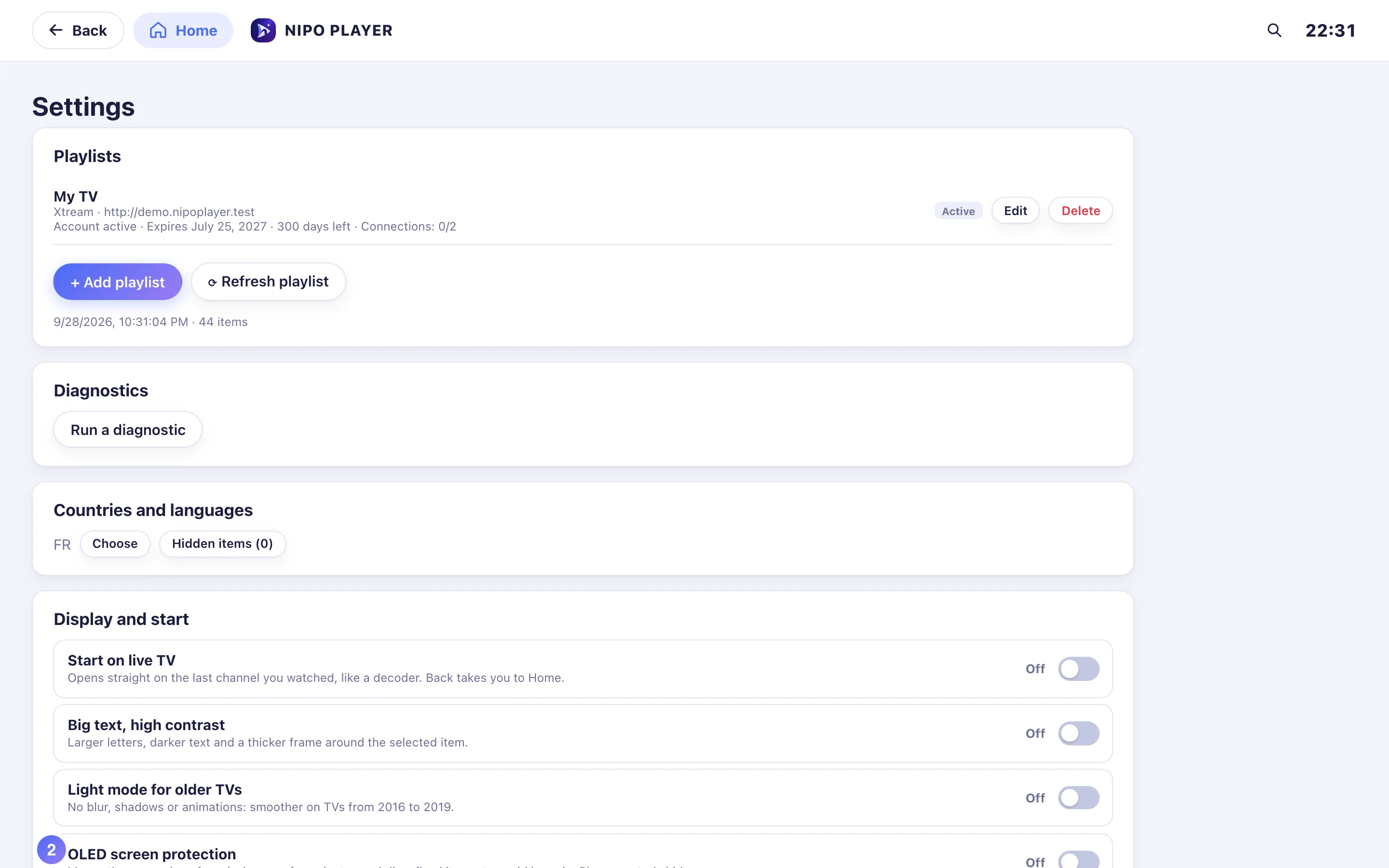
Steps
- Open Settings.
- Under Language, choose Français or English.
- The interface changes immediately, no restart needed.
Tip
Dates and times shown in the app follow the language chosen here, not your device's language: if your phone is set to French but you picked English in Nipo Player, dates show in English. The time format (24h or 12h) is set separately, just below it.
Updated on 28 September 2026
Did this article help you?
Can’t find the answer?
Write to us: we answer about the app and how it works. We can’t recommend a playlist.