
Your phone becomes the remote
After pairing (or from Settings, or the phone app’s “Télécommande” pilot), the page turns into a full remote: arrows, OK, back, a keyboard and voice search. A Nipo Premium and Nipo Family feature, already in the app.
Nipo Player does not provide, sell or host any content. Use it with playlists you are legally allowed to access.
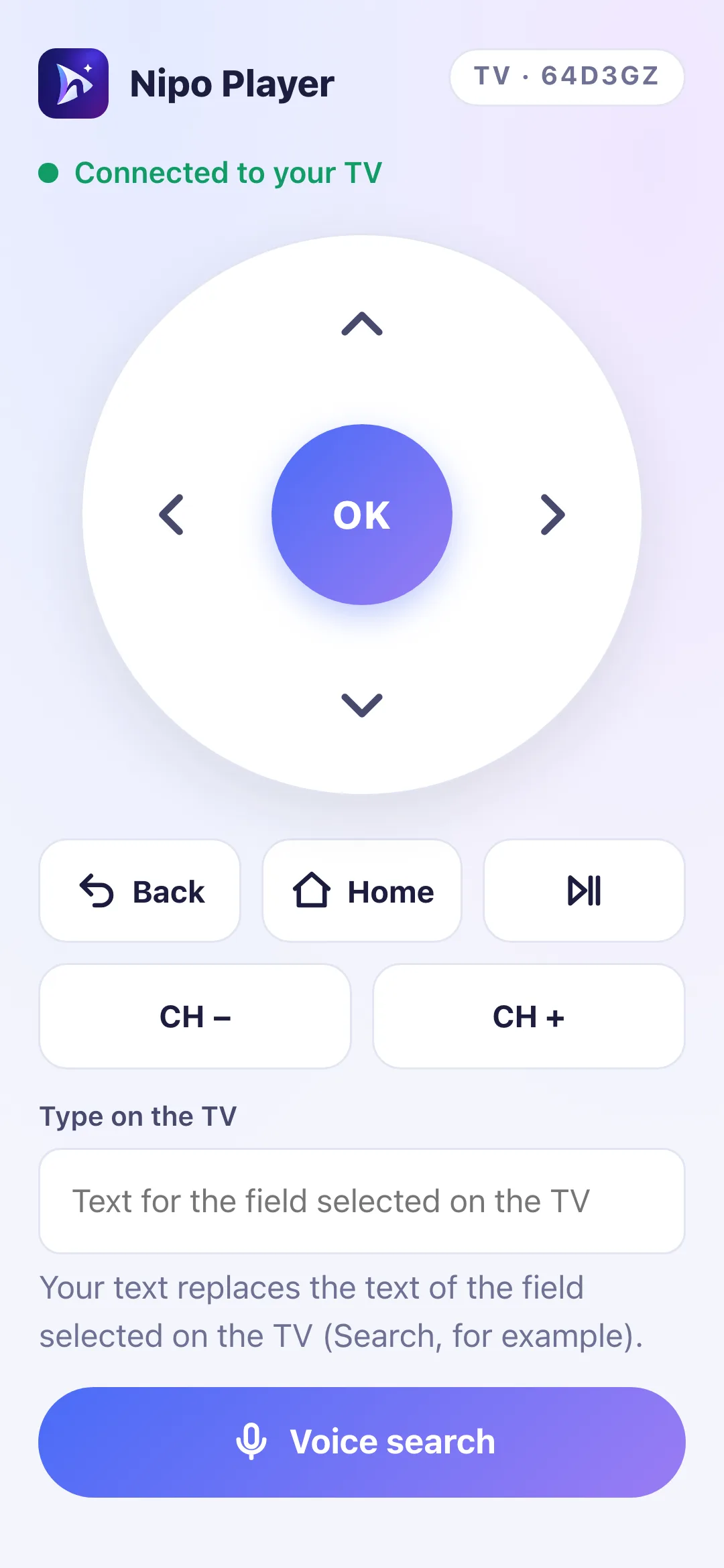
A real remote
Arrows, OK, Back, Home: the phone sends the same commands as a physical remote, encrypted the same way as pairing.
“Télécommande” in the phone app
On phone, a “Télécommande” pilot opens the remote directly: scan the QR code shown on the TV, or type its code.
Remembered TVs
Once connected, your phone remembers the TV: one tap reconnects afterwards, as long as Nipo Player stays open on it.
Your phone’s keyboard
When a text field is selected on the TV, type straight from the phone’s keyboard instead of the arrows.
Voice search
Say what you’re looking for into the phone’s microphone; the recognised text is sent to the TV’s search.
Still encrypted
The phone and TV use the same secure connection as QR pairing: nothing readable passes through the relay.
On which devices?
The phone drives Nipo’s menus everywhere. Inside the native Android TV and Fire TV player, it doesn’t drive playback itself.
- Android TV, Fire TV — menusAvailableFull navigation in the app
- Android TV, Fire TV — during playbackMenus onlyThe native player isn’t remote-controlled: use the physical remote
- Samsung, LG, computer, webAvailableIncluding inside the player (web player)
FAQ
Does it work in the player on Fire TV?
Not in the native Android and Fire TV player: the phone remote drives the menus, not the video playing. On Samsung, LG and computer, yes, including during playback.
Do I need to be on the same Wi-Fi as the TV?
No, it isn’t required: the connection uses the same secure relay as QR pairing. It’s simply faster on your home Wi-Fi.
Is this already in the app?
Yes, as a Nipo Premium and Nipo Family feature. Open it after a QR pairing, from Settings on the TV, or with the phone app’s “Télécommande” pilot.
Does voice search work on every phone?
It depends on the phone’s browser. If the microphone isn’t allowed, a message says so and the rest of the remote keeps working.
How many TVs does my phone remember?
Several: every remembered TV shows up in Settings → Remembered phones, with a “Forget” to remove it.
Never lose the remote again
End-to-end encrypted, already in the app.