
Come tengo solo i miei paesi e nascondo il resto?
In Settings → Countries and languages, scegli i paesi che guardi: tutto il resto viene nascosto, e puoi cambiarlo in qualsiasi momento.
Nipo non offre, vende né ospita alcun canale, alcun film o alcuna playlist: riproduce quello che possiedi già.
Le playlist grandi a volte coprono trenta paesi o più, mentre la maggior parte delle famiglie ne guarda solo due o tre. "My countries" ("I miei paesi") riduce gli elenchi a ciò che ti interessa.
Passo dopo passo, con immagini
Le immagini mostrano l’app in inglese.
- 01
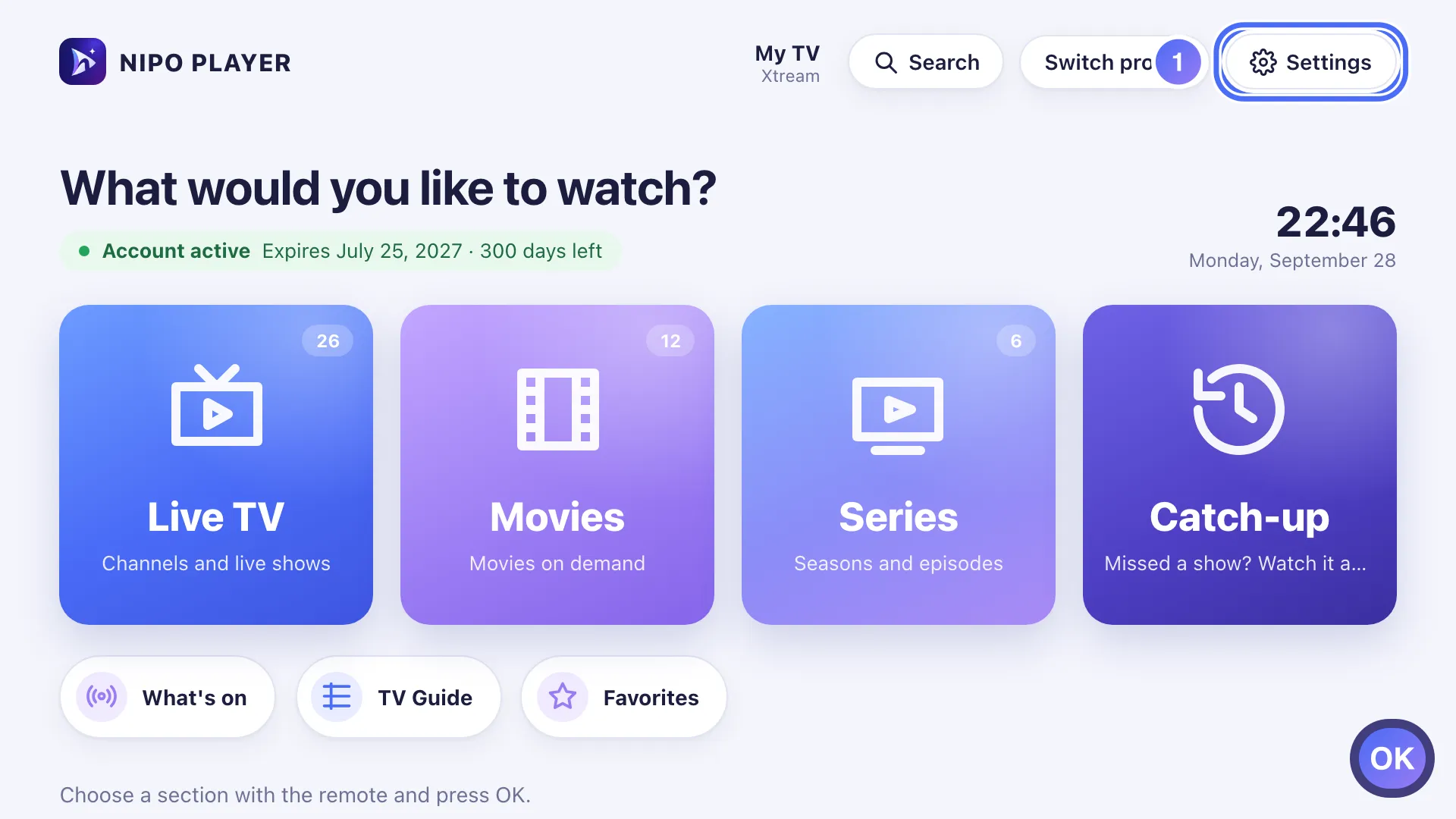
On Home, go to Settings and press OK. Tasto OK
- 02
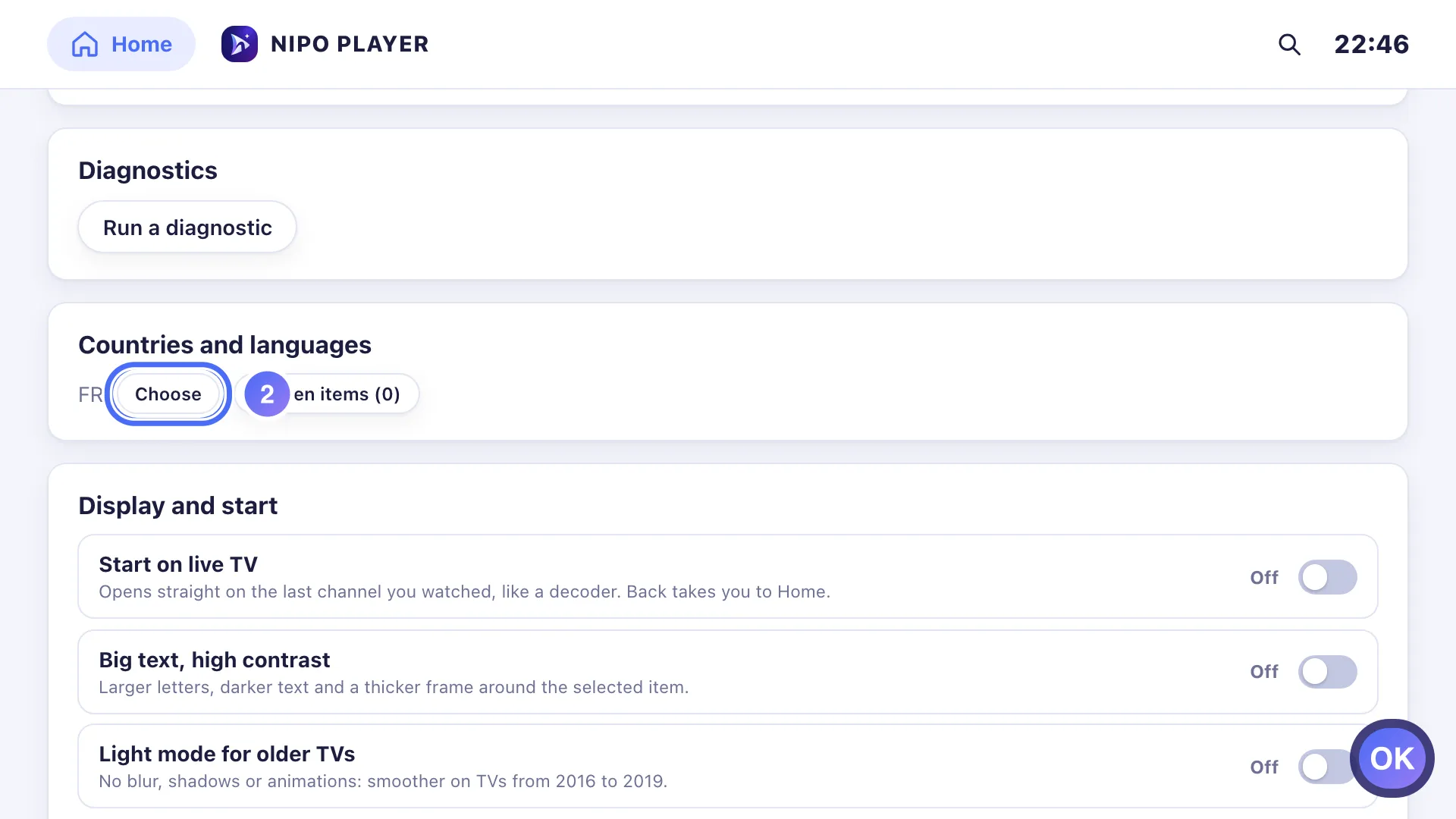
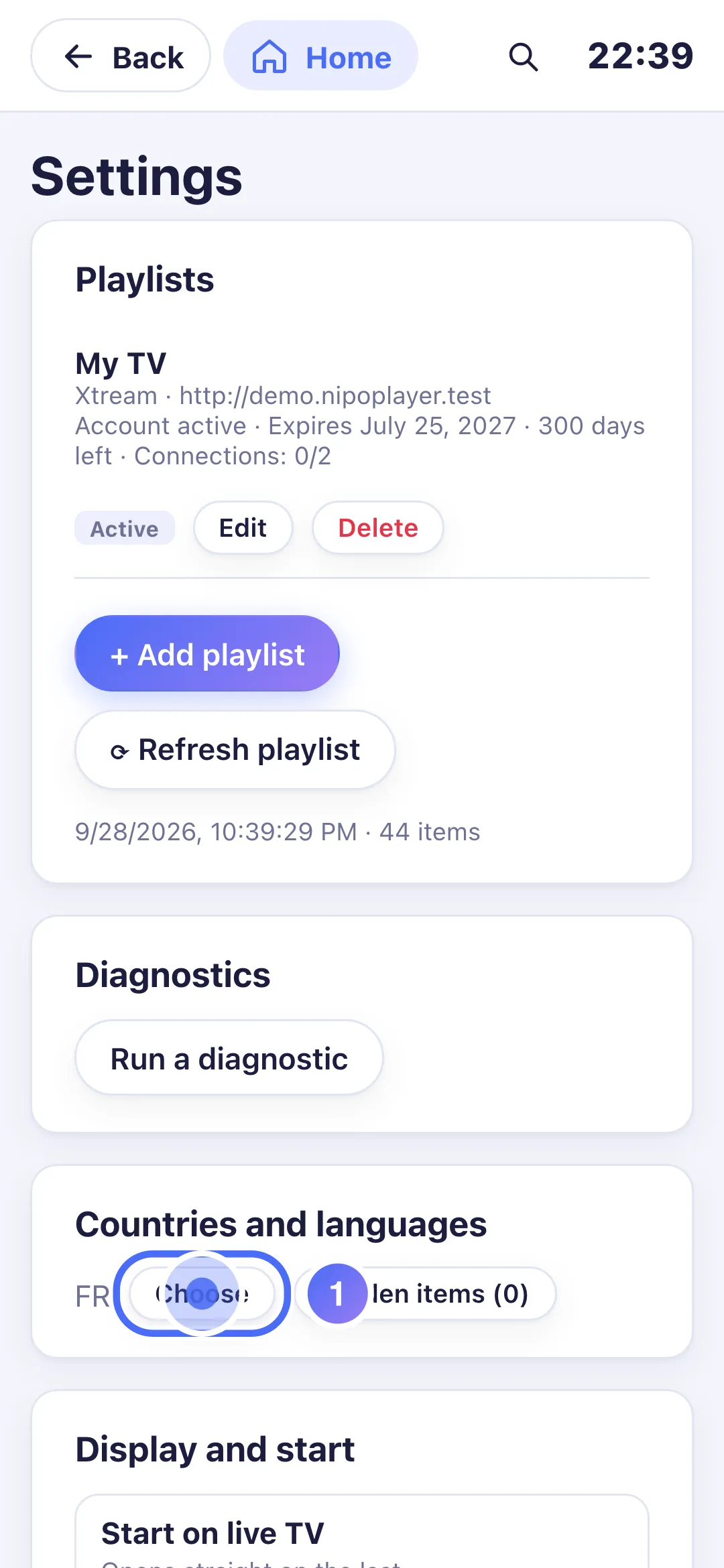
Go down to Countries and languages and press OK on Choose. Tasto OK
- 03
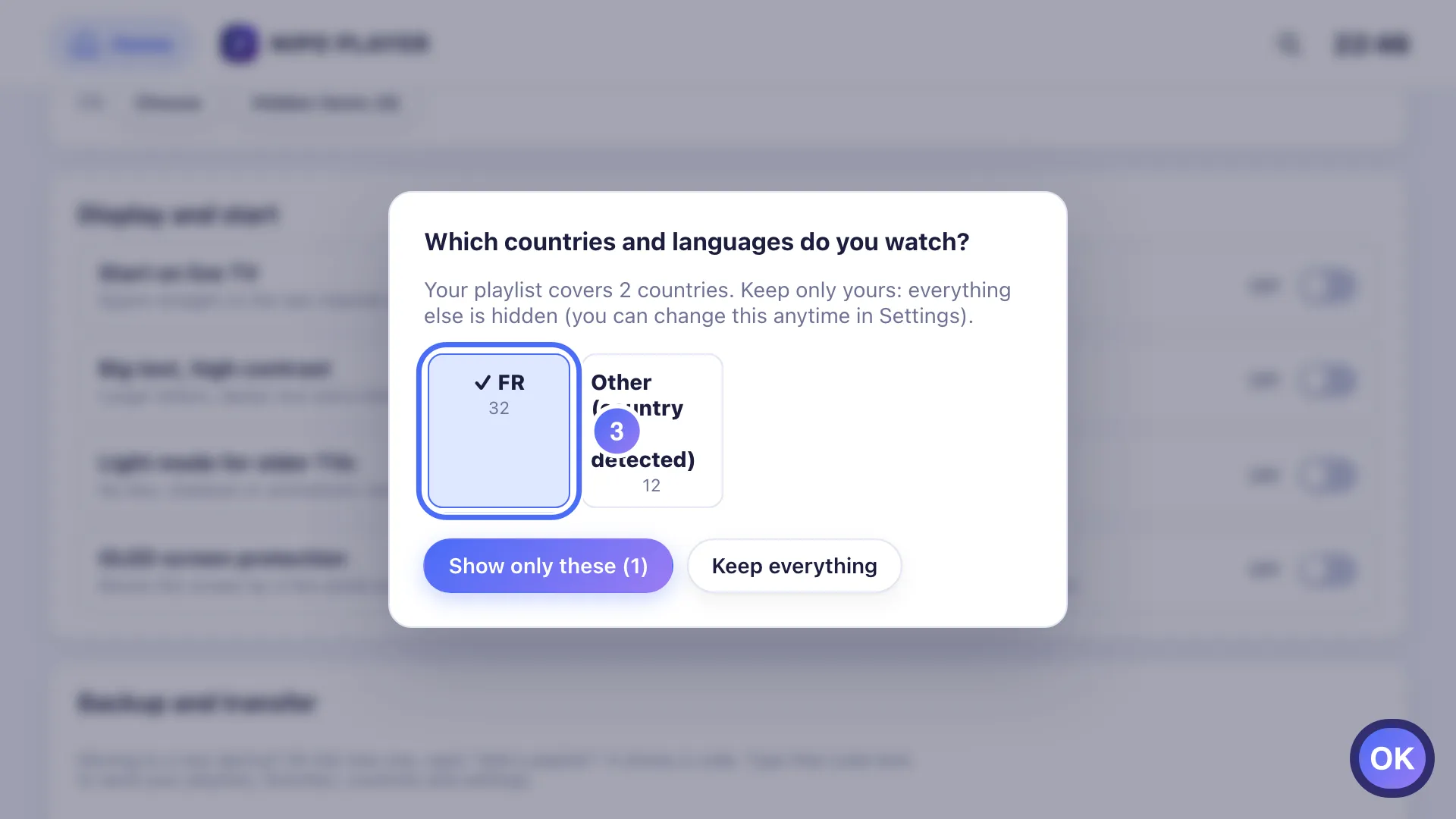
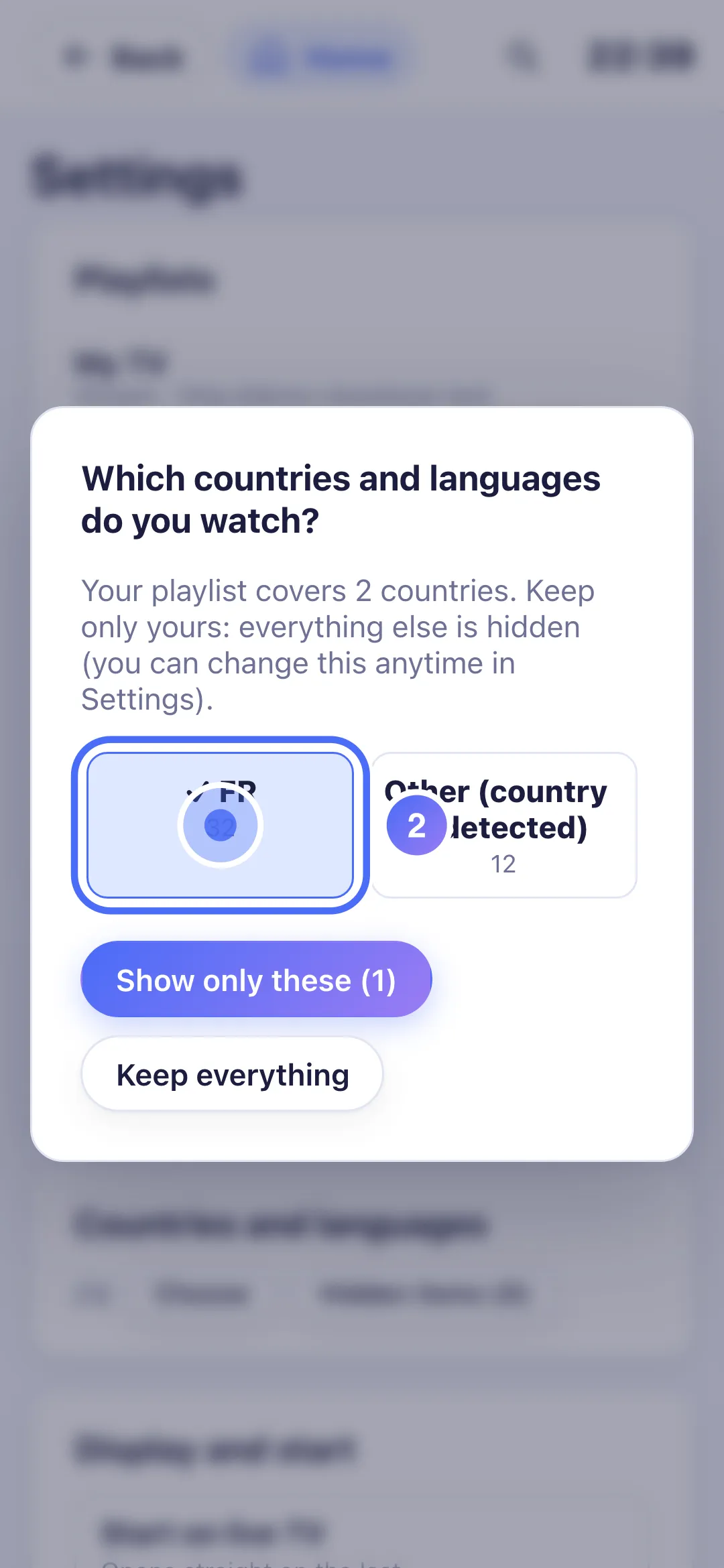
Press OK on each country to keep; the channel count shows next to it. Tasto OK
- 04
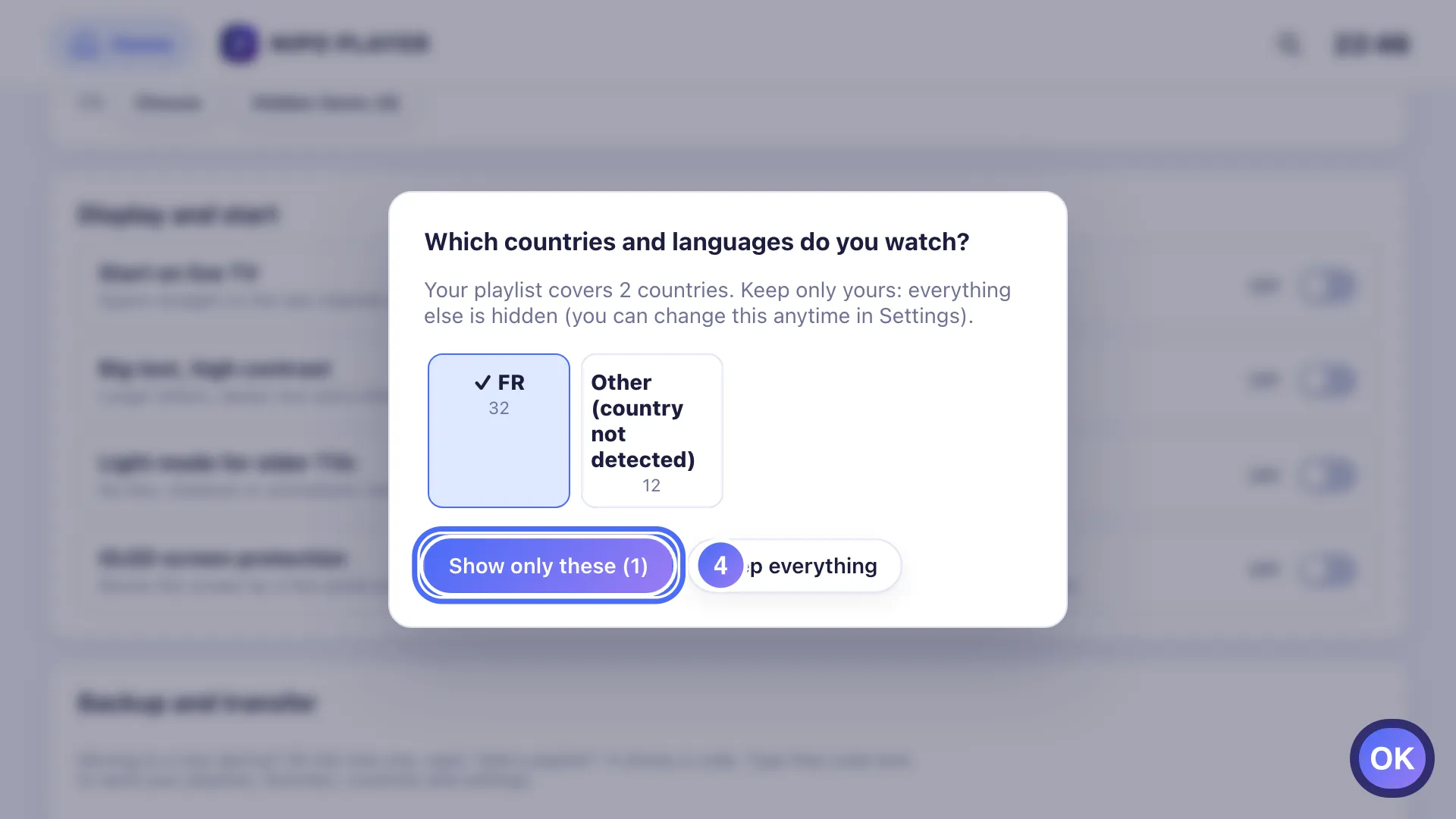
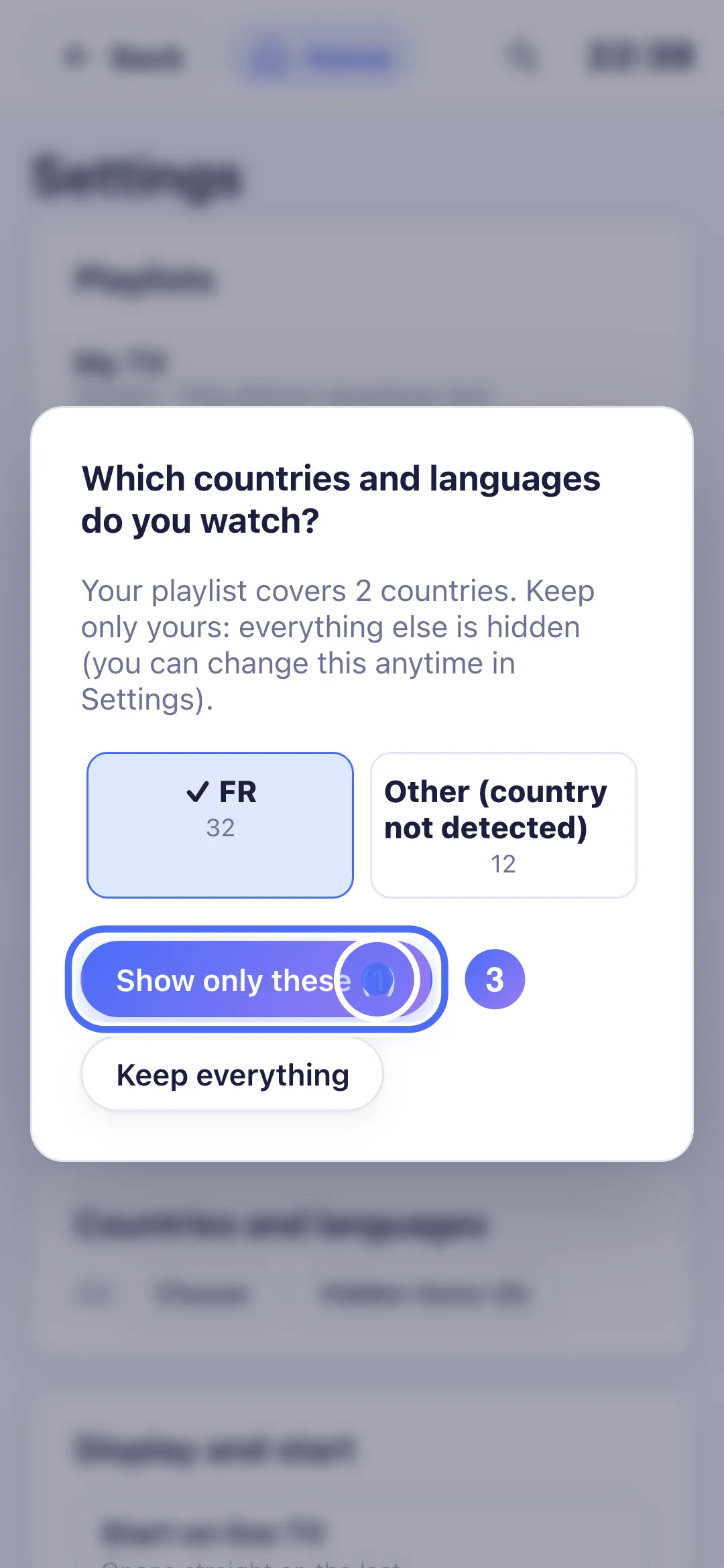
Confirm with Show only these, or tap Keep everything to hide nothing. Tasto OK
- 01
Under “Countries and languages”, tap “Choose”.
- 02
Tap each country to keep; the number of channels involved shows next to it.
- 03
Confirm with “Show only these”.
- 04
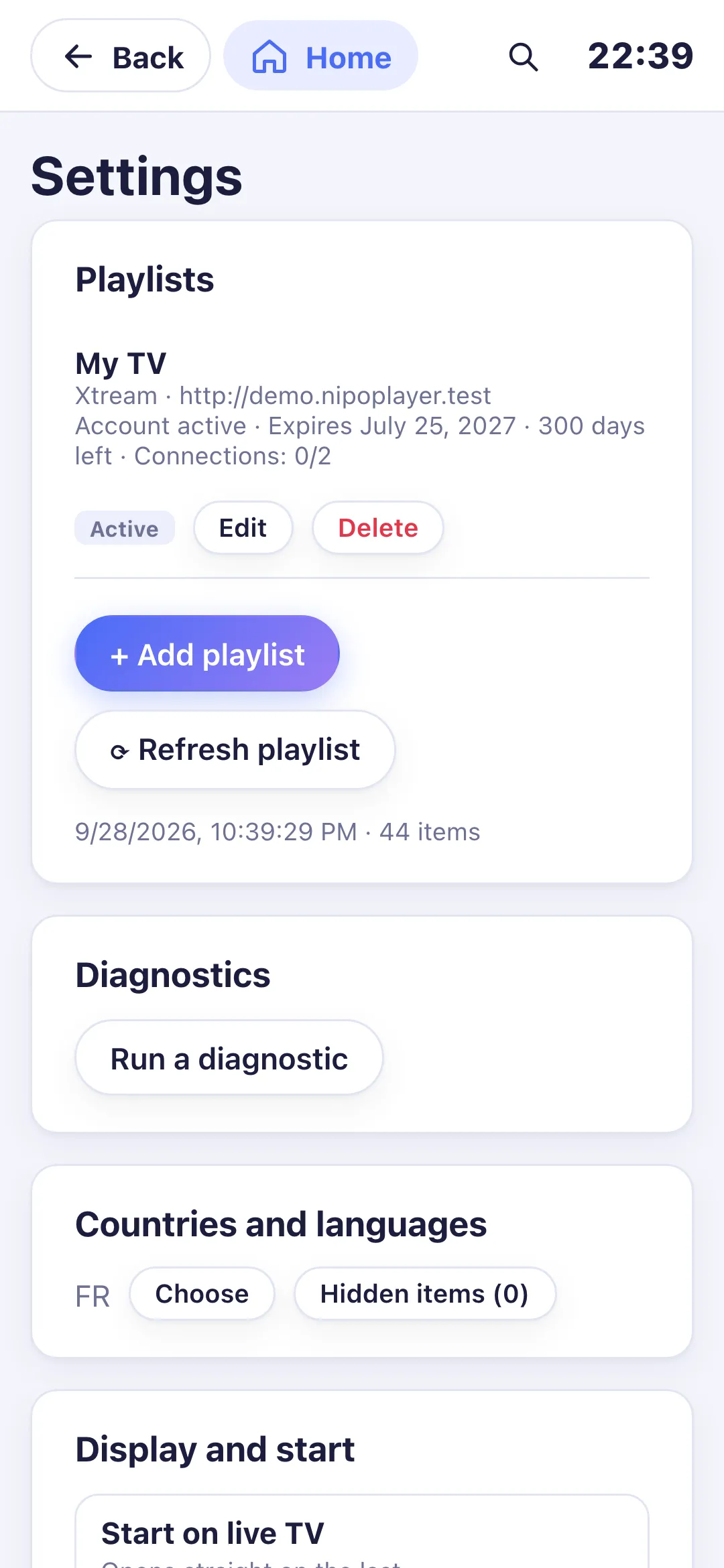
Only the chosen countries stay visible; you can change this here anytime.
- 01
Under “Countries and languages”, click “Choose”.
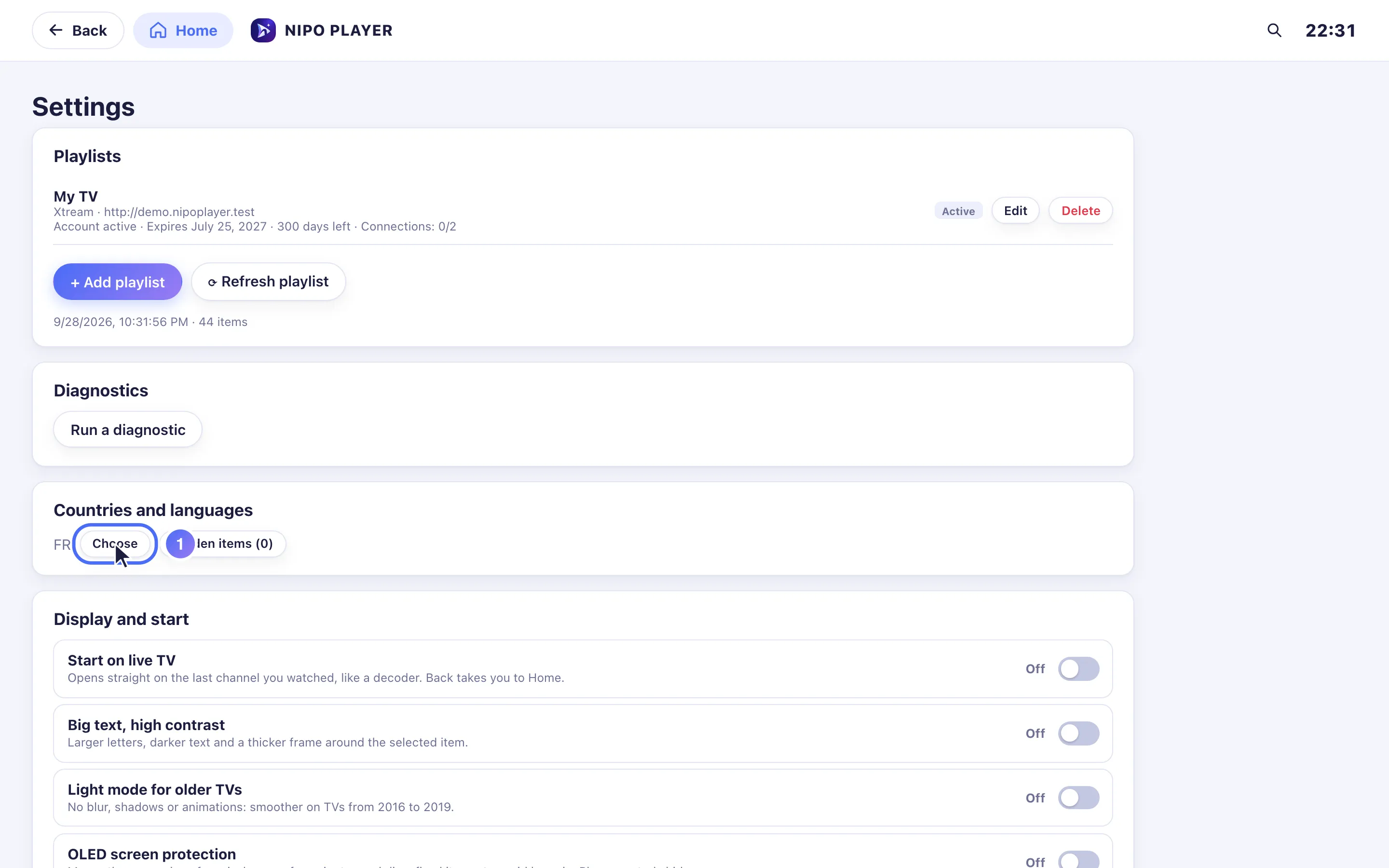
- 02
Click each country to keep; the number of channels involved shows next to it.
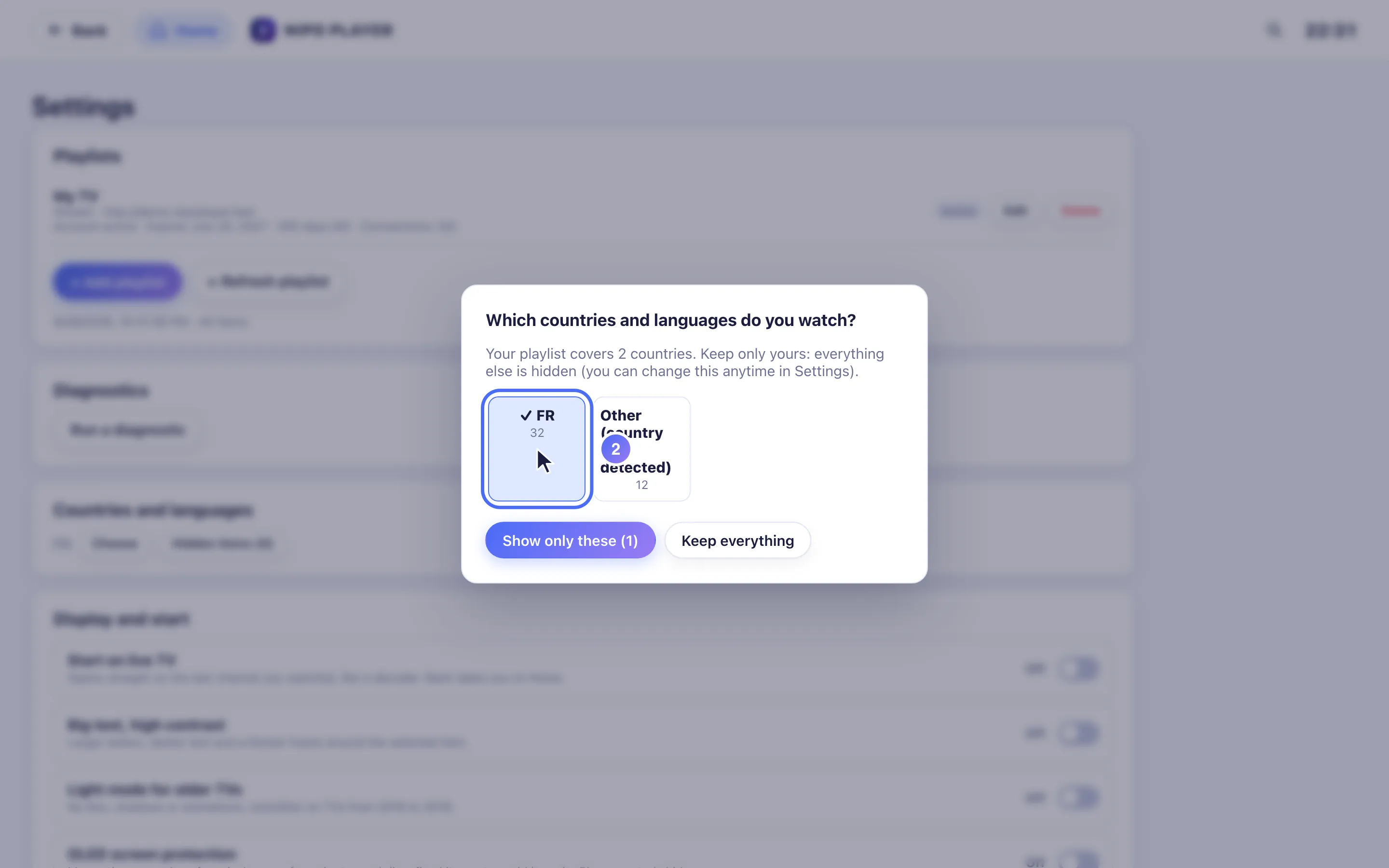
- 03
Confirm with “Show only these”.
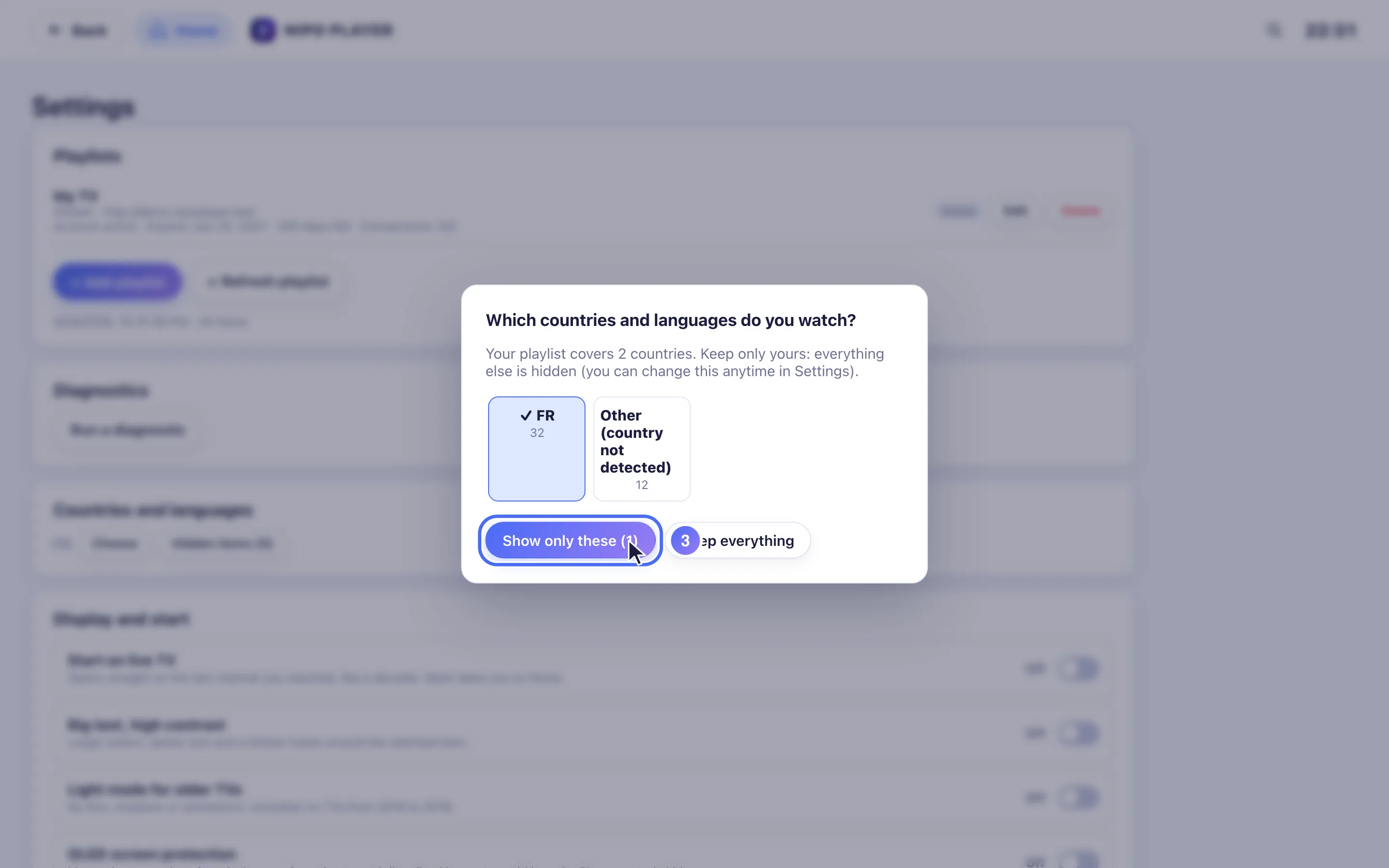
- 04
Only the chosen countries stay visible; you can change this here anytime.
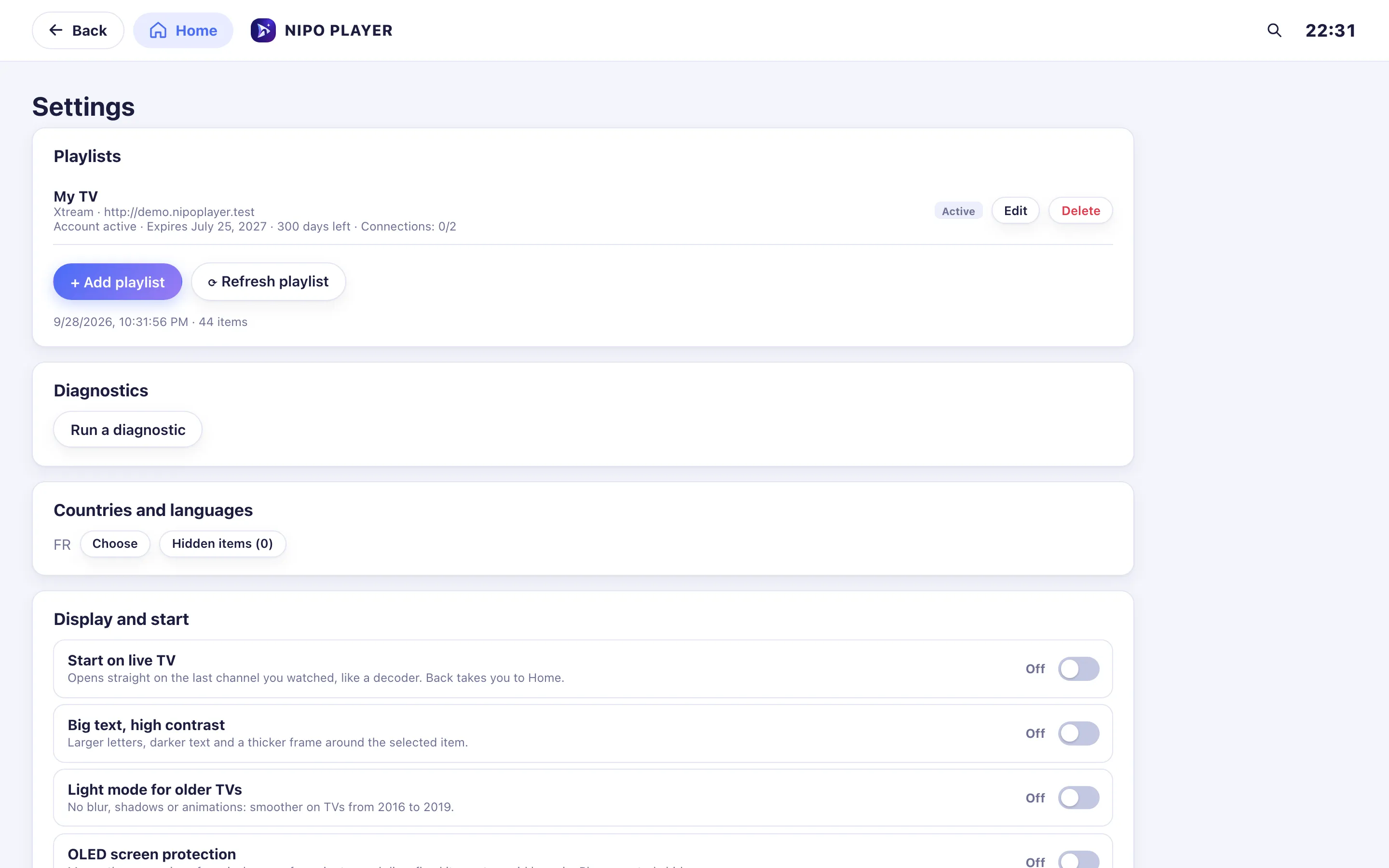
Passaggi
- Se la tua playlist copre più paesi, la schermata "Which countries and languages do you watch?" ("Quali paesi e lingue guardi?") si propone automaticamente quando aggiungi la playlist. Altrimenti, apri Settings → Countries and languages → Choose ("Impostazioni → Paesi e lingue → Scegli").
- Tocca ogni paese da tenere; il numero di canali coinvolti compare accanto.
- Conferma con Show only these ("Mostra solo questi"), oppure tocca Keep everything ("Tieni tutto") per non nascondere nulla.
- Per cambiare questa scelta in seguito, riapri Settings → Countries and languages.
Suggerimento
Nascondere un singolo canale o una singola categoria (invece di un intero paese) si fa con una pressione lunga sul suo nome (menu rapido "Hide" / "Nascondi"). L'elenco di tutto ciò che è nascosto, con un pulsante per mostrarlo di nuovo, si trova sotto Settings → Countries and languages → Hidden items.
Aggiornato il 28 settembre 2026
Questo articolo ti è stato utile?
Non trovi la risposta?
Scrivici: rispondiamo su come funziona l’app. Non possiamo consigliarti nessuna playlist.