
Backup: cosa è gratis e cosa fa parte di Premium
Su computer, «Export to a file» resta gratis e tiene i tuoi dati nelle tue mani. «Send to another device» e «Import a backup file» fanno parte di Premium.
Nipo non offre, vende né ospita alcun canale, alcun film o alcuna playlist: riproduce quello che possiedi già.
Passo dopo passo, con immagini
Le immagini mostrano l’app in inglese.
- 01
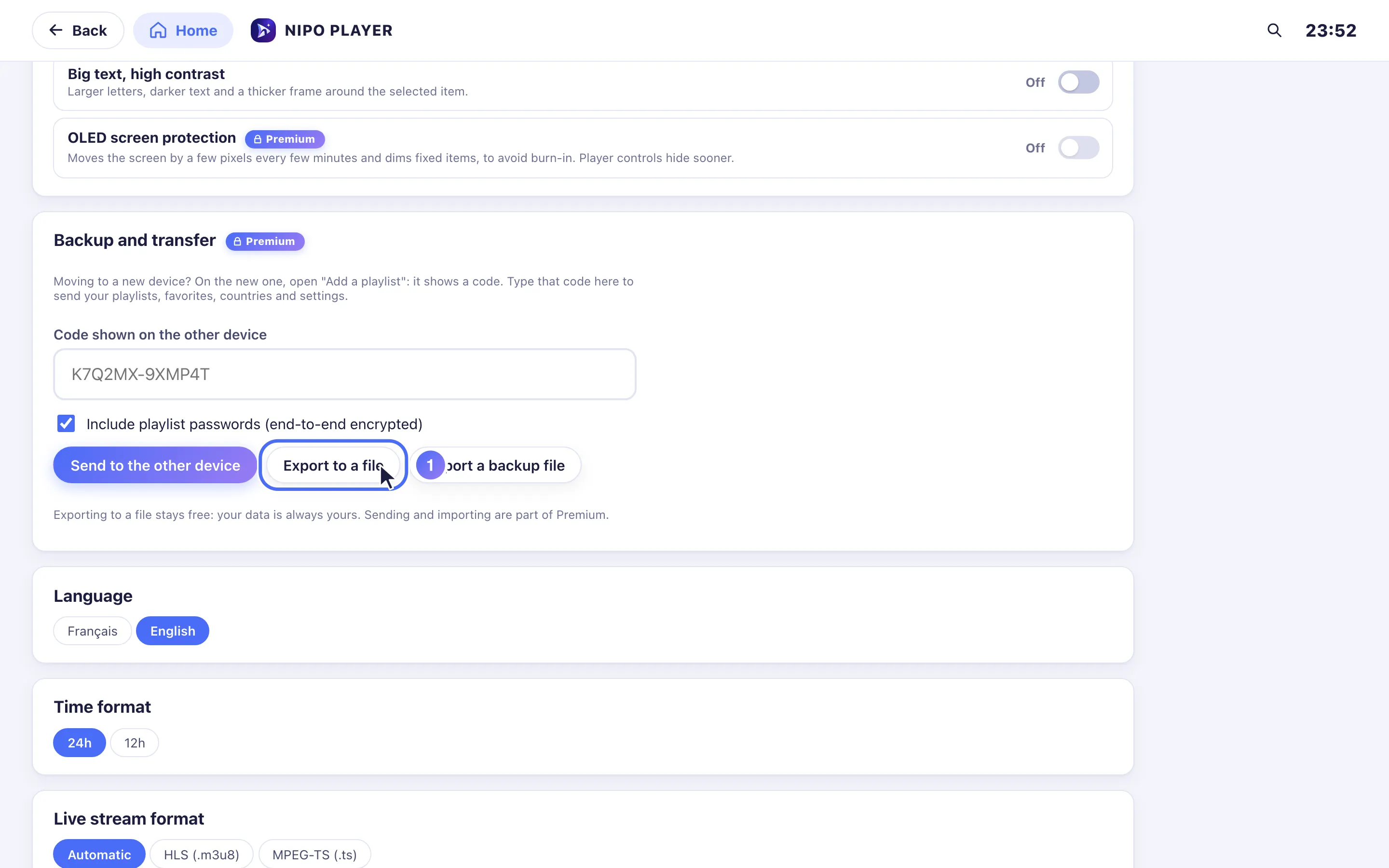
Open Settings → Backup and transfer, then Export to a file: a .json downloads with your playlists, favorites and settings.
- 02
On the same screen, Send to the other device and Import a backup file are part of Nipo Premium and Nipo Family.
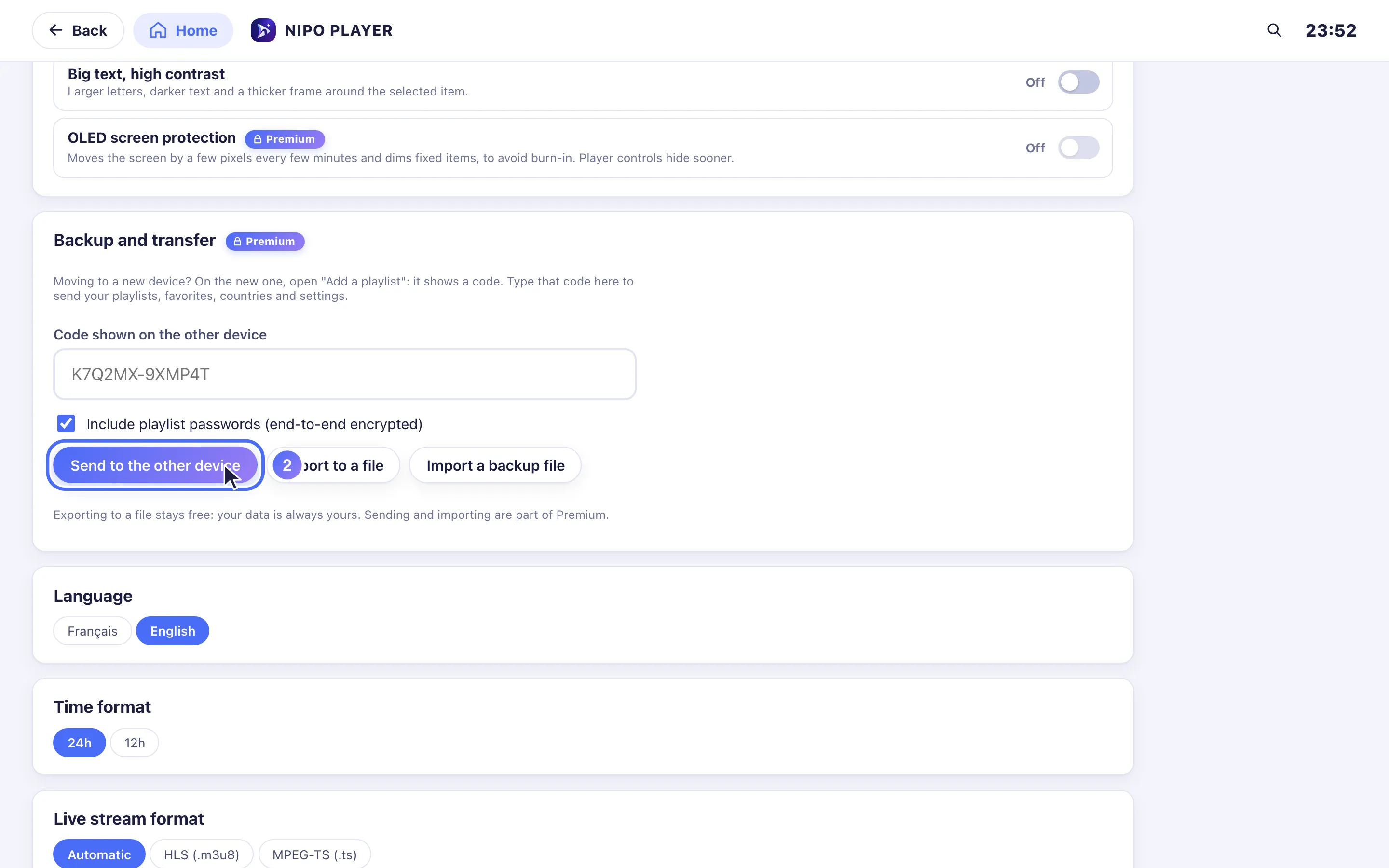
La schermata Settings → Backup and transfer ("Impostazioni → Backup e trasferimento") offre tre azioni: una resta gratis, due fanno parte di Premium.
Export to a file (gratis)
- Apri Settings → Backup and transfer, su computer (Mac o Windows).
- Tocca Export to a file ("Esporta su file"): viene scaricato un file
.json, con le tue playlist, preferiti, paesi e impostazioni. - Conserva quel file in un posto sicuro (una chiavetta USB, il tuo spazio cloud personale…): è il tuo backup.
L'esportazione resta gratis su ogni account, senza bisogno di Premium: i tuoi dati restano tuoi, anche senza Premium. È offerta solo su computer (i browser mobili non permettono questo tipo di download diretto).
Send to another device, o importare un backup (Premium)
Dalla stessa schermata, Send to the other device ("Invia all'altro dispositivo", con un codice, vedi Come trasferisco la mia configurazione su un nuovo dispositivo?) e Import a backup file ("Importa un file di backup", da un file .json esportato in precedenza) fanno parte di Nipo Premium e Nipo Family.
Suggerimento
Un file esportato prima di avere Premium resta un normale file .json: può essere importato in seguito, una volta che Premium è attivo sul dispositivo che lo riceve. Nessuna esportazione elimina o sovrascrive nulla.
Aggiornato il 29 settembre 2026
Questo articolo ti è stato utile?
Non trovi la risposta?
Scrivici: rispondiamo su come funziona l’app. Non possiamo consigliarti nessuna playlist.